Plugin Support
 daniub
(@daniub)
Hi,
as stated in our guide text please choose “enable tracking by default” option.
Please also check that in the Integrations menu of the complianz plugin, active campaign integration is enabled.
Screenshot here: https://prnt.sc/9tjzwZR4cGJT
If your issue persists then leave this configuration enabled and tell us exactly where we can reproduce the issue and specific steps.
hope this helps!
Hey @daniub
Thanks for clairfying!
So – the plugin integration is on in Complianz as per your screenshot.
Enable tracking is on in the Active Campaign plugin as per the docs.
If you visit bie-executive.com you’ll see two cookies are placed before accepting Complianz – ‘ac_enable_tracking’ & ‘prism_…..’ – both Active Campaign Cookies.
I believe they shouldn’t be placed until after accepting via the Complianz cookie pop up.
Thanks!
Hey @daniub – is there any update here? This issue is ongoing. Thanks!
Hello,
thanks for your update and I’m sorry for this delayed answer.
I see you’re using WPRocket, please follow this guide https://complianz.io/javascript-delay-in-wp-rocket-and-other-caching-and-optimization-plugins/ in order to whitelist our JS since that cache plugin can break ours.
Furthermore I see from your Cookie Policy that Active Campaign is recognized in the categories “Functional” and “Marketing” while it should be only in “Marketing”. Could you please check our plugin wizard to see if you configured it this way?
Once done that please delete the website cache and I’ll check again.
Hey @leonardotamion
Thanks for your help!
I’ve gone ahead and added ‘complianz’ to the exclusion list in WP Rocket as per your linked article, and have cleared all caches.
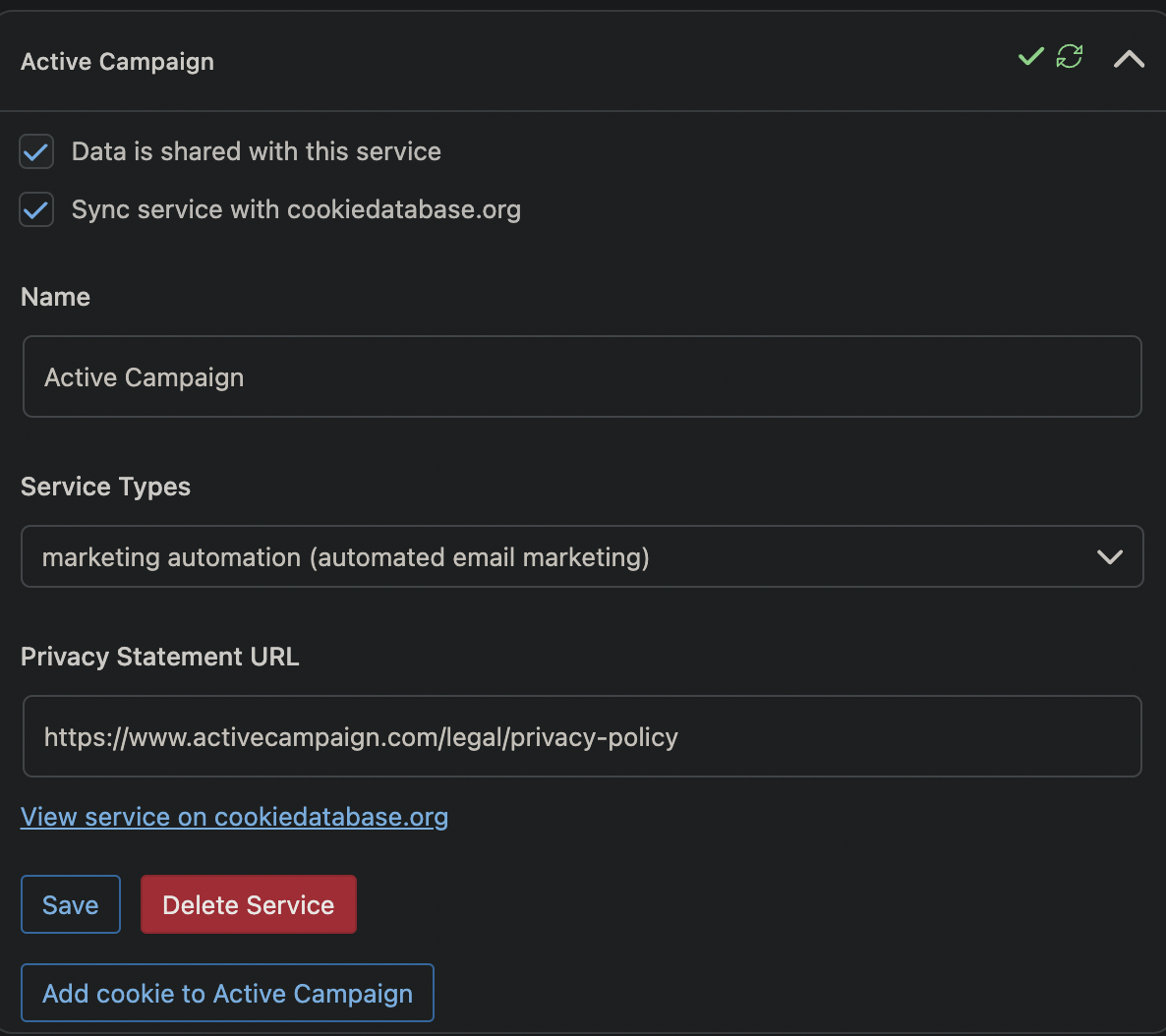
I’ve checked the plugin wizard, and I’ve not manually set this. In the wizard at the ‘cookiedatabase.org’ stage there is an Active Campaign dropdown with three cookies:
ac_enable_tracking – set to functional, greyed out so can’t be edited
prism_* – set to marketing, greyed out so can’t be edited
prism_xxxxxxx – with numbers instead of ‘xxxxx’ – set to marketing, can be edited.
Hello,
I checked from a test Complianz website in which I added the official ActiveCampaign plugin, I didn’t put a test API URL/Key but our plugin recognized it anyway as you can see from this screenshot.
I don’t have any functional reference on it so what I can suggest you is:
1) Check if you put something related to ActiveCampaign in the “Integrations” -> “Script Center”
2) Deactivate the Active Campaign plugin and reactivate it, deleting the website cache, now that you whitelisted our Javascript in the cache plugin
Unfortunately I cannot reproduce the issue.
Hey @leonardotamion – thanks for your continued help!
I’ve been testing with staging in case there is some kind of conflict.
I’ve stripped the staging domain back to just the Breakdance theme plugin, all others disabled.
Disabled both complianz and active campaign, then re-enabled complianz, ran the wizard, then re-enabled active campaign and ran the wizard again.
I’m still having the issue.
There’s nothing in the script centre.
Complianz has picked up Active Campaign as an integration, but has placed one cookied under ‘Purpose pending investigation’ rather than marketing.
Loading the site in incognito, both ‘ac_enable_tracking’ and ‘prism_xxxx’ are being placed before the cookie notice is accepted.
You can see here: https://stg-bieexecutive-staging.kinsta.cloud/
-
This reply was modified 2 years ago by
 pennipick.
To add to this – I also have the same showing back end as you – the plugin has recognised it fine: https://stg-bieexecutive-staging.kinsta.cloud/wp-content/uploads/2024/06/Screenshot-2024-06-10-090946.png
The problem is that cookies are placed before accepting, not that the plugin isn’t recognising Active Campaign: https://stg-bieexecutive-staging.kinsta.cloud/wp-content/uploads/2024/06/Screenshot-2024-06-10-091213.png
Hello,
we sincerely appreciate your patience throughout our troubleshooting process. After carefully considering the information you provided and conducting extensive research, we regret to inform you that we have been unable to reproduce your issue locally.
As a free support service on the WordPress forum, we have certain limitations that prevent us from offering advanced troubleshooting assistance. We understand the frustration this may cause, and we apologize for any inconvenience caused. Our primary goal is to provide the best possible support within the scope of our capabilities.
Given the complexity of the issue and the need for further investigation in a controlled environment, we recommend seeking assistance from a specialized WordPress professional or developer. These experts possess the necessary expertise and resources to diagnose and resolve intricate technical difficulties like the one you are facing.
We understand the importance of resolving your issue promptly, and we genuinely regret that we are unable to provide a direct resolution through our free support channels. However, connecting with a WordPress specialist will ensure that your issue is addressed with the utmost care and expertise, minimizing any potential risks or complications.
Once again, we apologize for any inconvenience this situation may have caused. Should you have any further questions or require any additional guidance, please don’t hesitate to ask. We are here to help in any way we can.
Thank you for your understanding and cooperation.
Hello,
@pennipick , did you find any solution? I have exactly the same issue