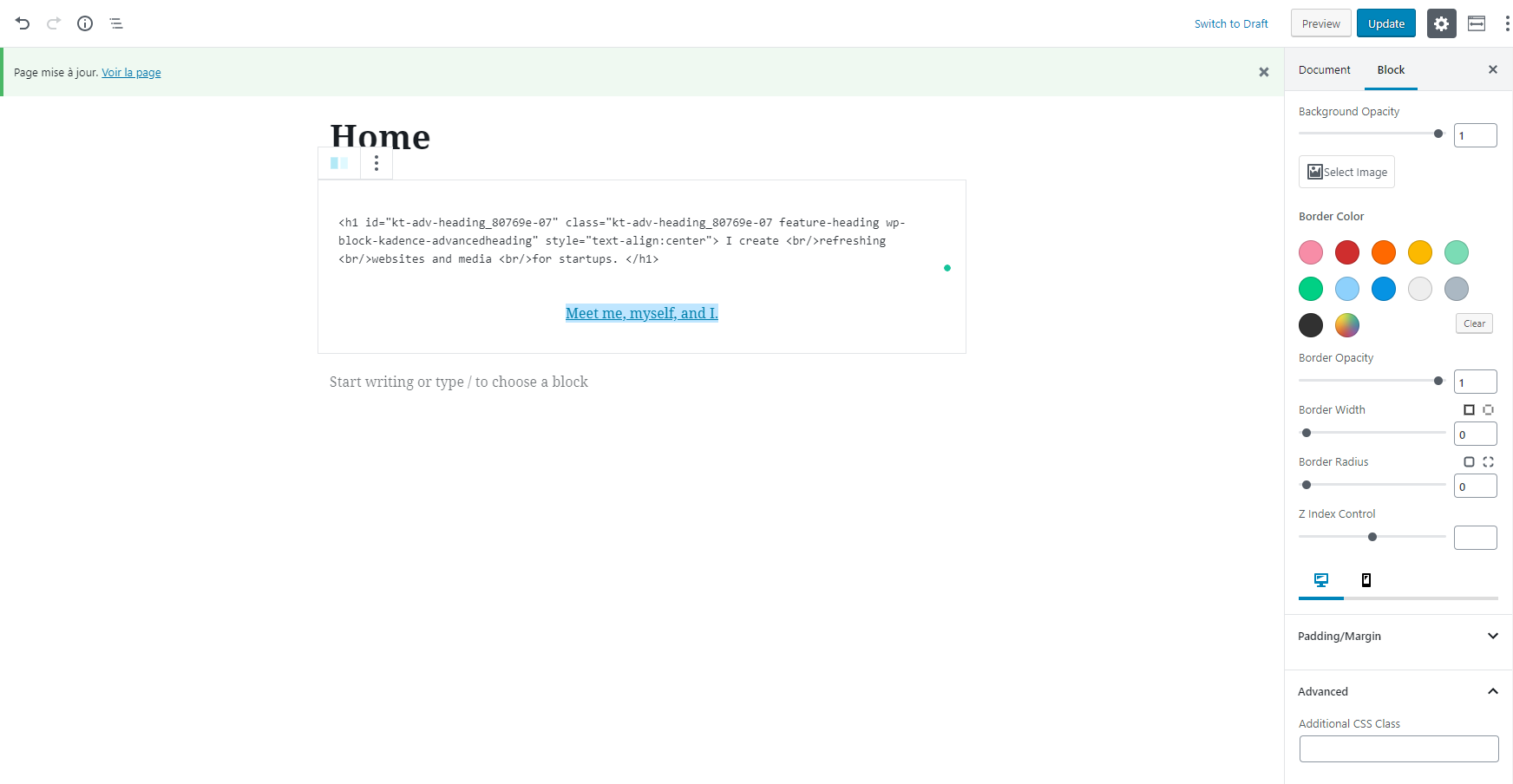
Hey, Thanks for writing, you can add an ID to the row/layout block. Just click on the “advanced” tab at the bottom of the options panel on the side and you will see the anchor input.
Ben
Hey Ben, it only say I can only see that I can add a class to the section block (column element), but not an ID.
Screenshot (bottom right)
-
This reply was modified 7 years, 1 month ago by
 Nazrinn.
Hey,
So just choose the row level, not the column level. Your screen shot shows the column level. If you click the icon right next to the info icon in the top left of your screen that will allow you to click on the exact block you want.
For adding an ID you just want to make sure you’re on the row block.
Ben
Ah! I see now. That solves my problem. Thanks Ben!
It would be really useful if the ID field was added to more Kadence blocks, i.e. the Dividing Line (hr separator) block. This is commonly used to separate sections and would be the ideal place to insert an anchor to ensure the heading below it is visible when the link jumps to that section. Please consider adding the ID field to this block.
Thanks
@mwcs I’ll add that to the next version.
Ben