Plugin Support
 lusp
lusp
(@lusp)
Hi @saraweb1,
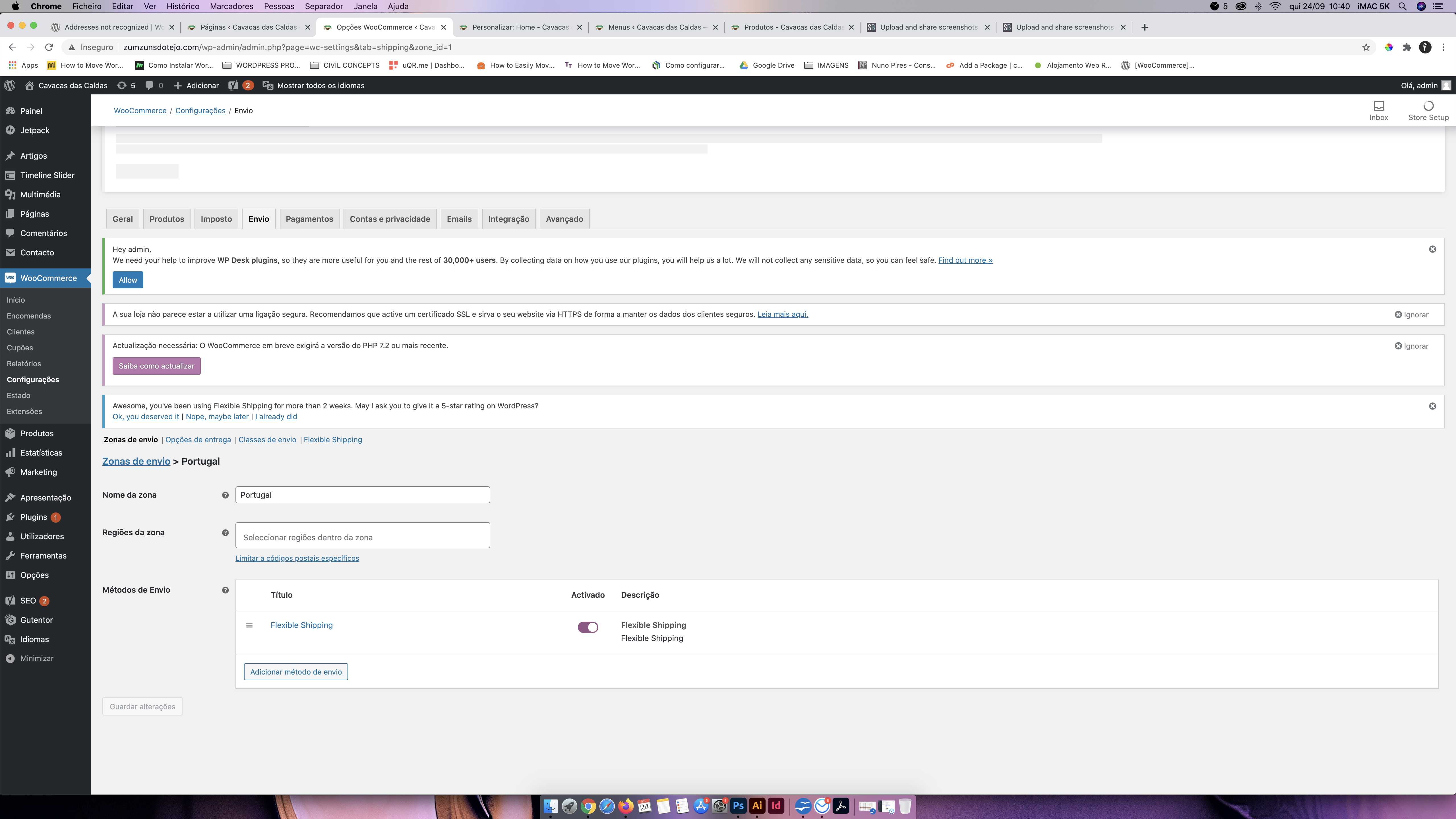
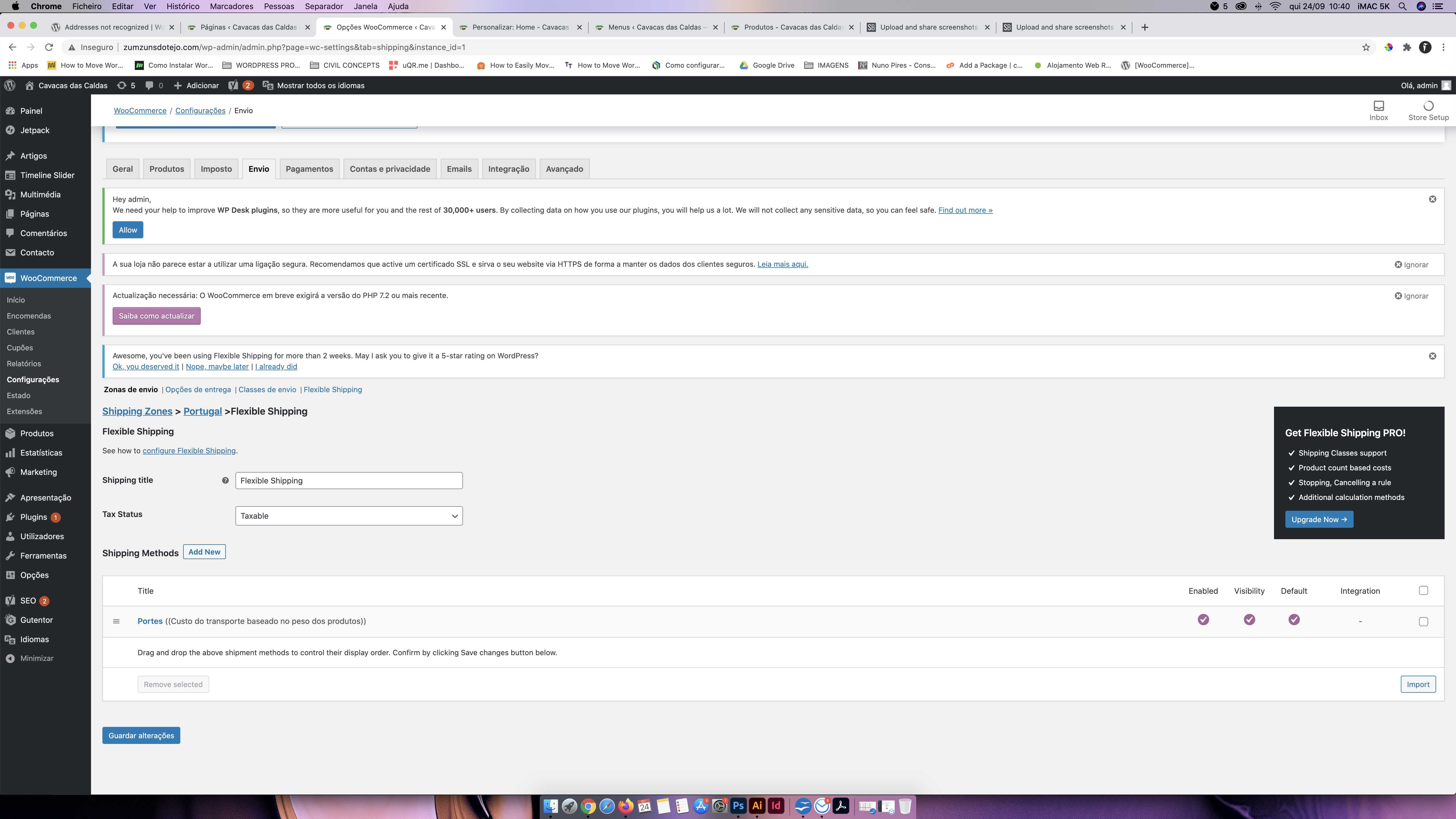
From what you have written it looks like the problem you’ve encountered might be related to the shipping methods’ configuration. Could you please provide us with the screenshots illustrating how are they currently configured?
Kind regards,
Hello @lusp,
Thanks for your quick reply. As requested I’m sending the screenshots from my settings. Let me know if you need anything else.
I created 2 shipping zones:
– ‘Ilhas Excluidas’ with no method selected so that the customer from those regions can’t place an order;
– and Portugal (that includes the entire country).
https://snipboard.io/PQ5UFR.jpg
https://snipboard.io/twhm1g.jpg
https://snipboard.io/cNldmW.jpg
https://snipboard.io/K2E8ov.jpg
https://snipboard.io/YEig1f.jpg
Thanks for your help,
Sara
Plugin Support
lusp
(@lusp)
Hi @saraweb1,
Thank you for the screenshots. Could you please tell me what shipping details exactly did you enter when you got the ‘No shipping options…’ notice and which products were in the cart?
I’ve run a test, added some random product to the cart, entered some sample Porto address and got no shipping method available:
https://wpdesk.me/ls/k9buw.png
As you can see, the shipping zone was matched properly. My first guess is no shipping method is available because you have ticked this checkbox here:
https://wpdesk.me/ls/s0ncz.png
That’s why non-logged-in users, including me now, are not able to see the shipping methods in the cart.
If the problem still exists despite you being logged in as an admin, please check if the WooCommerce weight units were set to g at WooCommerce > Settings > Products > General > Measurements. Maybe the shipping cost calculation rules you’ve defined cannot be applied because of the units’ mismatch since they were created for g and you have e.g. kg set there.
Please also check if the weight value was entered for all the products in your shop and let me know about your findings.
Kind regards,
Hi @lusp,
You are right, the ‘show only for logged users’ was the problem. After I unchecked this it worked properly.
Thanks so much for your help.
Best regards,
Sara
Plugin Support
lusp
(@lusp)
Hi @saraweb1,
I’m glad to hear I was able to help and the problem was solved.
Please let us know if you have any further questions or if there is something more we can help you with.
Kind regards,