• Resolved bemasterwp

    (@bemasterwp)


    Hello ASE team,

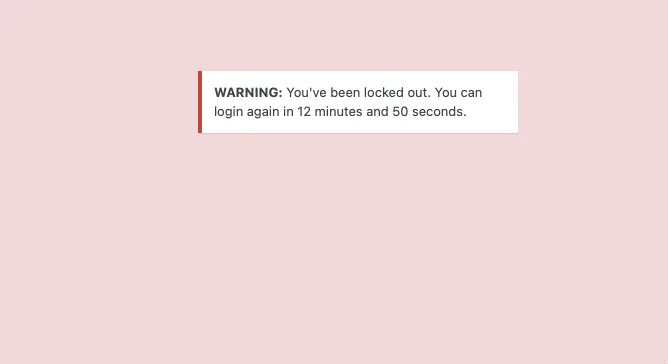
    I appreciate your help with the following situation: I activated some of the security options that the plugin offers, but now I can’t access the admin area. It only shows me a window with a pink background, but doesn’t give me the option to enter my username and password. What could be causing this or what can I do to be able to access my website again?

    I appreciate any guidance that can help me resolve this issue.

    The page I need help with: [log in to see the link]

Viewing 5 replies - 1 through 5 (of 5 total)
  • Plugin Author Bowo

    (@qriouslad)

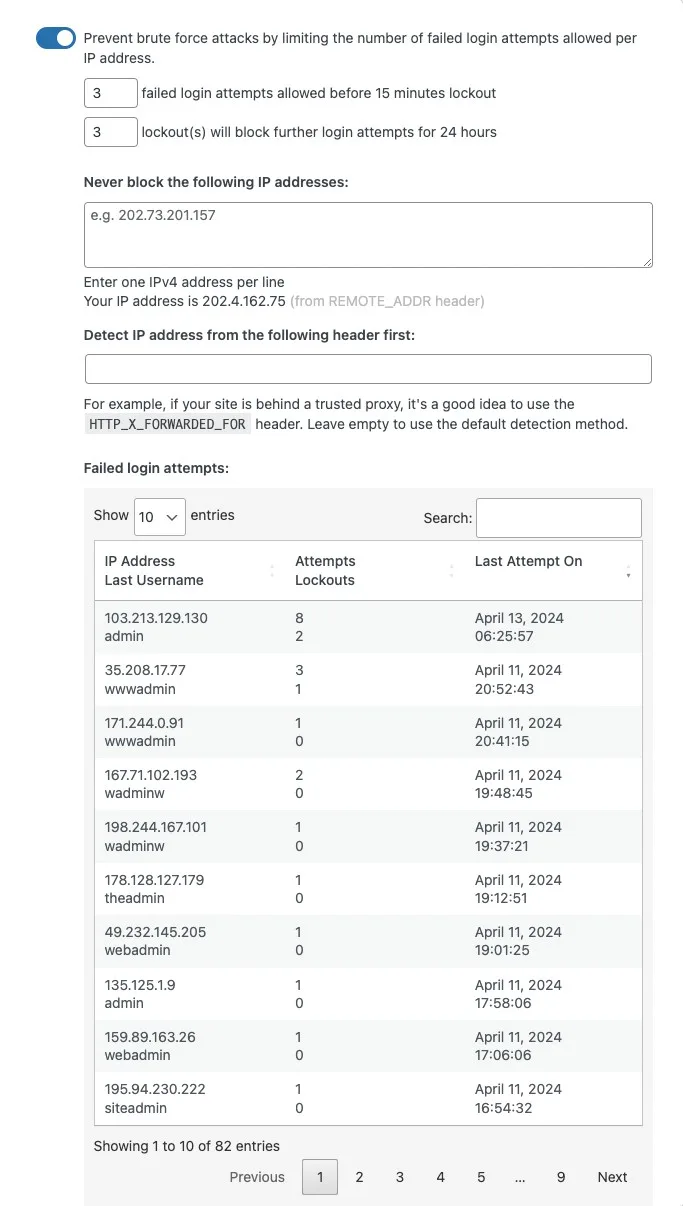
    Looks like you enabled the Limit Login Attempts module and seeing this screen. For now, you can:

    1. Wait until the lockout period has passed and try logging in again, or
    2. Go to the database and empty out the wp_asenha_failed_logins table

    It looks like your site is behind a proxy? Cloudflare? If so, you’ll need to find the HTTP header in use by your site to detect visitor’s IP address, and then add that header in the “Detect IP Address from the following header first” section. Screenshot: https://www.wpase.com/wp-content/uploads/2024/05/limit-login-attempts-20240520.webp

    • This reply was modified 1 year ago by Bowo.
    Thread Starter bemasterwp

    (@bemasterwp)

    Thank you for responding so quickly!

    Plugin Author Bowo

    (@qriouslad)

    @bemasterwp you’re welcome. Were you able to regain access to the admin area and implemented the step(s) I recommended?

    Todd Edelman

    (@toddedelman)

    @qriouslad I’m having the same issue. Site is behind Cloudflare (https://bit.ly/4e4GHA7). Using Limit Login Attempts module. I’ve checked our http headers and I’m not seeing any value for IP detection. What do I do?

    Plugin Author Bowo

    (@qriouslad)

    @toddedelman here’s a list of Cloudflare HTTP headers: https://developers.cloudflare.com/fundamentals/reference/http-headers/

    It seems common for proxy servers to use the HTTP_X_FORWARDED_FOR header, so, please try using that for the “Detect IP address from the following headers first” field in ASE LImit Login Attempts module settings. Otherwise, I suggest trying to speak with Cloudflare support on which header is best for determining the IP address of your site visitors.

Viewing 5 replies - 1 through 5 (of 5 total)

The topic ‘Admin access blocked after enabling security plugin options’ is closed to new replies.