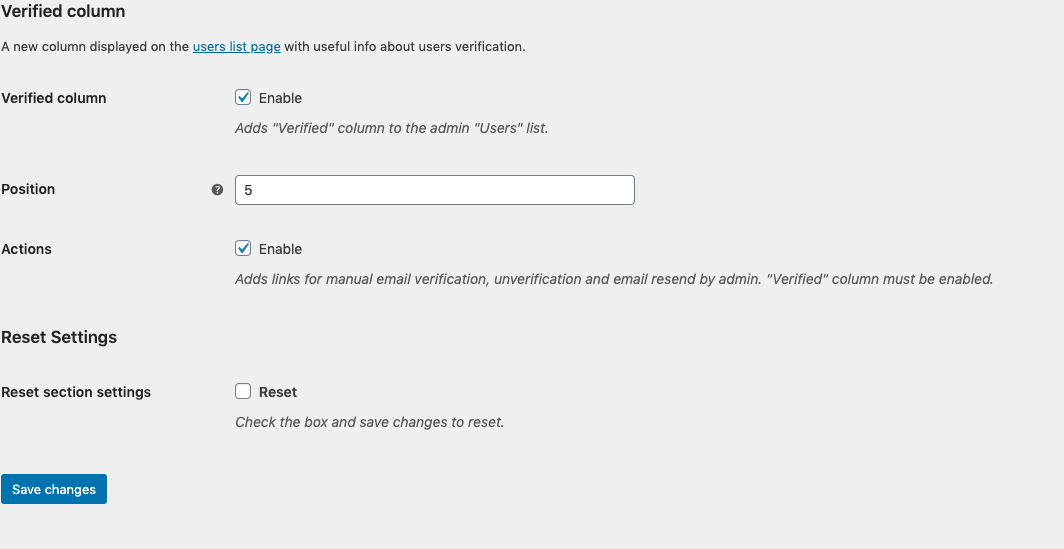
Hello,
Please try to use our most recent version (1.9.5) where it’s possible to setup the column position. Maybe it will solve your issue.
Let me know if it works.
If it does not, please send some screenshot
Hi Thanks I have updated to 1.9.5 and also Admin Columns 4.2.2
I can confirm that when I have admin columns enabled, the Verify column will not be shown.
Screenshots:
http://sandbox.curiousfew.com/ev/1.png
http://sandbox.curiousfew.com/ev/2.png
http://sandbox.curiousfew.com/ev/3.png
Please try both of these options:
1. On Admin Columns settings, Access “users” and check if “Verified” column is present. If it is, try to change its position
2. On the Email Verification plugin, try to access the “Verified Column” option on the admin section, as the third screenshot you’ve sent and also try to change the position, to 2 or 3 for example or any other numbers
Hi,
I found the Verify column in the settings, thank you very much for the help.
Anytime 😉
In that case, please consider leaving us a review!