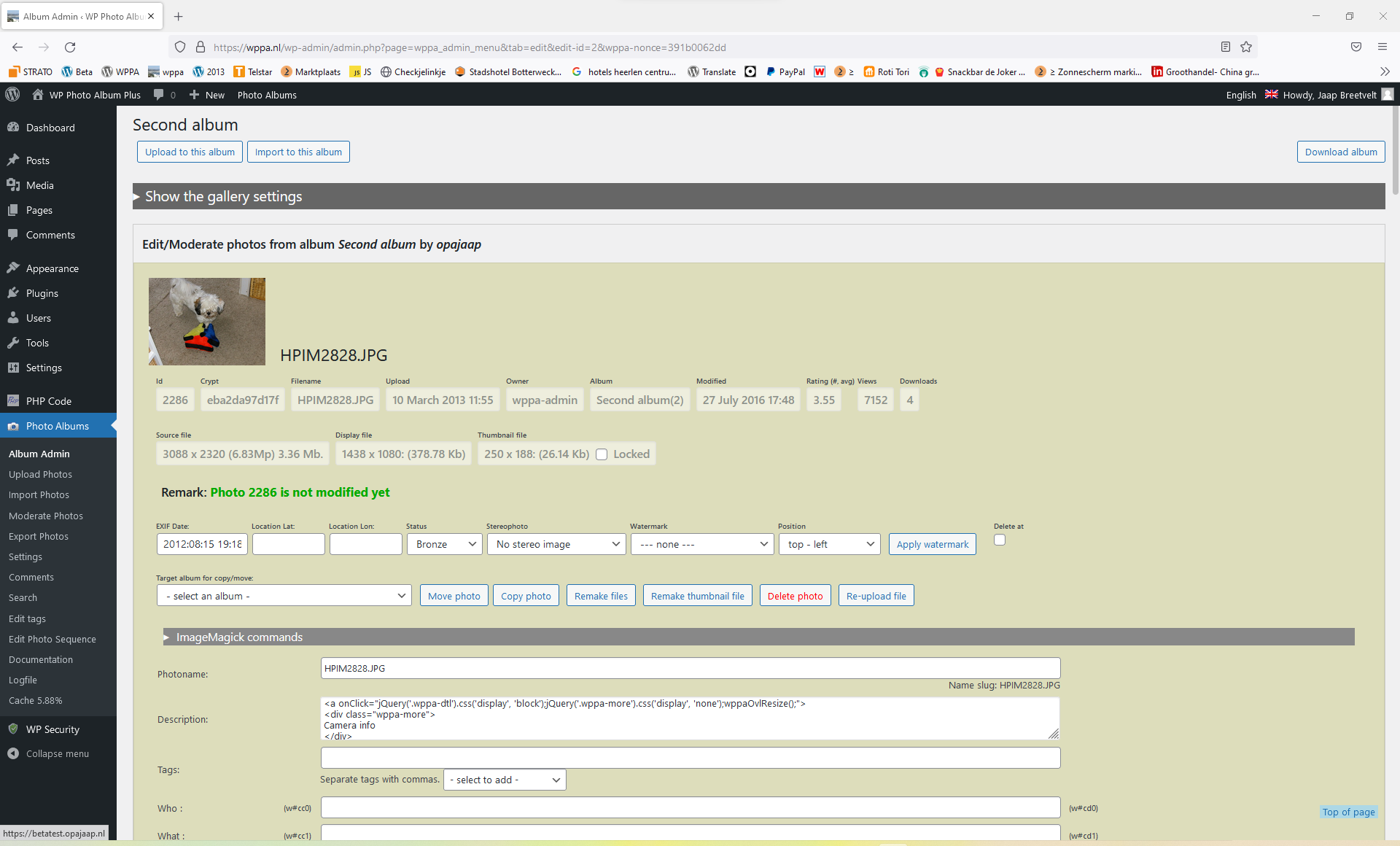
The first half shows the items that can not be changed/edited, so they look like disabled input fields.
However i see a layout issue, e.g. the upload date should be on one line.
This is most likely caused by interfering css from another plugin.
Can you give me a list of active plugins on that site?
It should look like: https://wppa.nl/wp-content/uploads/wppa-source/album-99/Schermafbeelding-2022-06-30-170848.png
Akismet Anti-Spam
All In One WP Security
Classic Widgets
Custom Login Page Customizer
Email Subscribers & Newsletters
GDPR
GTranslate
Health Check & Troubleshooting
Hide Admin Bar From Non-Admins
LiteSpeed Cache
Login-Logout
Nextend Social Login
Optimize Database after Deleting Revisions
Popup Maker
Post Duplicator
Simple Download Monitor
Site Kit by Google
Smush
Social Share Buttons by Supsystic
Stop Spammers
Sucuri Security – Auditing, Malware Scanner and Hardening
Ultimate Member
Ultimate Member – reCAPTCHA
UpdraftPlus – Backup/Restore
WP File Manager – PRO
WP Last Modified Info
WP Photo Album Plus
WP ULike
I’ve just gone into troubleshooting mode, disabled all plugins except WPPA and changed to a default theme. The problem is still there.
Which browser do you use?
@jacob maybe the style should get an additional white-space: nowrap
-
This reply was modified 3 years, 11 months ago by
 FGBmaster.
Normally Chrome but I’ve tried Edge and it’s the same
I just discovered that it looks ok in firefox, but not in chrome (same site), so i now know enough to troubleshoot
Pls do a re-install of the current release versaion. I patched wppa-admin-styles.css and it works ok now for me on chrome
Thank you Jacob, that’s sorted it out. Excellent work as usual.