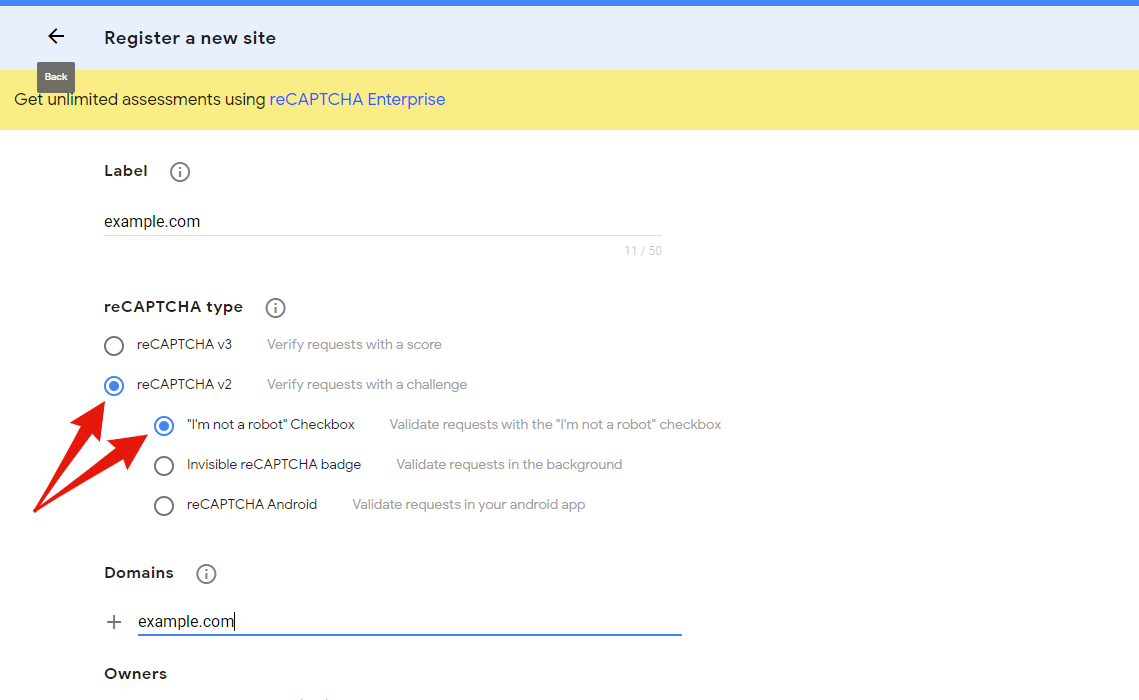
Yes that’s right. There wasn’t an option for V3.
Please could you update to version 1.2.1 and give it another try?
I tested on my end and I get this error only when my “Site Secret” is entered incorrectly, or the reCAPTCHA is not completed successfully.
Hi, I’ve done that and copied in the keys again and still get this – Failed! There is an error with your API settings. Please check & update them.
Error Code:
Hmm, that’s very strange. It’s not even returning an error code.
Do you have any firewalls on your site by any chance? It could be that this is blocking it from working.
Hi @julianrees47
An alternative would be to try my other free plugin to implement Cloudflare’s new reCAPTCHA alternative, Turnstile.
See here: https://ww.wp.xz.cn/plugins/simple-cloudflare-turnstile/
I’ve tried turning off all the anti spam and protection plugins but no joy yet. My customer is convinced he must have recaptcha so I’ll keep trying with turning plugins off until I get some joy…
Thanks for your suggestions.
@julianrees47 did you find a solution in the end?
I’m having the same problem, but couldn’t get Turnstile to work either. Makes me think it’s probably an issue with another plugin on the site.
I am experiencing the same issue.
I have created the Site Key and Secret 3 times, and still not fixing the issue.
I have also turned off ALL plugins and still not fixing.
Any ideas ?
My client wants ‘Google Recaptcha v2’ only, not Turnstile.
-
This reply was modified 3 years, 6 months ago by
 jacksonville.
I’m having the same issue as well unfortunately.
Hi,
I have just re-tested this on my end, and it seems to all be working fine.
It may be that something is conflicting with it on your site, for example another plugin, or a firewall/optimisations blocking the scripts.
Would you be able to temporarily disable your other plugins (on a staging site maybe), one by one, and see if that fixes it?
Aloha,
I came here because I saw the same issue.
I found that if I don’t check any of the boxes for where the reCaptcha shows on the website, the error doesn’t come up. It passes the validation check.
If I try to validate with any of those boxes checked, it will fail.
So I figured I would just validate it while none of them are checked and then check the ones that I want after. Unfortunately it didn’t work. The reCaptcha didn’t show up on the pages.
Hope that helps troubleshoot the problem.
Getting the same error this morning. Failed! There is an error with your API settings. Please check & update them.
Error Code:
No error code given. v2 API site and secret codes entered. Did a conflicting plug in get identified?
Cloudflare works OK though…
@jacksonville @samwoods @slinkysam @funnybook @metalfurydesign @julianrees47
Hi all,
Please could you try updating to version 1.2.8 and give this another try? Should now be fixed hopefully!