• Resolved 0jeycea0

    (@0jeycea0)


    Hi there,

    I’ve read the thread in which that the email notifications is set from the Notification Emails setting at From / To Email Addresses. I’ve input the correct settings with the admin email address, however, I’m still not getting the email notification when a new booking has been made. Could you advise?

    The page I need help with: [log in to see the link]

Viewing 1 replies (of 1 total)
  • Plugin Author codepeople

    (@codepeople)

    Hi,

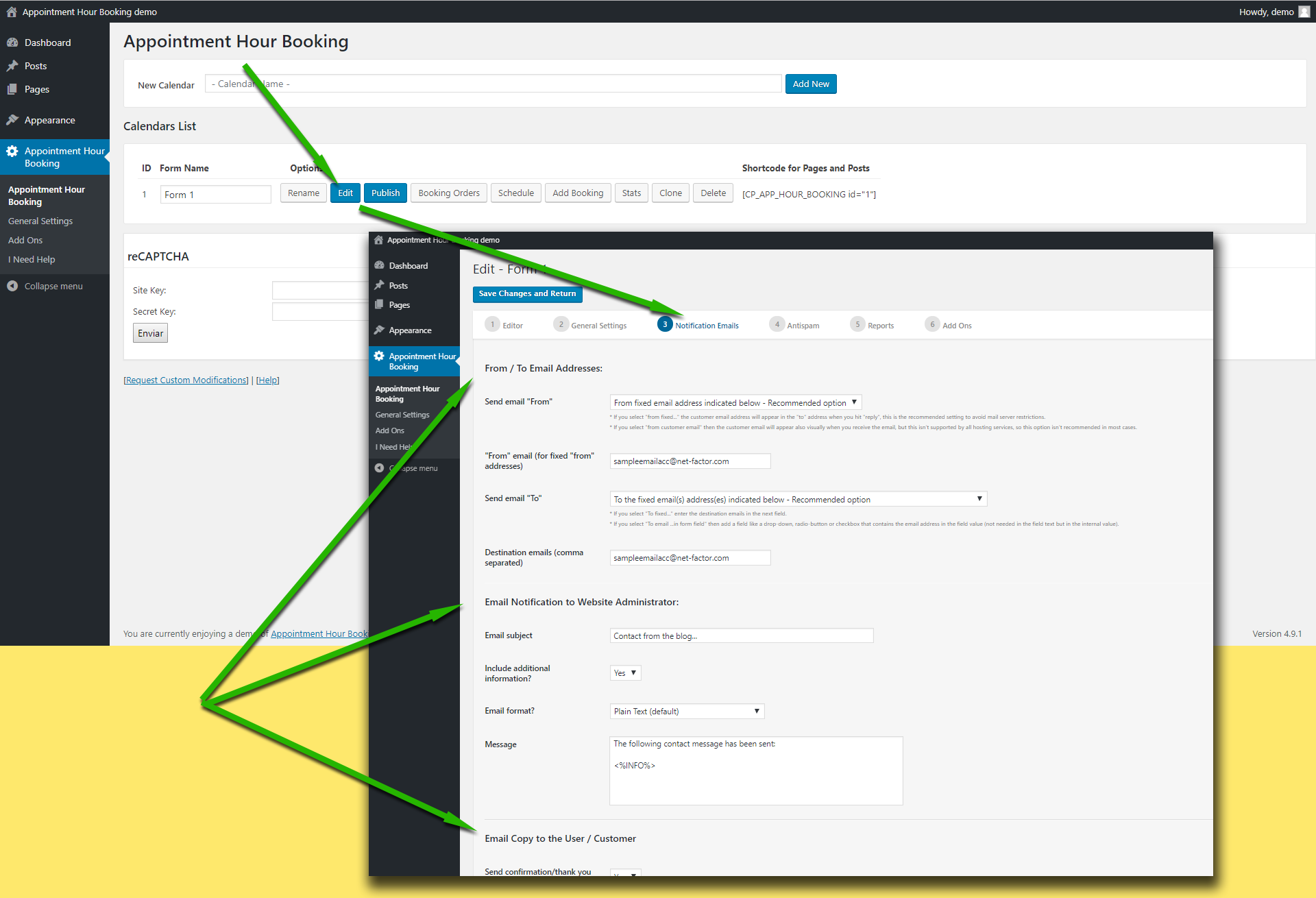
    Please check first the following settings area:

    https://apphourbooking.dwbooster.com/customdownloads/email-settings.png

    Please check the “from” email address used in the settings. Note that if you use a “from” email from a public email service like “@hotmail.com”, “@aol.com”, “@outlook.com”, “@gmail.com”, … it will be filtered by most antispam systems since the email will be identified as “not originated at the expected server”.

    Try using a “from” address that belongs to the website domain.

    In addition to that, please check if your hosting service requires some specific configuration to send emails from PHP/WordPress websites. The plugin uses the settings specified into the WordPress website to deliver the emails, if your hosting has some specific requirements like a fixed “from” address or a custom “SMTP” server those settings must be configured into the WordPress website.

    Thank you for using the plugin!

Viewing 1 replies (of 1 total)

The topic ‘Appointment Hour Booking – Notification Error’ is closed to new replies.