Hello
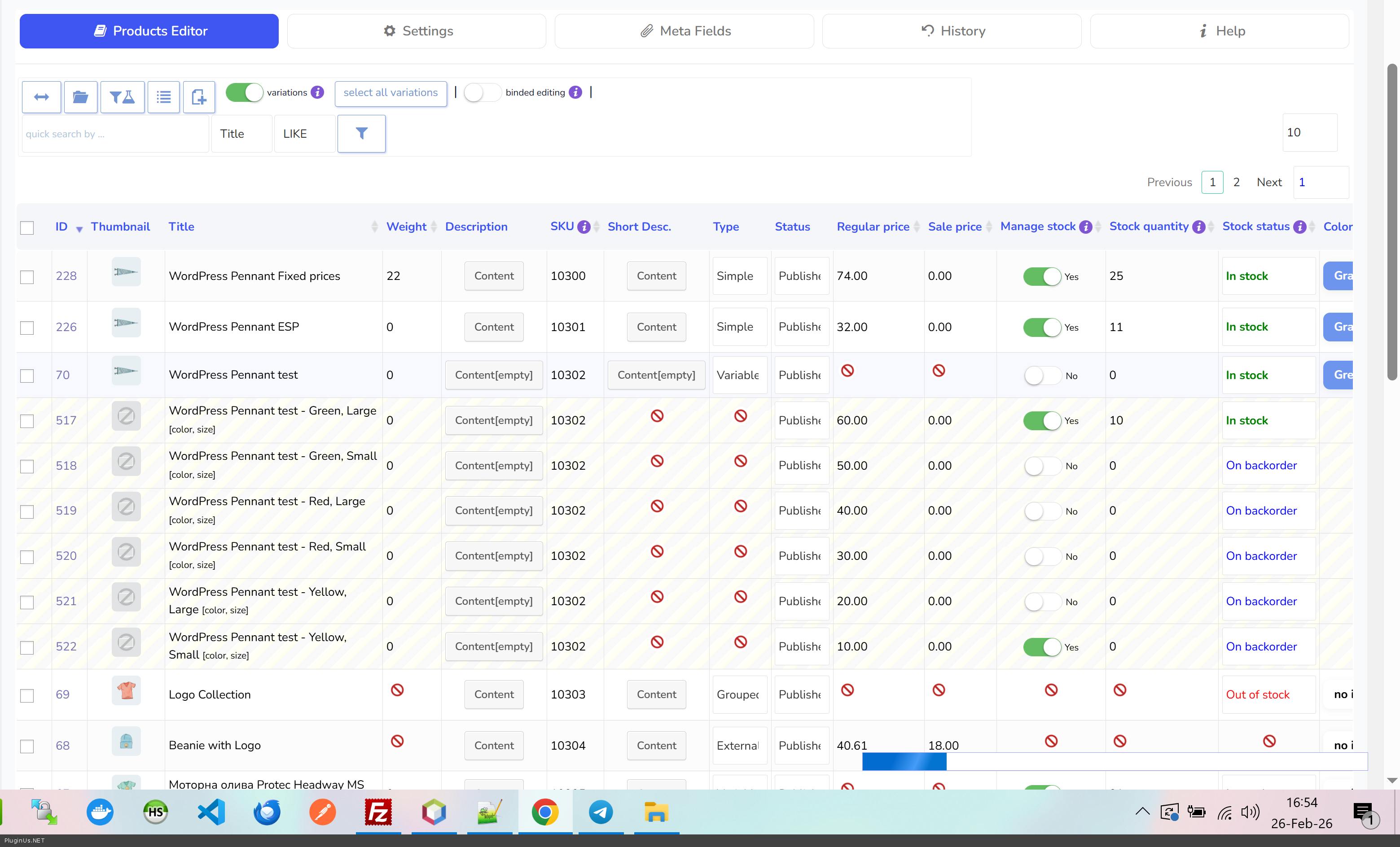
Thank you for the report! I just tested this on my end and the Attributes column works perfectly when expanding variations https://c2n.me/4nJexsl.png
My guess is that you are using custom text-type attributes, which are legacy. You can confirm this by opening your product in the standard WooCommerce editor and checking the Attributes tab.
To avoid issues like this in the future, we strongly recommend migrating to global taxonomy-based attributes (created via WooCommerce → Attributes). These are fully supported by BEAR and the rest of the WooCommerce ecosystem.
More details on this WooCommerce decision here: https://github.com/woocommerce/woocommerce/issues/19178
Hello
Thanks for your detailed response.
I can confirm I’m not using custom attributes.
Please check
https://prnt.sc/p1sdSUMP8Ejp
https://prnt.sc/Gv34nFh043e1
Hello
Thank you for the screenshots — they really helped clarify the issue.
The striped yellow cells with the 🚫 icon in the Attribute visibility column for variation rows is actually expected behavior, not a bug. Here’s why:
The “Attribute visibility” settings (Visible on the product page / Used for variations) are properties of the parent variable product, not of individual variations. Variations inherit these settings — they don’t have their own. So BEAR correctly marks this column as non-editable for variation rows.
If you’re looking to view or edit which attribute value is assigned to each variation (e.g., Tage = 1, Tage = 2, etc.), that would be in a different column when expanding variations.
Hello and thank you again.
Yes, I am trying to edit attributes but there is no separate column for that and I could not find it even in the settings.
Could you please help me find that column?
Thanks
Hello
Can you please make video of your work process, what you doing in the backend of a product, then go to the plugin settings and try to find column, maybe that has another name, sometimes it happens.
Even better to create ticket here https://pluginus.net/support/forum/woobe-woocommerce-bulk-editor-professional/ – here support can help you in detailed manner and even with the code if nessesary