Hi,
Thank you for reaching out.
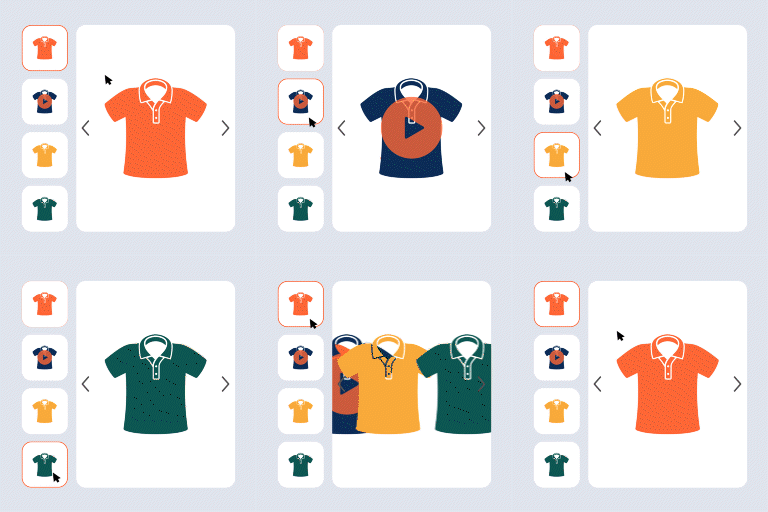
We’ll take it into consideration – autoplay webm files. As for the second inquiry, I supposed you wanted this: https://snipboard.io/njlQtf.jpg ?
Best regards
Thread Starter
 bba01
bba01
(@bba01)
Hi!
Yes that is correct about the icon.
With best regards,
bb
But, isn’t it already available, as per my screenshot? Is there no play button for you video gallery?
Thread Starter
bba01
(@bba01)
Hi!
Oh yes there is, sorry didn’t see it because it’s white and my video was also very light so it drowns in the image. Is there a way of changing the icon color/image?
Never mind, I fixed it with ChatGPT.
.woocommerce div.product .vargal-control-nav .vargal-thumb-video:before {
background: none !important;
-webkit-mask-image: url(‘/wp-content/plugins/vargal-additional-variation-gallery-for-woo/assets/images/play_button.svg’) !important;
mask-image: url(‘/wp-content/plugins/vargal-additional-variation-gallery-for-woo/assets/images/play_button.svg’) !important;
-webkit-mask-repeat: no-repeat; mask-repeat: no-repeat;
-webkit-mask-position: center; mask-position: center;
-webkit-mask-size: cover; mask-size: cover;
background-color: #000 !important; /* solid black */
}
-
This reply was modified 8 months, 4 weeks ago by
 bba01.
Hi, thanks for checking back.
At the moment, there isn’t a built-in option to change the icon color or image. Glad to hear you managed to work it out with your own CSS solution though – that’s a nice workaround!