Autoptimize CSS breaks website
-
Hi there,
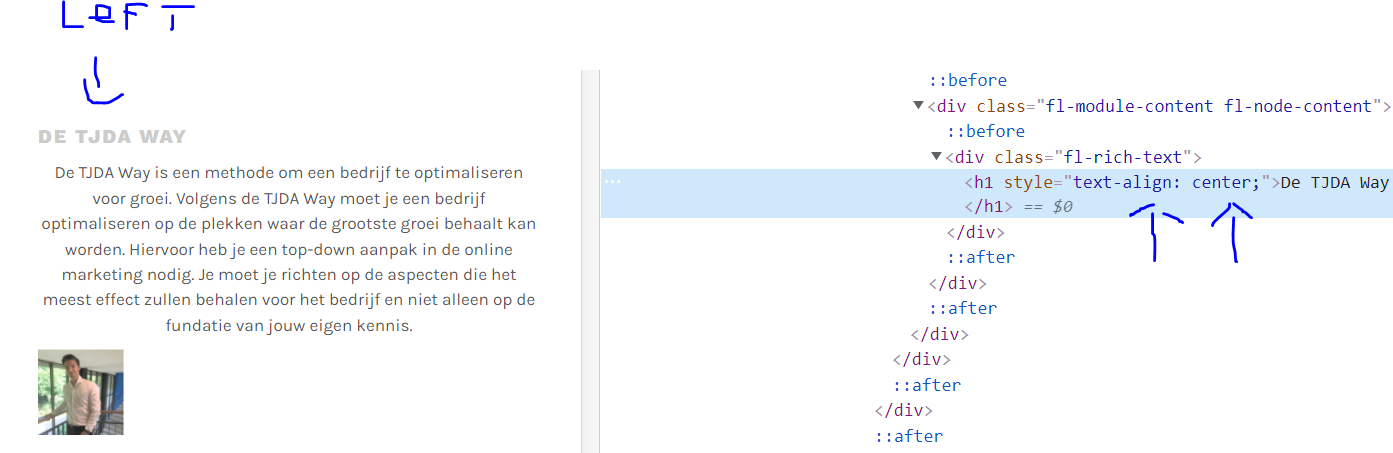
I’ve been having issues with the styling of the website. Whereas the front-end looks different from the design I’ve created in the back-end.
I’ve used beaverbuilder to built my website and here’s how it looks in the backend: https://community.wpbeaverbuilder.com/uploads/default/original/2X/5/5622204f7207829675b8c1ba8a92dbfc5c567f26.png
However, in the frontend the layout settings from the beaverbuilder are overwritten: https://tj-da.com/nl/
I’ve searched for the answer after being in contact with beaverbuilder. And I notice that it might have something to do with Autoptimize. When I turn off the Autoptimize plugin completely I lose all of my styling on the page. I’ve found that this is specifically when I turn off the “Aggregate CSS-files?” option.
Can you point me in the right direction on why Autoptimize seems to change the layout settings I’ve set in the beaverbuilder?
The page I need help with: [log in to see the link]


The topic ‘Autoptimize CSS breaks website’ is closed to new replies.