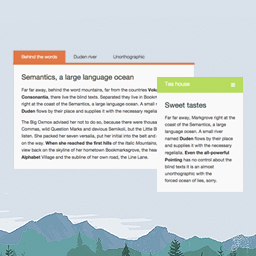
Hi there,
Thank you for your feedback.
We’re sad to see that you don’t like our plugin and even sadder to see the reasons why, since:
1. The button is below the first tab, here is a video for you to see: http://wpdarko.com/tabstut.mp4
2. Showing the post’s content in a tabbed fashion is as simple as typing your content in a tab set and copy-pasting the shortcode into a new empty Post… It’s what most our users do and it works just fine.
Hope this helps, if you need more help you can reach us here: http://wpdarko.com/ask-for-support/
-
This reply was modified 8 years, 6 months ago by
 WP Darko.
-
This reply was modified 8 years, 6 months ago by WP Darko.
-
This reply was modified 8 years, 6 months ago by WP Darko.
-
This reply was modified 8 years, 6 months ago by WP Darko.
-
This reply was modified 8 years, 6 months ago by WP Darko.
-
This reply was modified 8 years, 6 months ago by WP Darko.
-
This reply was modified 8 years, 6 months ago by WP Darko.
The button does not show, not much else I can add to this conversation.
Apart from that I don’t see the logic in creating a full post, call it a tab set and then copy/paste that into a post. Creates two sets of content, which I find rather wasteful. I’d rather create my tabs inside the post editor screen and have one set of content.
Therefore I stick with what I’m using,
Cheers
Very well, thank you for your feedback.
If any other user is experiencing this issue with the button, it is solvable and might be the result of a plugin conflict. We can help resolve this, simply contact us here: http://wpdarko.com/ask-for-support/
-
This reply was modified 8 years, 6 months ago by WP Darko.