Hi, currently CloudFlare is down today: https://www.cloudflarestatus.com/ That’s why there are some issues. But our protection is still working. Either locally or in the cloud. Once CloudFlare is back up things should be good.
@brucewayne25 – I’ve been reading about this issue with CloudFlare and was curious if that was part of the problem (or the whole problem). I have many websites who are affected by this issue, as well.
@brucewayne25 Cloudflare is back up and functioning as expected. All Cloudflare services are restored to the other services I use on my websites. However, it does not resolve this issue.
-
This reply was modified 6 months, 1 week ago by
 WebDevRobert. Reason: More thorough response
It looks like you’re trying to apply a Setup Code of your one MicroCloud account to another one. MicroCloud only allows having one domain per account, so for your second website you need to create a separate MicroCloud account. However, this should not give you the Bad Request error nor the “Unix_time not valid”. Please set up your second site with a separate MC account and let us know if any of those two issues are resolved, that will help us investigate this better.
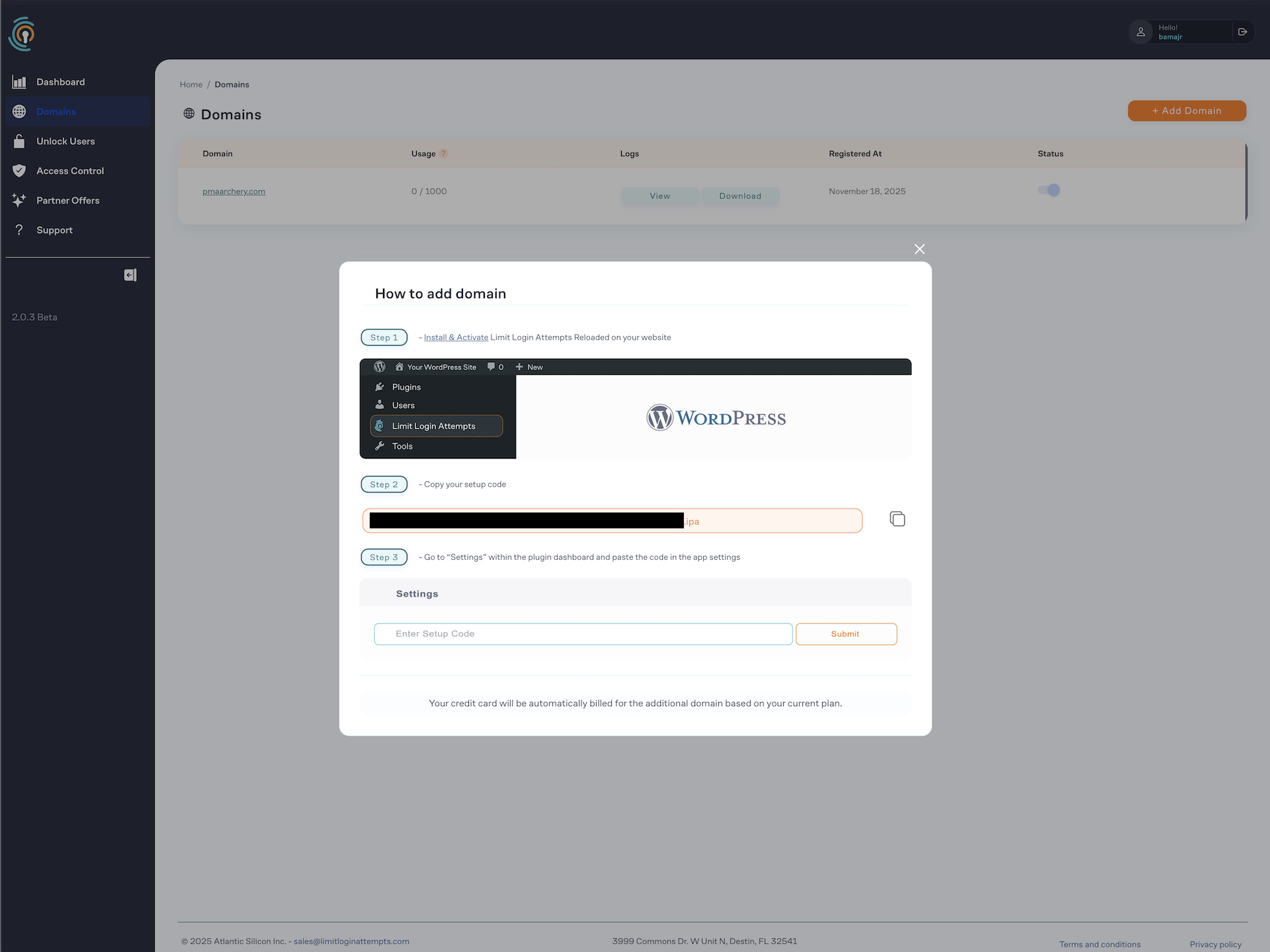
@brucewayne25 – Not at all. I’m simply following the instructions provided on the Limit Login Attempts Reloaded > Domains screen, to add additional domains to the same Limit Login Attempts Reloaded account: https://webdevrobert.com/wp-content/uploads/Screenshot-2025-11-19-at-5.56.04-AM.png
Limit Login Attempts Reloaded was installed on all websites using the same username and email address. So even if they auto-registered, they should have auto-registered to the same email address and thus the same account.
Maybe @wpchefgadget and/or @wpchef should respond, next time, since it is their plugin.
These instructions are for premium users, we’ll make it more clear in the interface, thank you.
@brucewayne25 that still doesn’t resolve the problem. The “freemium” version available on ww.wp.xz.cn and in the Plugin Store, promotes a free upgrade to the “Micro Cloud” version. I understand this is not what is advertised as a “Premium” version, but it can be installed freely on multiple WordPress websites.
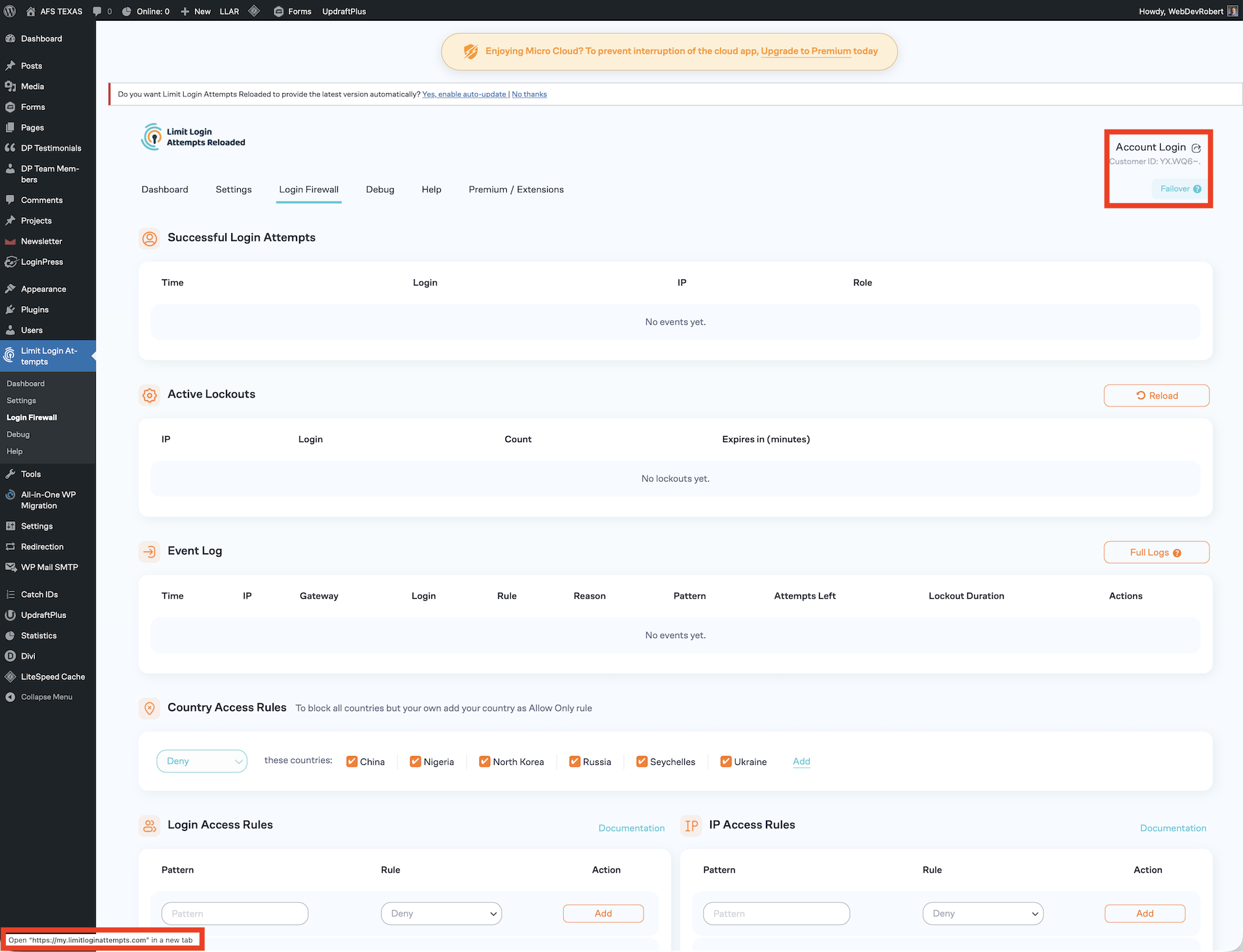
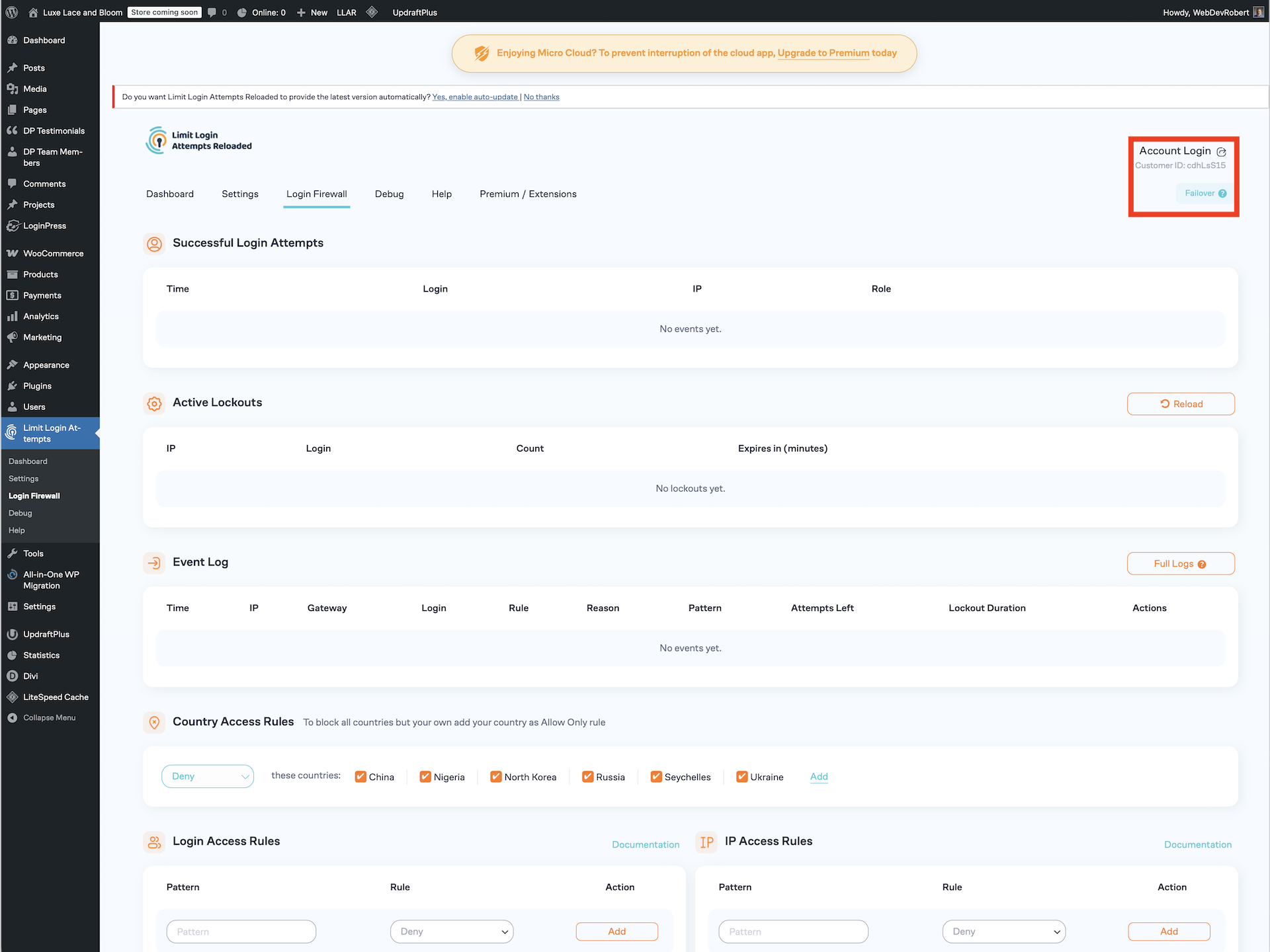
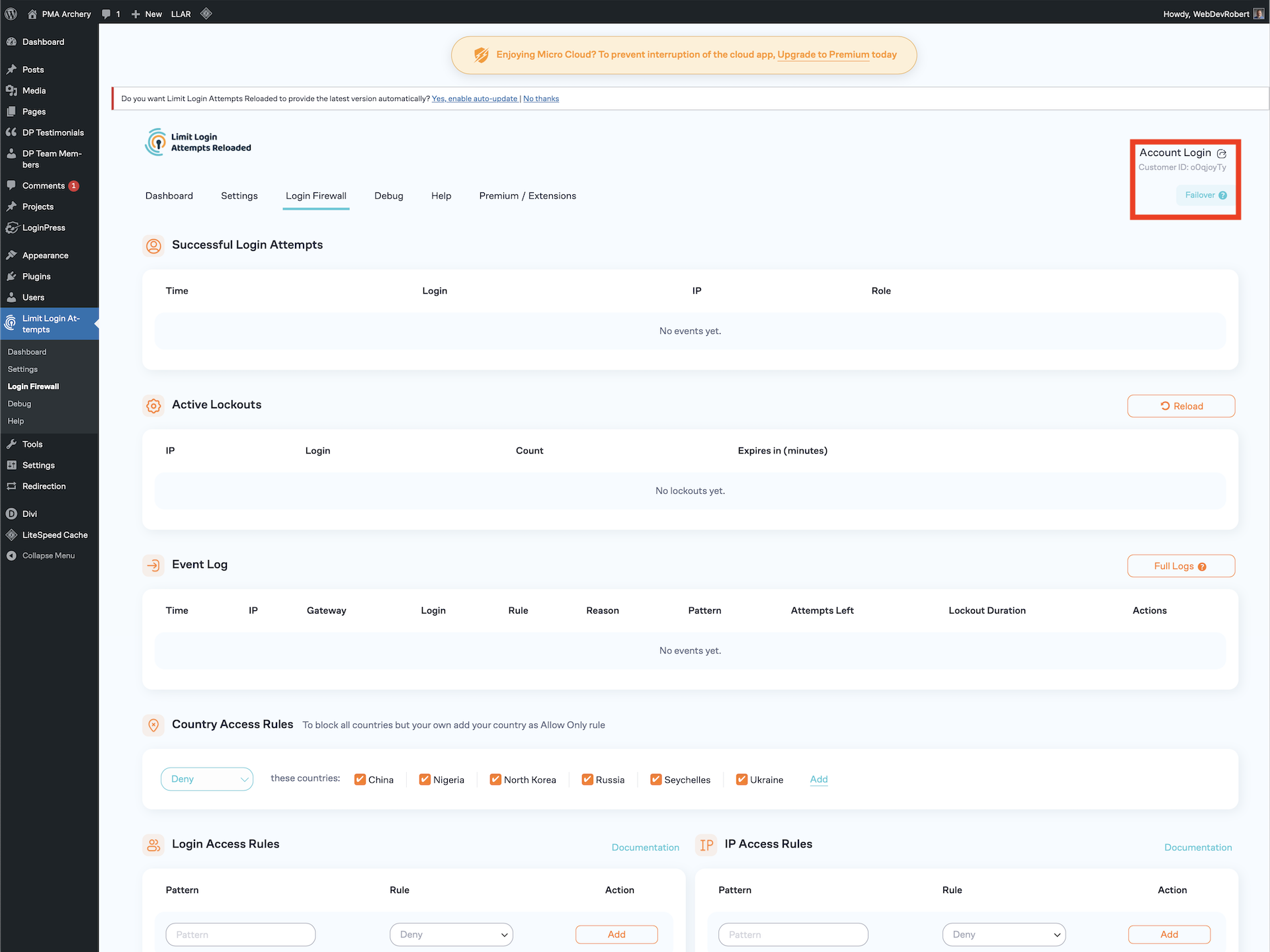
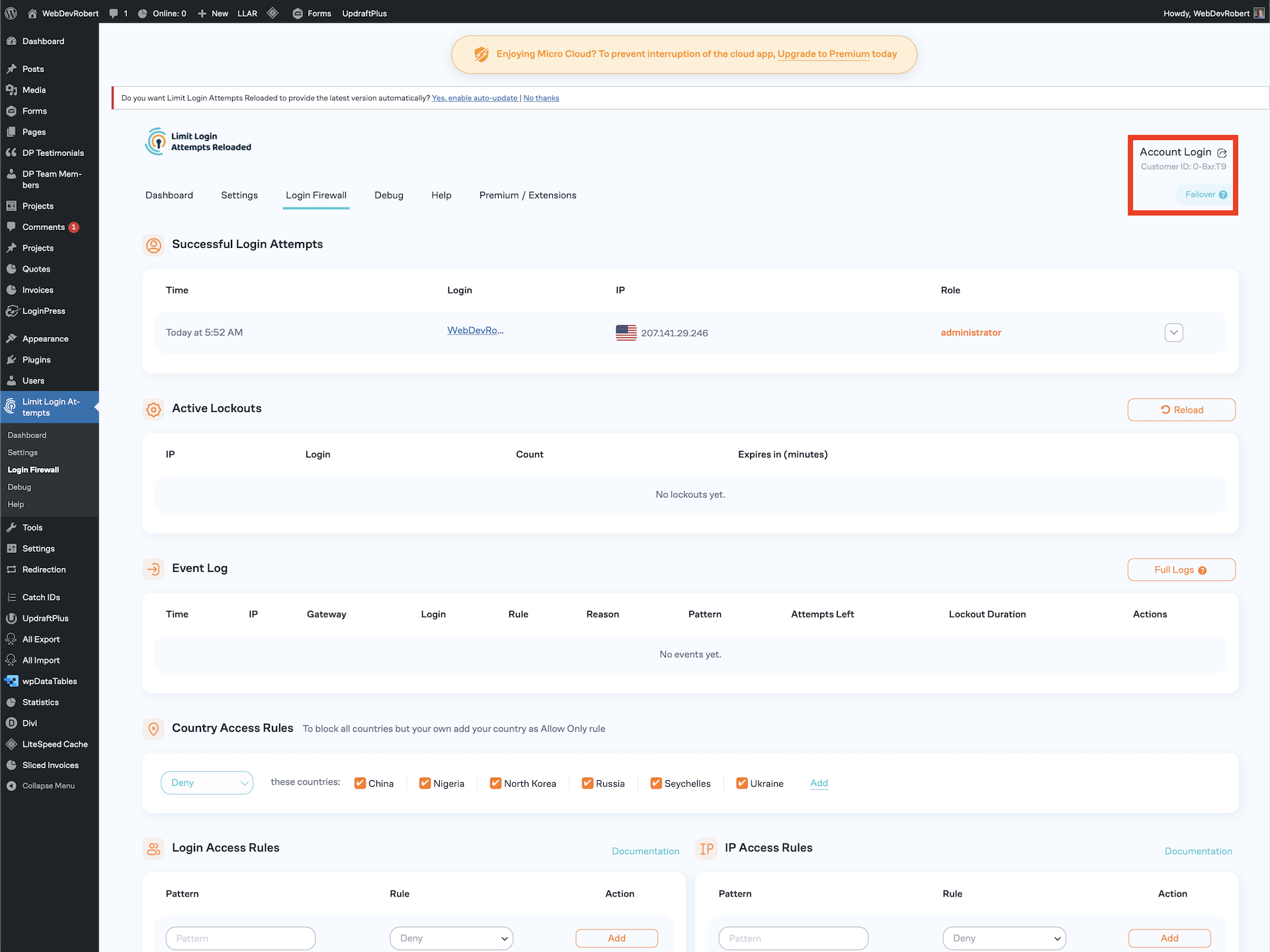
However, you cannot get to the dashboard for each individual website if you cannot add multiple domains for the free version. I have included example screenshots below.
Website 1:
https://webdevrobert.com/wp-content/uploads/Screenshot-2025-11-19-at-8.55.13-AM.png
Website 2:
https://webdevrobert.com/wp-content/uploads/Screenshot-2025-11-19-at-8.55.19-AM.png
Website 3:
https://webdevrobert.com/wp-content/uploads/Screenshot-2025-11-19-at-8.55.25-AM.png
Website 4:
https://webdevrobert.com/wp-content/uploads/Screenshot-2025-11-19-at-8.55.30-AM.png
I manage all four of these websites. All four of them have Limit Login Attempts Reloaded installed on them. All four of them have the free “Micro Cloud” update. However, if you click on the “Account Login” link (identified with the red outline) and go to https://my.limitloginattempts.com you cannot login and see but one website. The other three do not have accounts associated with them, because the accounts are set up using the same user (email address) as the first.
-
This reply was modified 6 months, 1 week ago by WebDevRobert.
All your MicroCloud entities do have a separate account associated with each one of them. To log into them, you need to use a Customer ID (it’s depicted below the account link) and an Admin Key, which you should have received after the registration for each of your accounts. If you don’t have them, please send us an email on [email protected] so we can provide them to you. The fact that each of them uses the same email address doesn’t affect this setup.