Hi @ado88,
Obviously that shouldn’t happen :-).
Is it possible that you performed an update from pre-6.0 to the current version? It seems like a database issue.
Could you please start with Complianz -> cookie banner. Then ‘set to default’, then save and try to make your adjustments again?
Let us know if that helps and if this happened after performing an update from pre-6.0.
Thanks in advance. Regards,
Leon
Thread Starter
 ado88
ado88
(@ado88)
Hey Leon, thanks for the reply.
I have checked 4 Websites. All of them have WP 6.0.1
One of them seems to work fine.
The other 3 having the same issue.
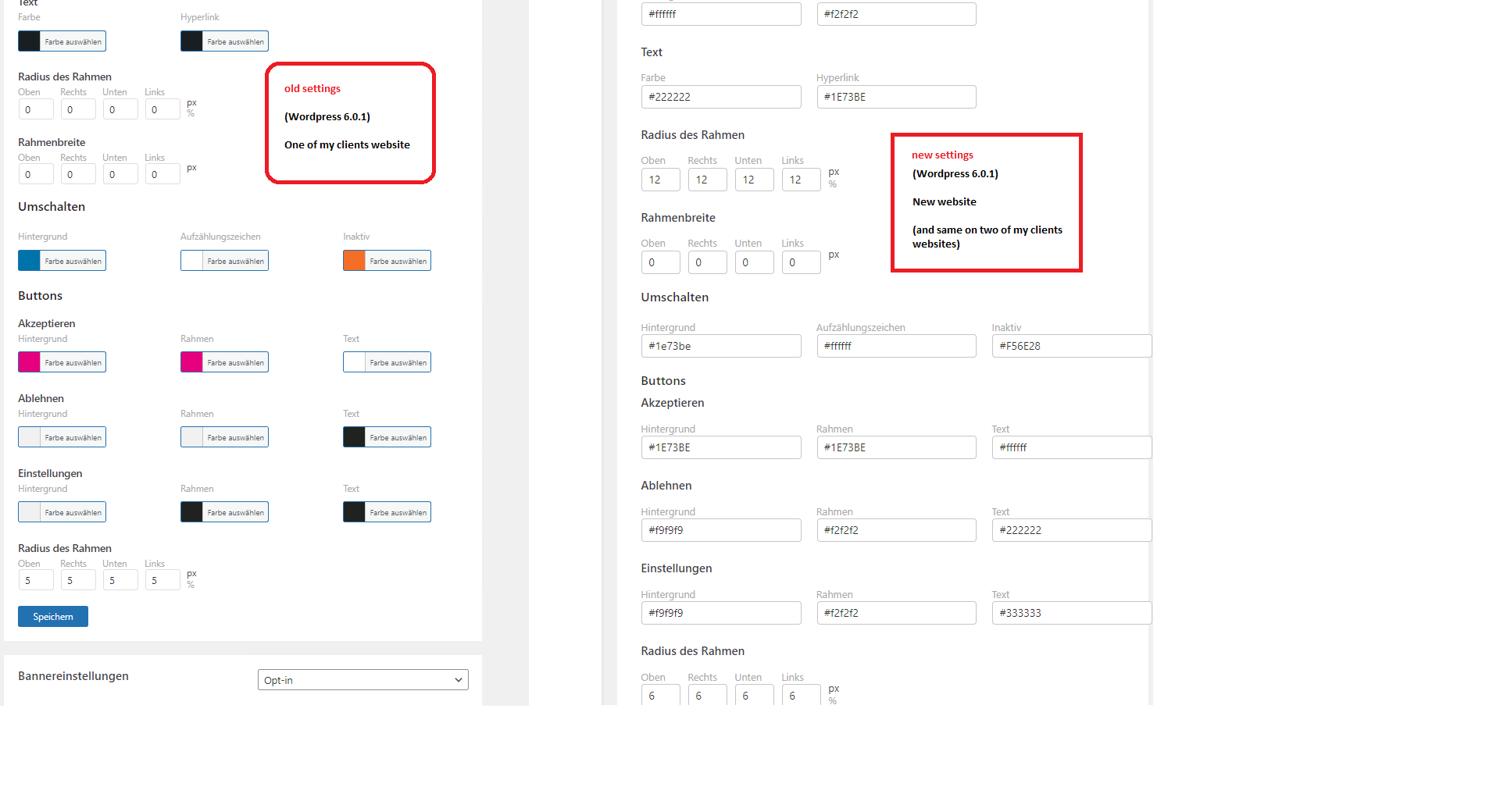
The seetings for the cookie banner look different thou.
Different settings: https://www.ado-media.com/export/Complianz-issues.png
PS: Setting to “default” didn’t help
Thanks, ado
Hi @ado88,
I meant an update to Complianz 6.0.
It appears that Complianz is unable to save the settings to the site’s database. Are the four sites also hosted via the same platform/hosting provider? Any differences or changes on that end?
Regards,
Leon
Thread Starter
ado88
(@ado88)
Hi Leon, ohh now i get it.
There are on different hosting providers.
The website where its working is Version 6.1.5
The other 3 haveing issues is Version 6.2.4
Best Regards, ado
Hi @ado88,
The Complianz cookie banner settings are stored in the database cmplz_cookiebanners. You could start with checking if the settings are indeed stored.
It would be best to eliminate differences between the working and not working sites. You could use the Health Check and Troubleshooting plugin to test while other plugins are disabled for your testing session only.
We have no other reports of this issue, so there must be some plugin incompatibility or database issues with these sites.
I hope this helps.
Regards,
Leon
Hi @ado88,
We haven’t heard from you in a while, is the issue resolved? We are happy to help you further.
Kind regards, Kim van Dijk