Thread Starter
 4090
4090
(@4090-1)
None of these pages appear the same on the version of the plugin.
They used to appear but no longer appear.
We are using the free version. Has this been changed?
If so, are the options now only available on the paid versions? If this is the case are these options available on all paid versions?
Hi,
All those options are available in the free version of the plugin.
Are you sure that you are using the latest version of the “Appointment Hour Booking” plugin? If you don’t see any of those options you may be referring to a different plugin.
Please check that and let me know any comments.
Thank you.
Thread Starter
4090
(@4090-1)
The Plugin is “Appointment Hour Booking” by codepeople. When I click on upgrade it takes me to this page https://apphourbooking.dwbooster.com/download.
Image 1
Image 2
Image 3
Thanks
Thread Starter
4090
(@4090-1)
Ye. We are using the latest version of the plugin.
Hi,
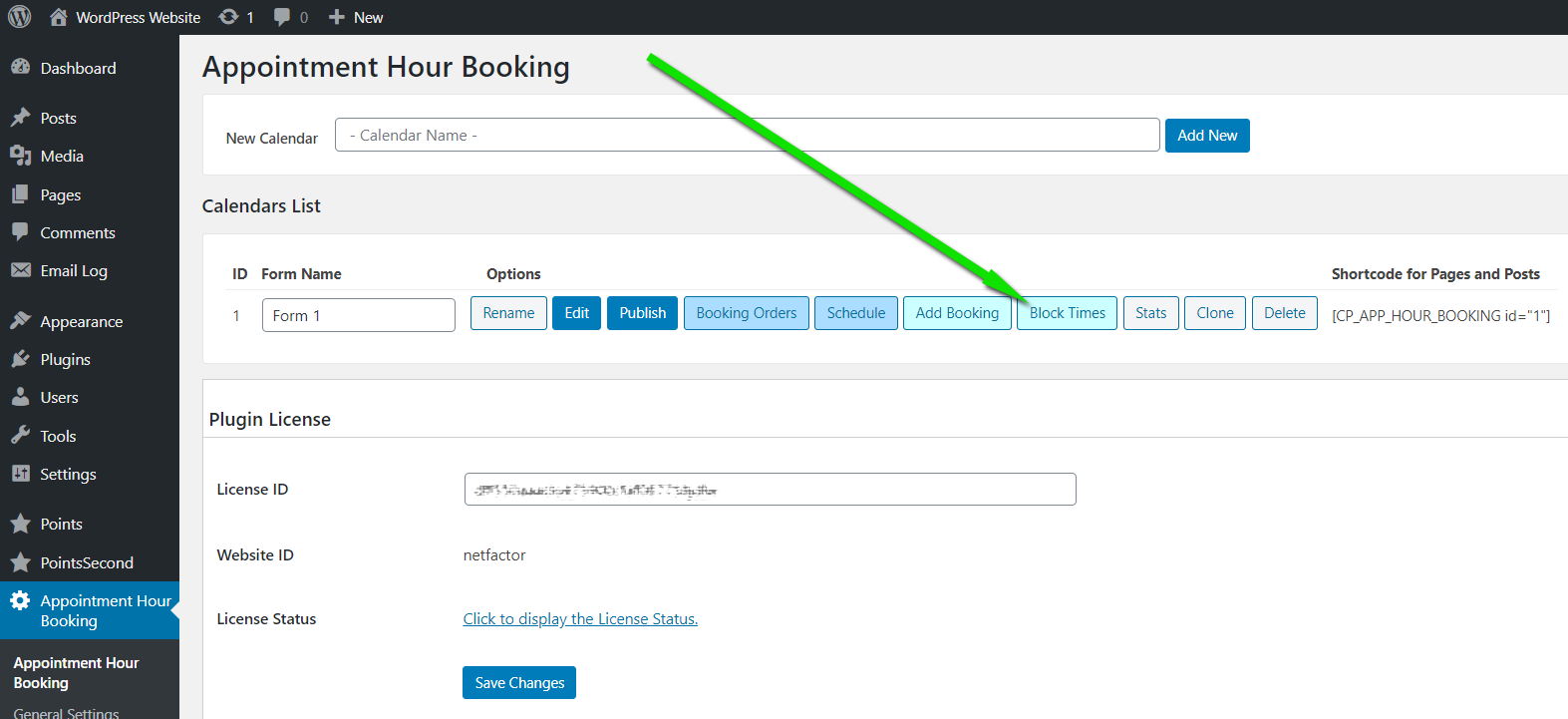
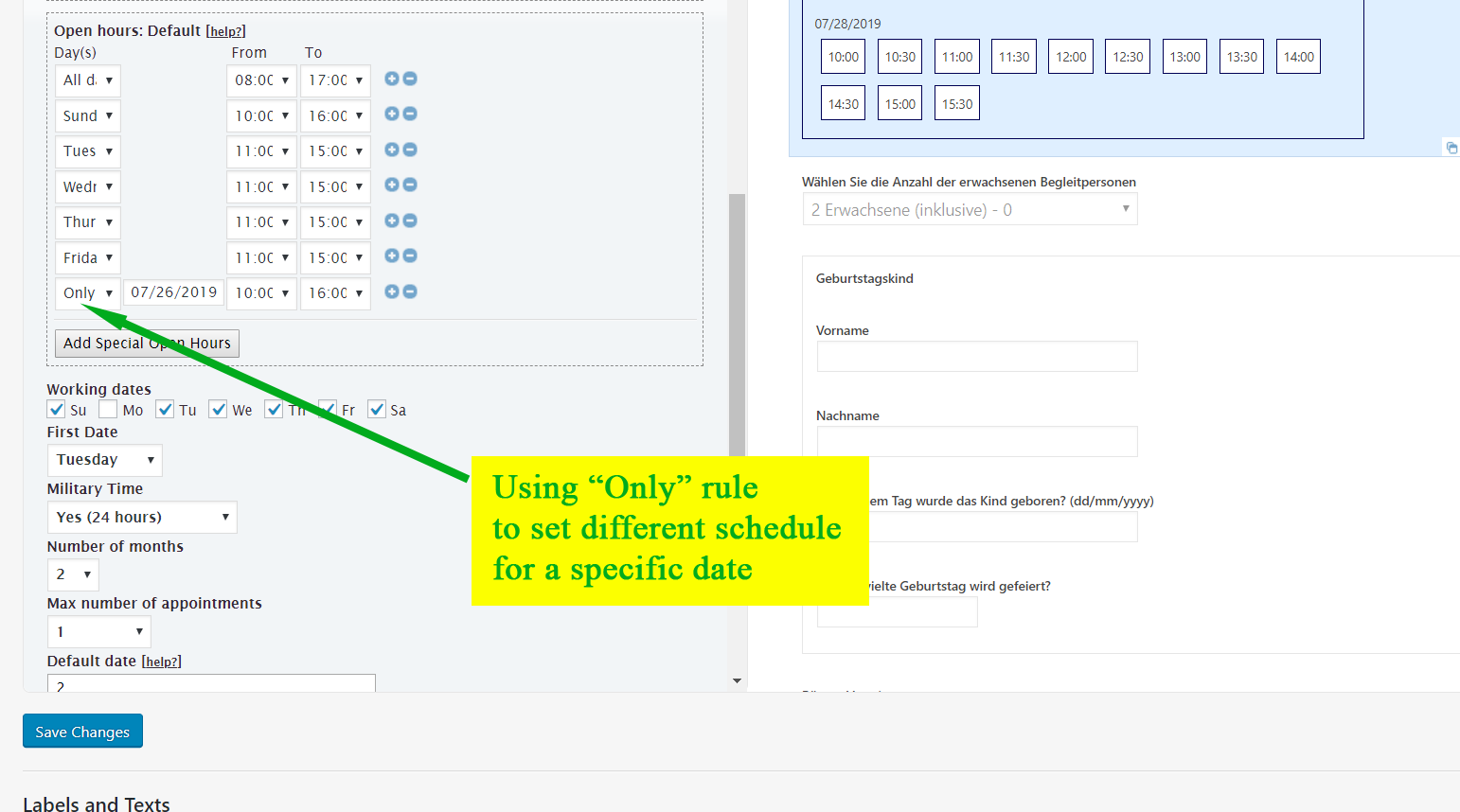
In the screen shown in the “Image 2” you sent, click the calendar, this will show the calendar settings with a lot of options, including the following (follow the arrows in the first screenshot):
https://apphourbooking.dwbooster.com/customdownloads/invalid-dates.png
https://apphourbooking.dwbooster.com/customdownloads/only-date-rule.png
Note that you will have to scroll a bit in the settings panel, there are many configuration options there, including the services, duration, prices, open hours (the section for adding the “only date” rule), etc…
The “Image 3” you sent shows the other block area included in the free version, in that area you can select the time-slots you want to block and then click the “Block selected dates” button.
Thank you for using the plugin!
Thread Starter
4090
(@4090-1)
Thank you.
I was not first clicking on the calendar.
It works now.