Hello @mira404
If Ezoic breaks the inline CSS rules, you have two alternatives:
– You can insert the symbol directly instead of its code —
– Or you can create a custom template and use it with your form. And enter the styles definitions in the template files.
Please, read the following blog post:
https://cff.dwbooster.com/blog/2021/09/27/create-new-form-template
Best regards.
Hi, I’m currently using this code:
@media screen and (min-width:710px){
#fbuilder .my-class .cff-summary-value::before{content: “—” !important; display:inline-block !important; padding-right:200px !important;}
}
/* Mobile */
@media screen and (max-width:710px){
#fbuilder .my-class .cff-summary-value::before{content: “—” !important; display:inline-block !important; padding-right:30px !important;}
}
How do solve please let me know.
Hello @mira404
I’m not sure where you are editing the styles, but your website continues loading the previous style definition. Please, look at the screenshot:
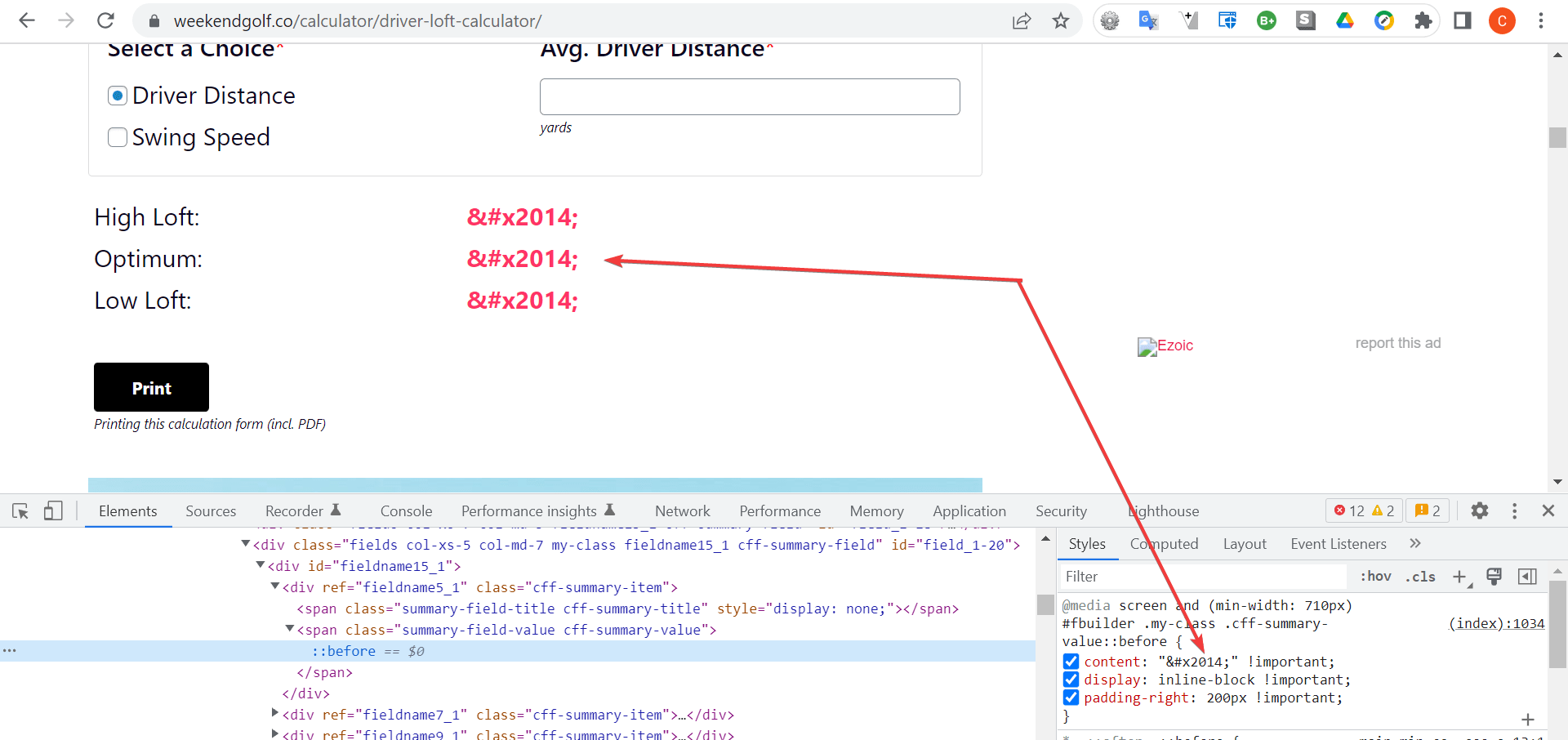
Note you have a plugin active to handle the website’s cache. So, you should purge the cache after editing the styles.
Please, look at the screenshots below. I edited the styles directly in the browser’s console:
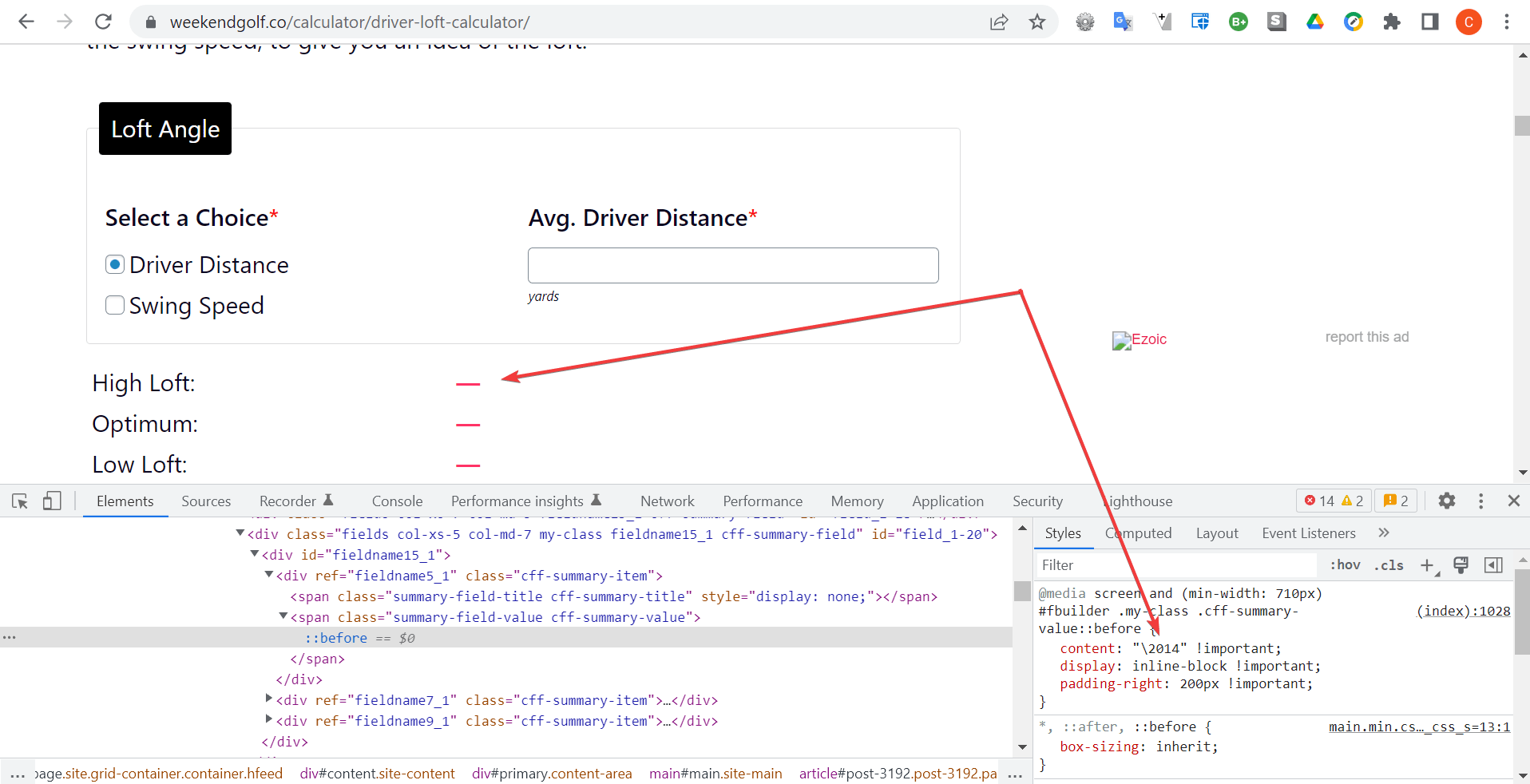
and
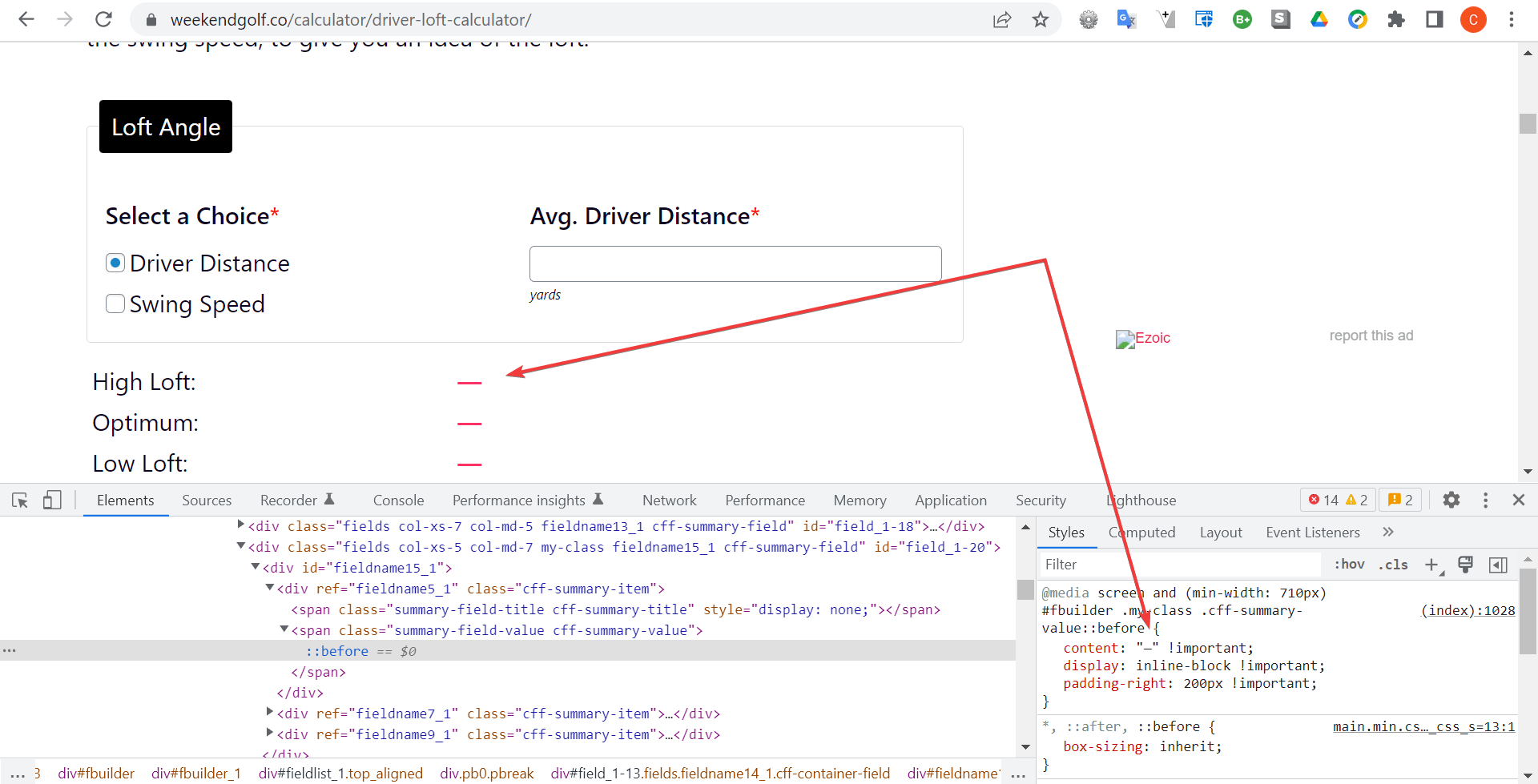
Best regards.


