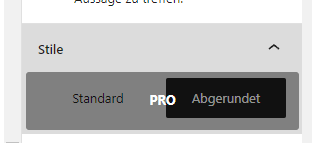
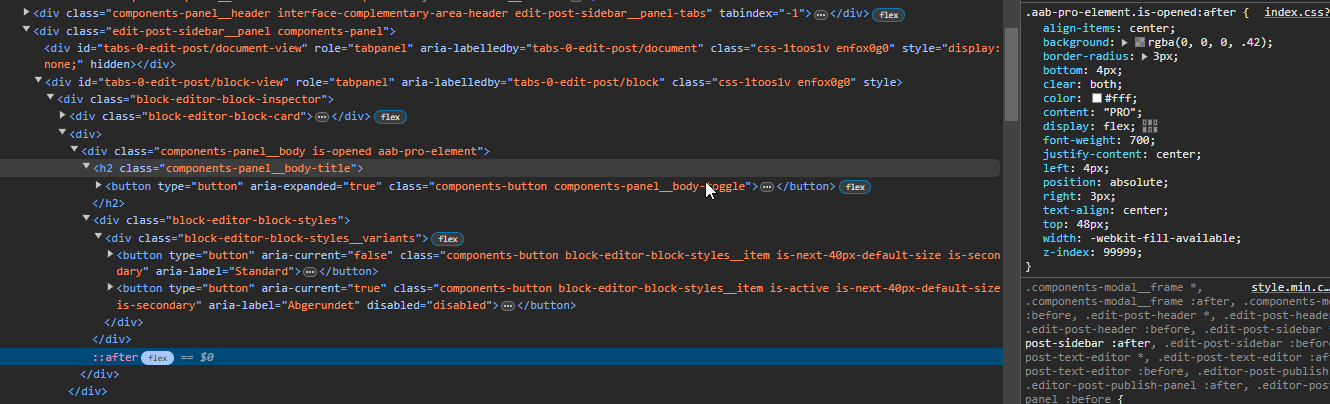
It seems that this plugin blocks the default “styles” options of some blocks.
I have an image, wich I want to be rounded. I’m using the default “styles” for this. Since I installed the plugin, this option has the “PRO”-Layer of this plugin on it.
Please fix this, since I have to deactivate the plugin everytime I want to edit the style of an image, which in return results in a broken view on the frontend for the time the plugin is deactivated.
Thank you for reaching out and reporting this issue. I apologize for the delay in responding.
We have tested the plugin in our environment and found it to be working correctly. However, we understand that you are experiencing a problem with the default “styles” options for some blocks, particularly with making an image rounded.
Could you please provide more details on where the default block design is breaking? Specifically, is it occurring on the same page where you are using our accordion? Or is it happening within the block under the accordion content?
Additionally, if you could share screenshots of the issue, it would greatly help us in understanding and diagnosing the problem. Once we have more information, we will investigate further and work towards a solution.
We appreciate your patience. We have resolved this issue in our latest version (4.7.1). Please update the plugin to the latest version to apply the fix.
Thanks
Viewing 5 replies - 1 through 5 (of 5 total)
The topic ‘BUG: Plugin Blocks Standard Styles’ is closed to new replies.