Hello @namazee,
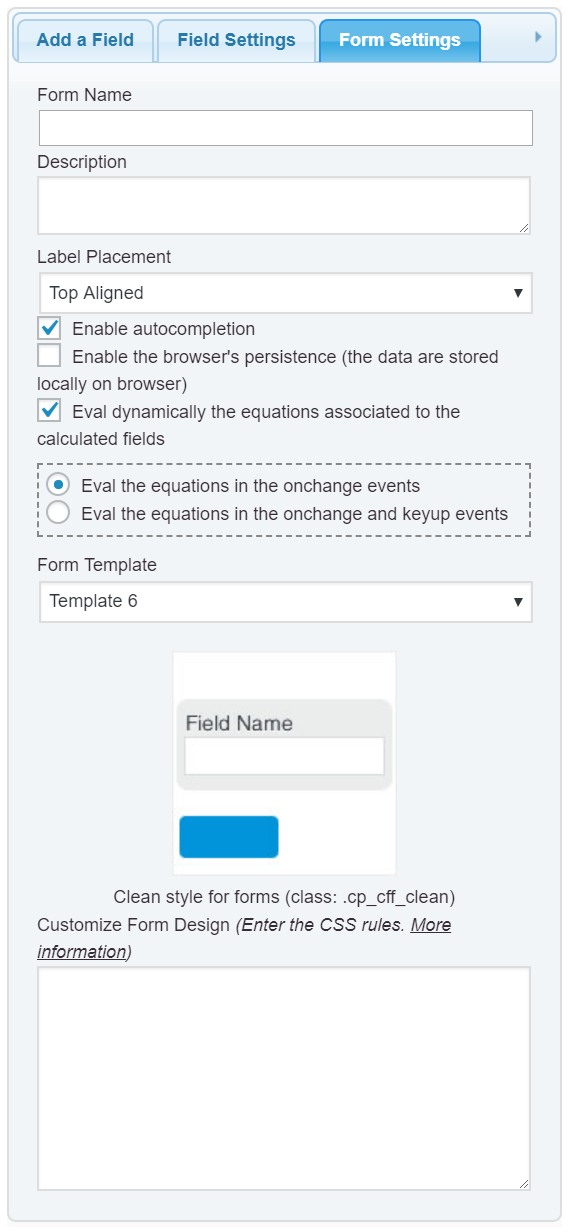
If you want deactivate the dynamic evaluation of the equations, and evaluate them only after pressing a button, please, follow the steps below:
1. Untick the checkbox: “Eval dynamically the equations associated to the calculated fields” in the “Form Settings” tab (https://cff.dwbooster.com/images/documentation/form-settings-tab.png)
2. Insert a button field in the form and select the “Calculate” option as the button’s type.
If you want hide the calculated field but display it when the button is pressed:
1. Enter the special class name: hide
Through the attribute: “Add CSS Layout Keywords” in the settings of the calculated field.
2. Enter the following piece of code into the “onclick” event of the button inserted previously:
jQuery('.hide.cff-calculated-field').removeClass('hide');
Best regards.
Hi there,
Im using template 4 for my form and i would like to change the submit button color.
Im using this code in the form setting:
this code to edit the labels:
#fbuilder, #fbuilder label,
#fbuilder span { color: #084274;font-weight: bold; }
this one to change the button color:
#fbuilder .pbSubmit { color: #084274; font-weight: bold; }
But why is it not changing the pbSubmit button color to the code ive specified?
Kindly help.
http://factohub.com/partner/
Thank you
Hello @namazee,
In css the “color” rule defines the text’s color, if you want change the button’s color, the rule to defined would be “background”. Please, applies the CSS rules with the !important; modifier:
#fbuilder .pbSubmit { background: #084274 !important; font-weight: bold !important; }
Best regards.