Hello @zukenstein
Why you need all the text directly on the button? Why not enter a short text in the button, and a long description into the “Instructions for User” attribute in the button’s settings?
Please, indicate the URL to the page with the form to see the button you are referring to.
Best regards.
I’ve set it up on this page for you to see. I dont want to put all the text in the ‘instructions for user’ as I already have text in there
https://81b.co.uk/test/
Thanks
Hello @zukenstein
The HTML standard does not allow to display the buttons’ texts in multiple lines, however, you can edit their appearance as follow:
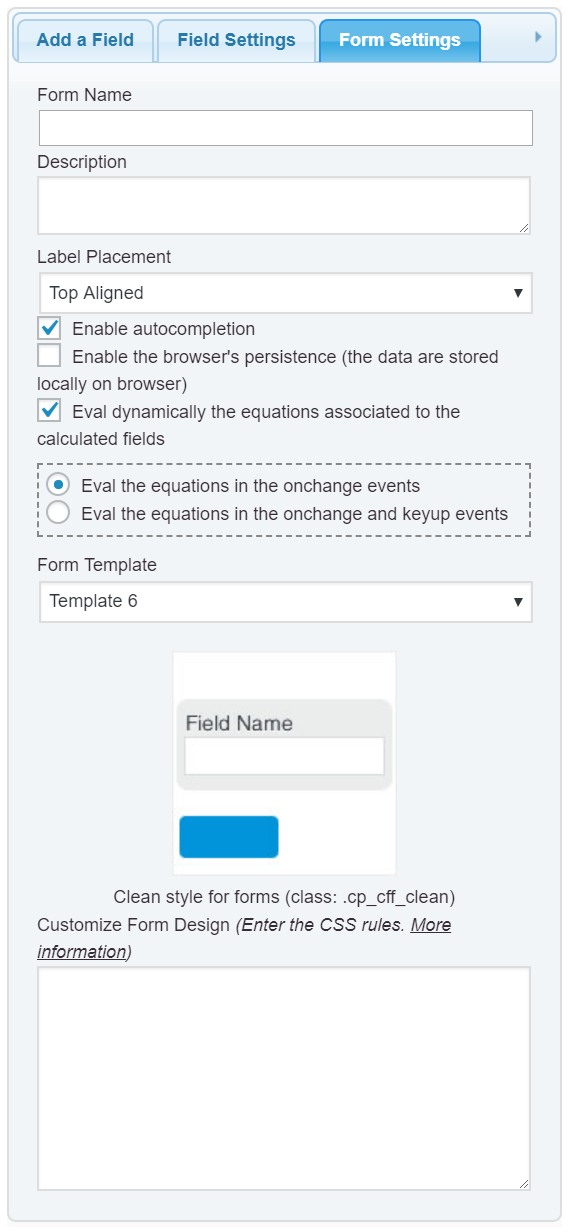
Enter the style definition below into the “Customize Form Design” attribute in the “Form Settings” tab (https://cff.dwbooster.com/images/documentation/form-settings-tab.png):
#fbuilder .cff-button-field input{
    max-width: 100% !important;
    text-overflow: ellipsis !important;
    overflow: hidden !important;
}
Best regards.