Hey @kolliat,
So basically the issue is that WordPress Popular Posts uses a security token (or as WordPress calls it, a nonce) to make sure that:
- Any request to update the views count of a post / page is actually coming from your site and not some third-party unknown source, and
- to make sure that views count update requests can’t be misused by people trying to attack your site
These “nonces” expire roughly every 24 hours or so, and when it happens the plugin has to request a new nonce from WordPress to continue working.
From what you said, I guess that the problem is that the cloud caching thing is caching posts / pages for more than 24 hours. So, when a post / page loads, the plugin will try to use a nonce that has already expired, WordPress will reject the update views count request because of it, and as you already noticed this results in the plugin not being able to track visits normally until you either clear Cloudflare’s cache and/or disable that Cloud Caching feature.
That’s my theory, at least 😛 Maybe try configuring this Cloud Caching thing so it regenerates the cache every 24 hours or so (I recommend every 12 hours for good measure) and see if that does anything?
Hope that explains things a little bit. Feel free to ask any questions though.
Good morning!
The most competent answer I’ve received on this topic so far. Thank you very much for that.
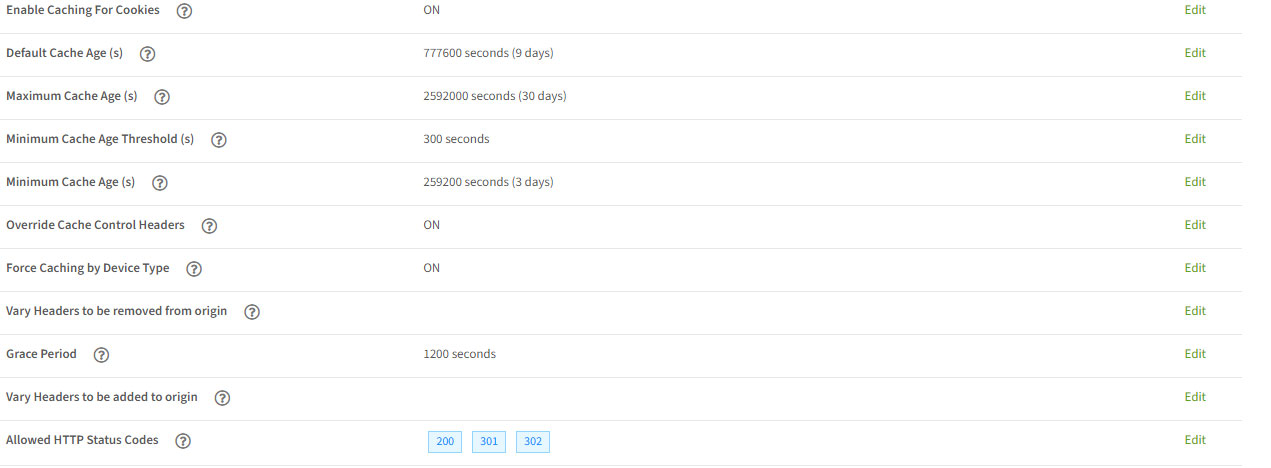
Since I’m no expert, I adjusted the cache settings as I saw fit, thinking the longer, the better, since I (mostly) don’t edit the articles anymore. Therefore, the values are very high. I’ve copied the settings here: https://www.fireworld.at/wp-content/uploads/2025/09/Cache.jpg
If you have any other recommendations, thank you. Otherwise, I’ll just reduce the “stuff” to under 12 hours :-).
Best from Austria
Hermann
I’d try something like this:
- Default Cache Age(s): 43200 seconds (12 hours)
- Maximum Cache Age(s): 86400 seconds (24 hours)
- Minimum Cache Age(s): 43200 seconds (12 hours)
Leave the rest as is and see what happens.
Thanx a lot.
I changed data, will look and report!
Greetinx
Hermann
Too bad. Unfortunately, it doesn’t help at all. The numbers are completely wrong.
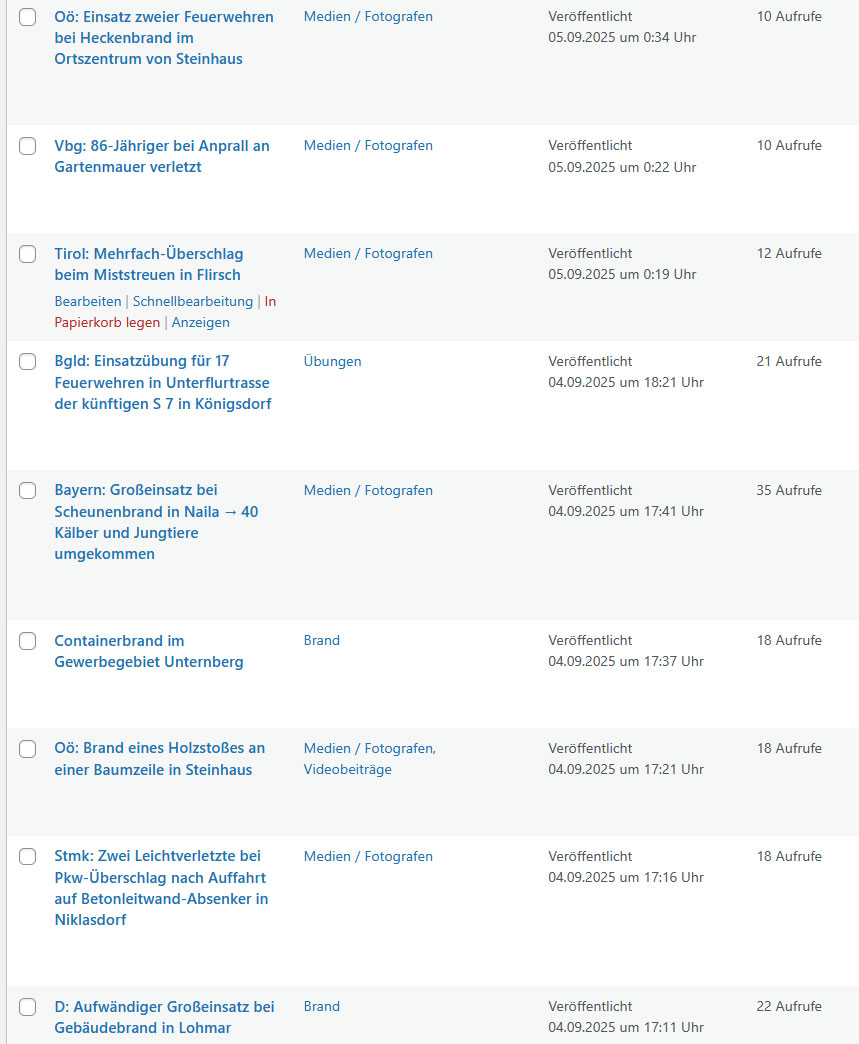
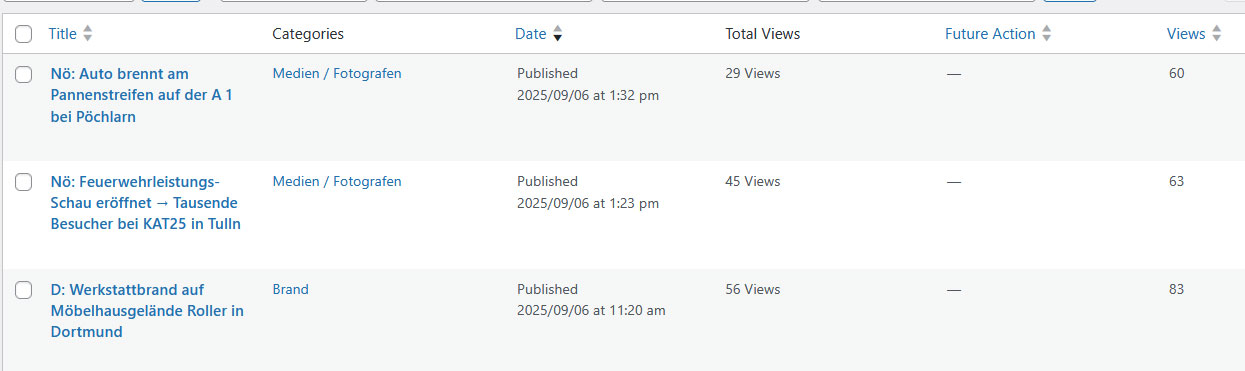
https://www.fireworld.at/wp-content/uploads/2025/09/Counting.jpg → Impossibly small values for the published period.
As soon as I disable the cloud-Cache, the number immediately increases automatically and immediately by 1 with every reload or new call. As soon as I re-enable cloud caching, the counting stops again 🙁
Regards
Hermann
Hmm. Alright, let’s try this next to see if we get any useful info from the browser:
- Make sure that The Cloud Cache feature is enabled, we want it to prevent WPP from counting views this time for debugging purposes.
- Open the browser console (also known as “Developer Tools”).
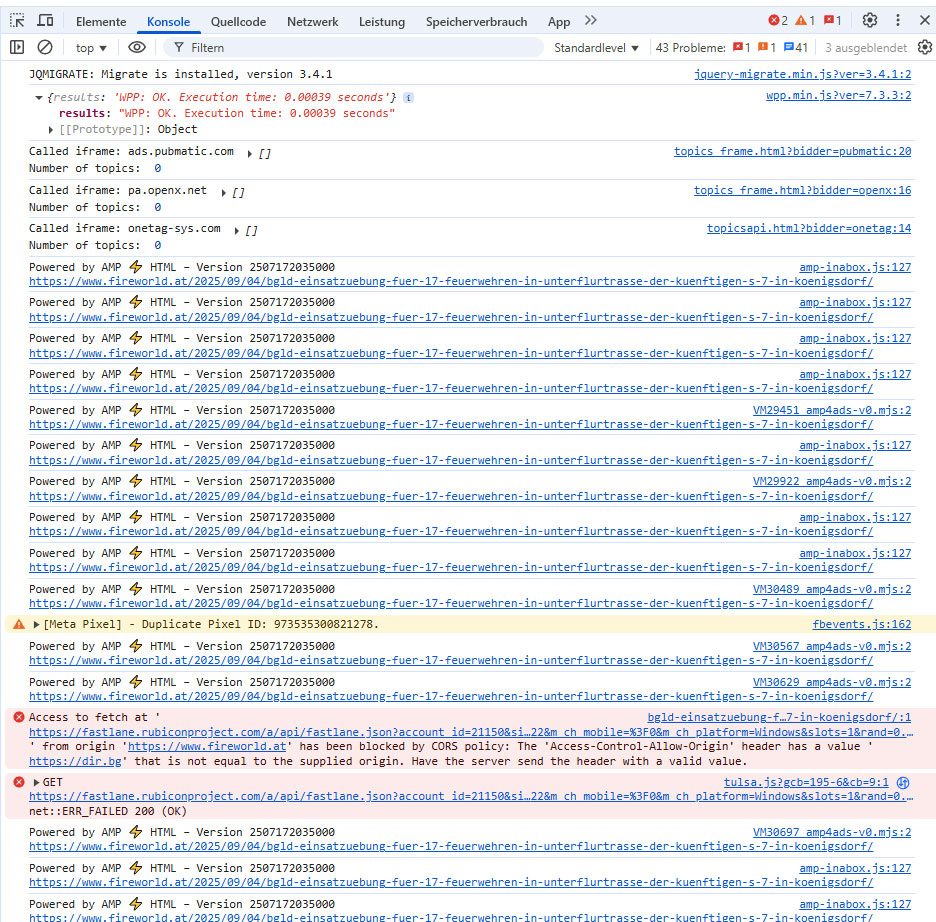
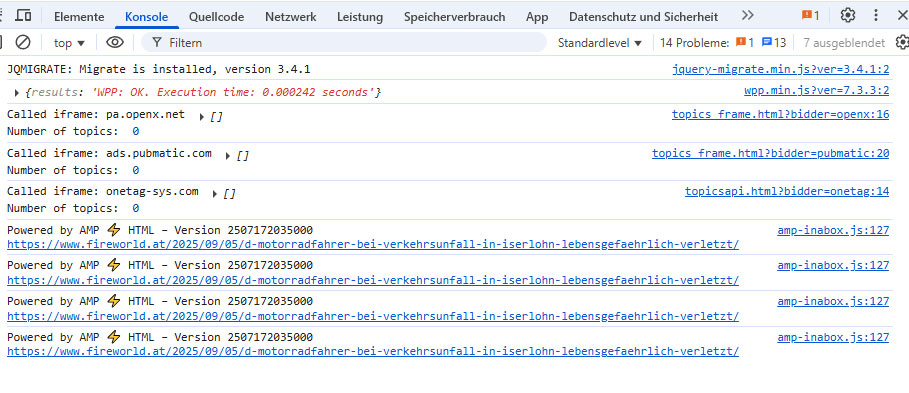
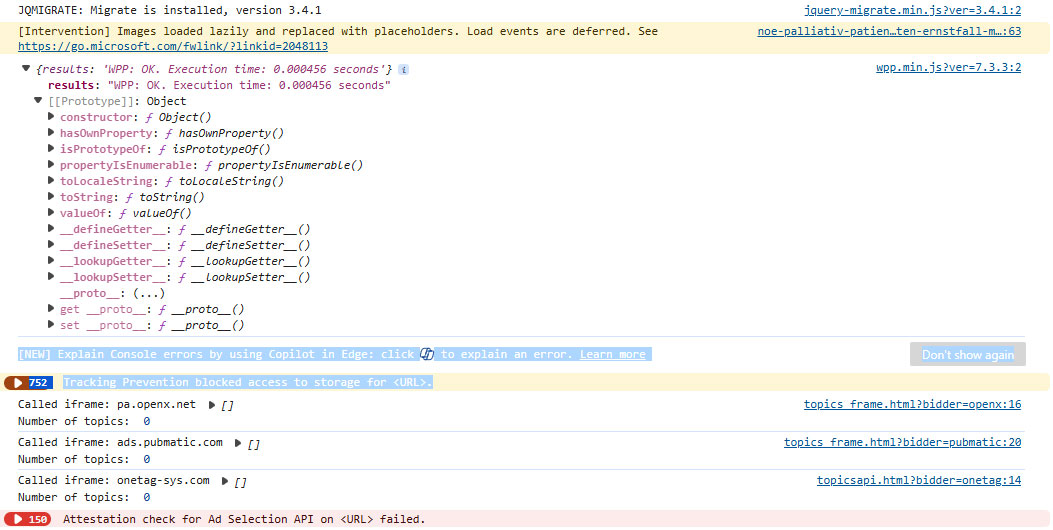
- Visit any of your posts and check the console. Do you see any errors in there? (Usually highlighted in red color). If so, take a screenshot (or a few if there are a lot of errors) and share them here so I can have a look.
- Disable the Cloud Cache feature for now so it doesn’t interfere with your statistics.
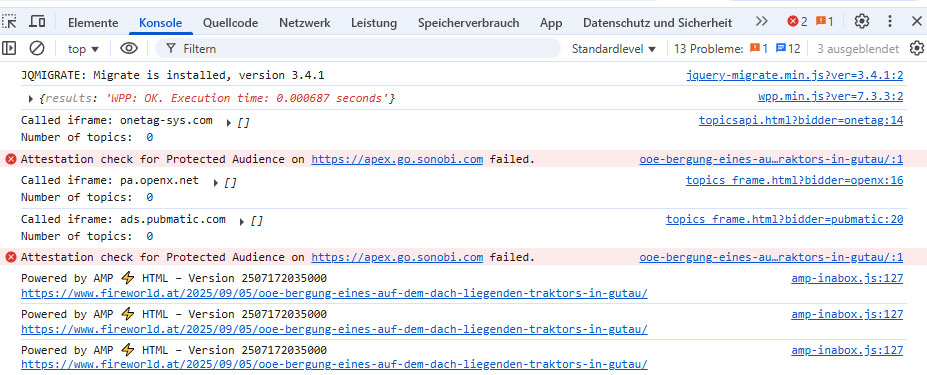
Funnily enough, in all three screenshots you can tell that WordPress Popular Posts was actually able to track your visit just fine 😛
If you see a “WPP: OK …” message that means that the plugin did register the visit. Please keep testing until you no longer see that in the console (might have to wait for a few hours or even a day) and report back.
Sure. I will test more!
I just tested it with Microsoft Edge – before that with Google Chrome – and this always happens there too:
https://www.fireworld.at/wp-content/uploads/2025/09/Konsole4.jpg
And funny, I reloaded the same article 10 times with two different browsers: Total views remained the same.
Cache off: Total views increased by 10 🙂
This means CHAT-GPT:
Ezoic caches very aggressively. If you insist on a “backend counter,” you must define in the cache rules: /wp-admin/* and REST API endpoints (/wp-json/post-views-counter/*) → never cache. This way, a counter plugin running over REST can still count properly.
Is it possible, that your plugin is NOT that one, which produces the “total views” in the backend??????
Well, WordPress Popular Posts by default doesn’t add a total views column to the backend.
There is however a small helper plugin that adds a “Views” column to the backend. Are you using it?
Thanx a lot! I added your code now.
Now I have to different countings :-))
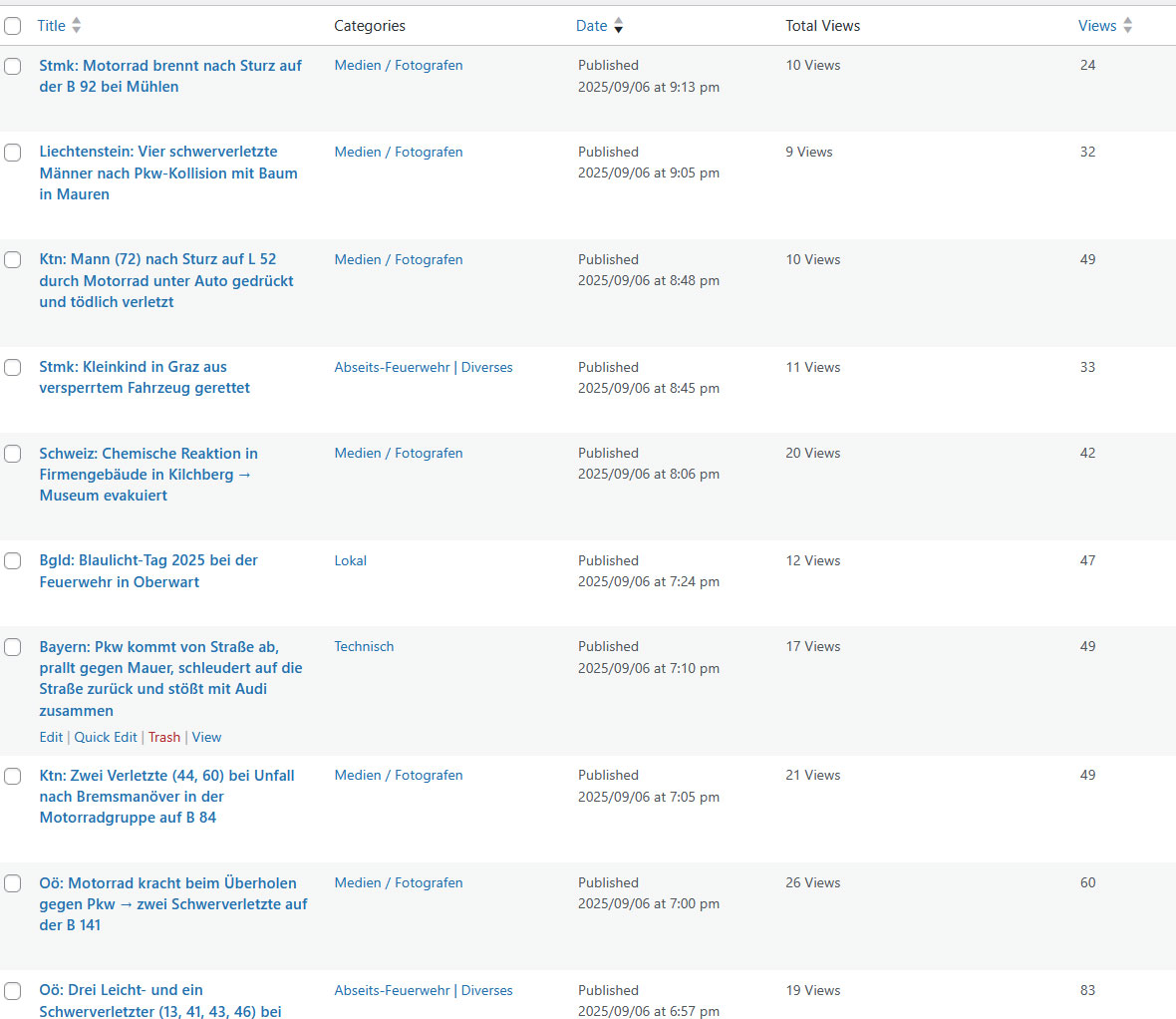
“Total Views” and “Views” (last one are coming from your code)
https://www.fireworld.at/wp-content/uploads/2025/09/Settings.jpg
Whatever. It’s just tedious. I’ll leave the apparently quite aggressive caching and both counters active. I’ll see who’s keeping up with the count. I just want an idea of what’s generating interest. I think it’s too tedious to invest even more of anyone’s potential into it. In any case, thank you very much for your very dedicated support!
Ah, that Total Views column is coming from somewhere else then. Probably a third-party plugin. Let me know how it goes, I’m kinda invested now haha.
Thanks for keeping the humor 🙂 I’ve tried everything and have no idea where the total views actually come from. But I’ve now implemented your code in parallel. Compare it! Although it’s still not 100% accurate.
https://www.fireworld.at/wp-content/uploads/2025/09/Views.jpg
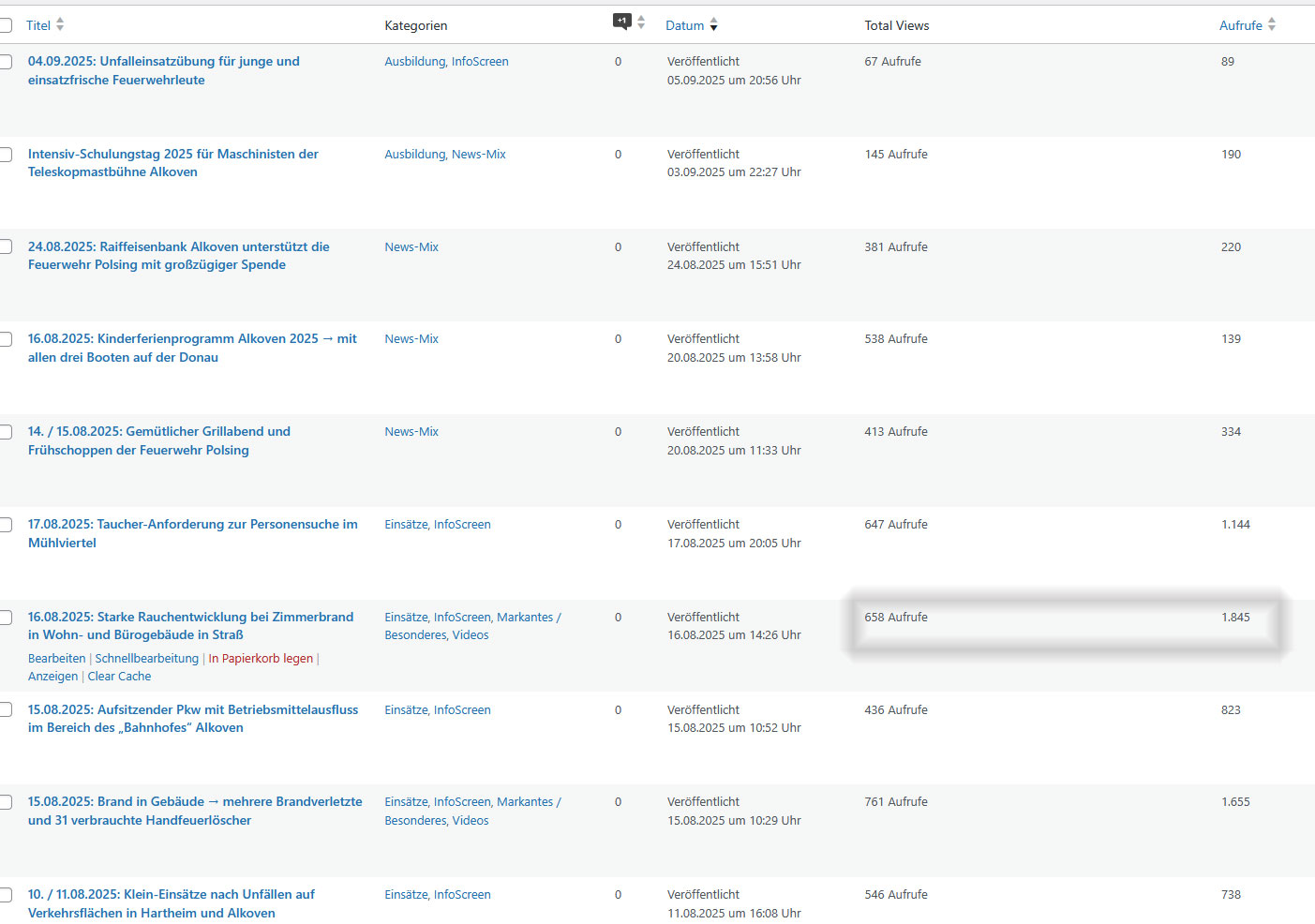
It’s even funnier on my fire department’s website. I only have a cache plugin there, and it still doesn’t work perfectly. I added your code there today. The difference is three times as large for one post!
https://www.feuerwehr-alkoven.at/wp-content/uploads/2025/09/Feuerwehraufrufe.jpg
But it’s most important to me for my Fireworld.at site. But I think I’ll skip aggressive caching in favor of a super-fast site, and I just have no idea how often something is actually viewed…
Hab auch ChatGPT nochmals gefragt (kannst ja ggf. auf englisch übersetzen): https://chatgpt.com/share/68bc5c62-1270-8012-97aa-c937dad8f179
🙂