• Resolved dpitzer

    (@dpitzer)


    We are using Woocommerce and on the products, we put a Sold Out on the image via a combination of code in the functions.php and the css style sheet. This needs to happen in real time as the product quantity and status are always changing. Right now it all seems cached and I ‘m not sure what to exclude from Litespeed Cache to make it change as the product changes. See what it looks like below.

    https://i.gyazo.com/158a6e6dce53609ca71cc53a64ab0df9.png

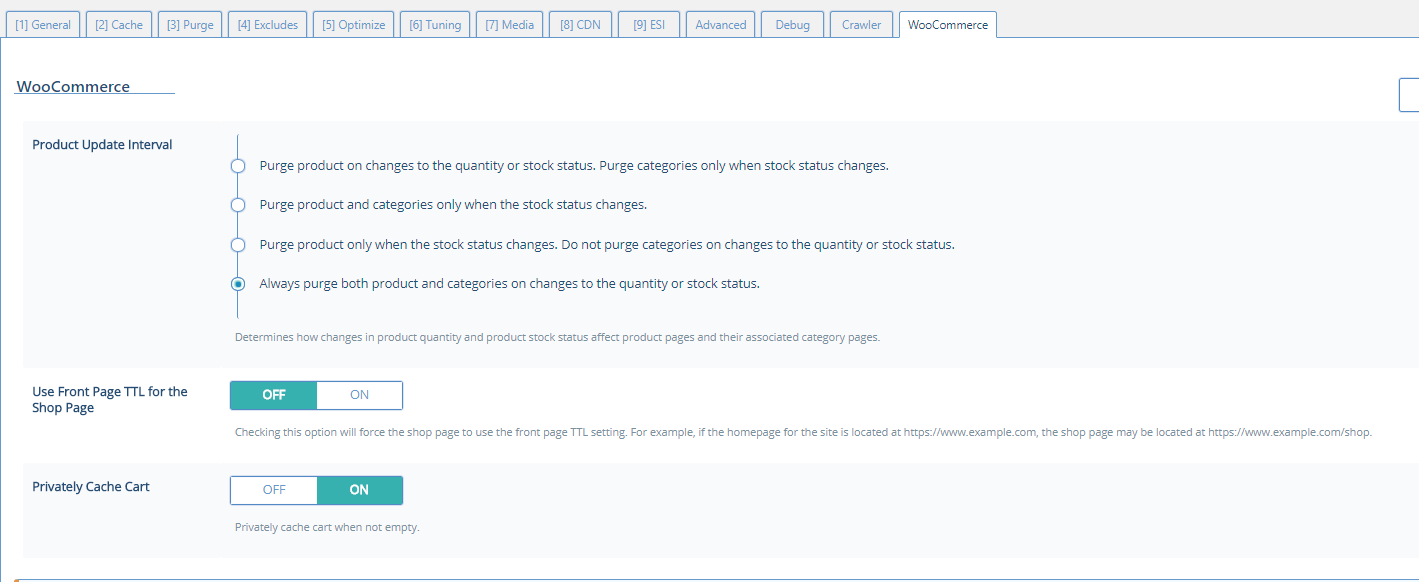
    Along the same lines, the stock quantity is not always showing as increased when it has been. Here are the settings in Litespeed cache for woo.

    https://i.gyazo.com/fa01eecce34e4bd130797c81734e5899.png

    Any ideas where to begin?

    Thanks,

    Dave

    The page I need help with: [log in to see the link]

Viewing 3 replies - 1 through 3 (of 3 total)
  • Plugin Support LiteSpeed Lisa

    (@lclarke)

    Hi, Dave.

    Is this a new problem, or has it always behaved like this?

    BTW, you may have an (unrelated?) issue with your CDN. I am trying to visit your website, but it is taking incredibly long to load – over 2 minutes now, and all I see is unstyled text as it continues to wait for cdn.fixhybusinessaquatics.com.

    Plugin Support LiteSpeed Lisa

    (@lclarke)

    Ok, it’s loading fine for me now.

    I see this:

    
    x-litespeed-cache:hit
    x-sucuri-cache:HIT
    

    Could your securi plugin be caching products?

    Thread Starter dpitzer

    (@dpitzer)

    Hi Lisa,

    Thanks for letting know about the performance issue on the CDN! I have disabled that, the part of the performance slow down and the problem I reported seems related to Sucuri.

    I’ve never heard of them being slow.

    Dave

Viewing 3 replies - 1 through 3 (of 3 total)

The topic ‘Caching Settings’ is closed to new replies.