lisa
lisa
(@contentiskey)
Request guidance from the team most familiar with the Tronix theme. Use these links:
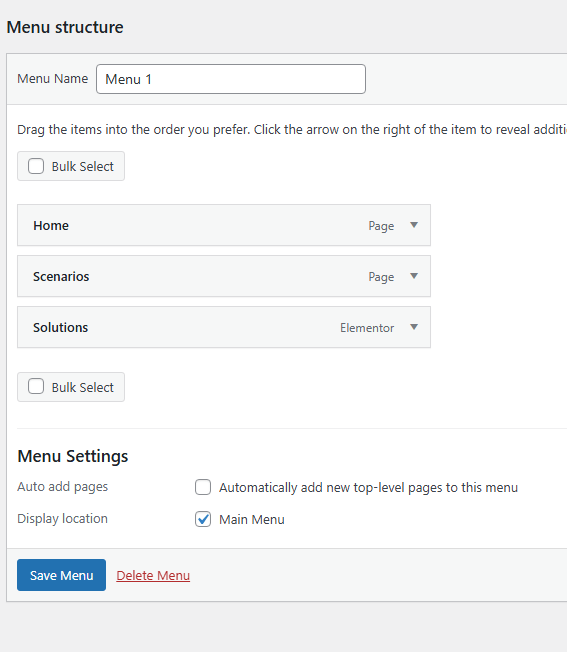
To add a menu to a custom header in the Tronix theme, go to Appearance > Customize > Header and select your custom header layout. In the header builder, drag and drop the “Navigation” or “Primary Menu” element into the desired header row. Then click on the menu element to choose which menu to display (e.g., Primary Menu). If you haven’t created a menu yet, go to Appearance > Menus to create and assign one. After placing and configuring the menu, click Publish to save your changes.
Best Regards
Make sure the Tronix theme registers menus in its functions.php. You should see something like:
register_nav_menus( array(
    'main-menu' => __( 'Main Menu', 'tronix' ),
) );
If you’ve created a custom header template, you need to insert the WordPress menu manually where you want it to appear.
Add this PHP code inside your custom header template file (e.g., header-custom.php):
'main-menu', 'container' => 'nav', 'container_class' => 'custom-menu-container', 'menu_class' => 'custom-menu', ) ); ?>
This will output the menu assigned to “Main Menu” in Appearance → Menus.
Go to: Appearance → Menus → Manage Locations
→ Assign your created menu to Main Menu (or the location you used in theme_location).
If you’re creating the custom header with Elementor or Tronix Customizer, use a Menu Widget:
- Add a Navigation Menu widget (Elementor) or “Menu” block (Customizer).
- Choose the menu from the dropdown.
- Style it directly within the builder.
I hope you should have a solution now. still problem? you need contact with theme author or HIRE an expert from freelancer directory.
Thank you.
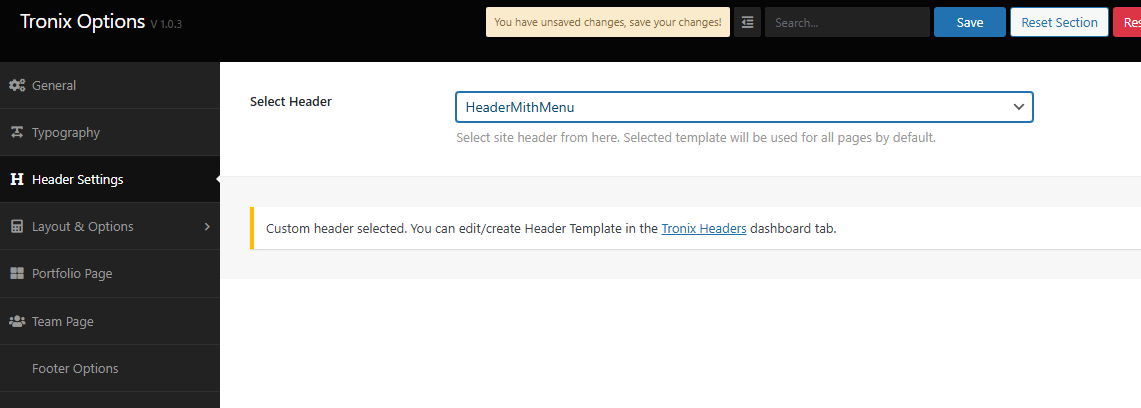
Hi @kromych , I’m the founder of Themepul and author of the Tronix theme. I think there’s a little misunderstanding—this isn’t actually an issue. Tronix uses a custom Header & Footer Builder with Elementor.
To set up your header, please create one using our Header Template widget. We’ve also included many ready-made header demos in the Tronix template library, which you can import and customize.
If you need further assistance, feel free to open a support ticket here: https://support.themepul.com. Our team will be happy to help.