• If I login to WP and navigate to Appearance/Menus on my Android tablet, I can see all of my menu entries but if I click on any of the menu items, they do not open so I cannot edit/move/remove them as I can when using my laptop/desktop.

    I have tried Chrome, Samsung and Firefox with the same result.

    WP 6.6.2

    The page I need help with: [log in to see the link]

Viewing 4 replies - 16 through 19 (of 19 total)
  • Thread Starter Stephen Davies

    (@scldad)

    Tried again with my wife’s more modern tablet and was able to login without error.

    Must have been an Android thing.

    Bad news is that even though I can now login and edit pages and comments, there does not appear to be any way to edit menus – there is no Appearance option at all. Same with Jetpack.

    Back to square one. I still need to be able to edit menus via an Android browser.

    Moderator James Huff

    (@macmanx)

    You should see it in the Personalize section in the app.

    Here’s some of what I see: https://cloudup.com/cji54MbygCu

    Thread Starter Stephen Davies

    (@scldad)

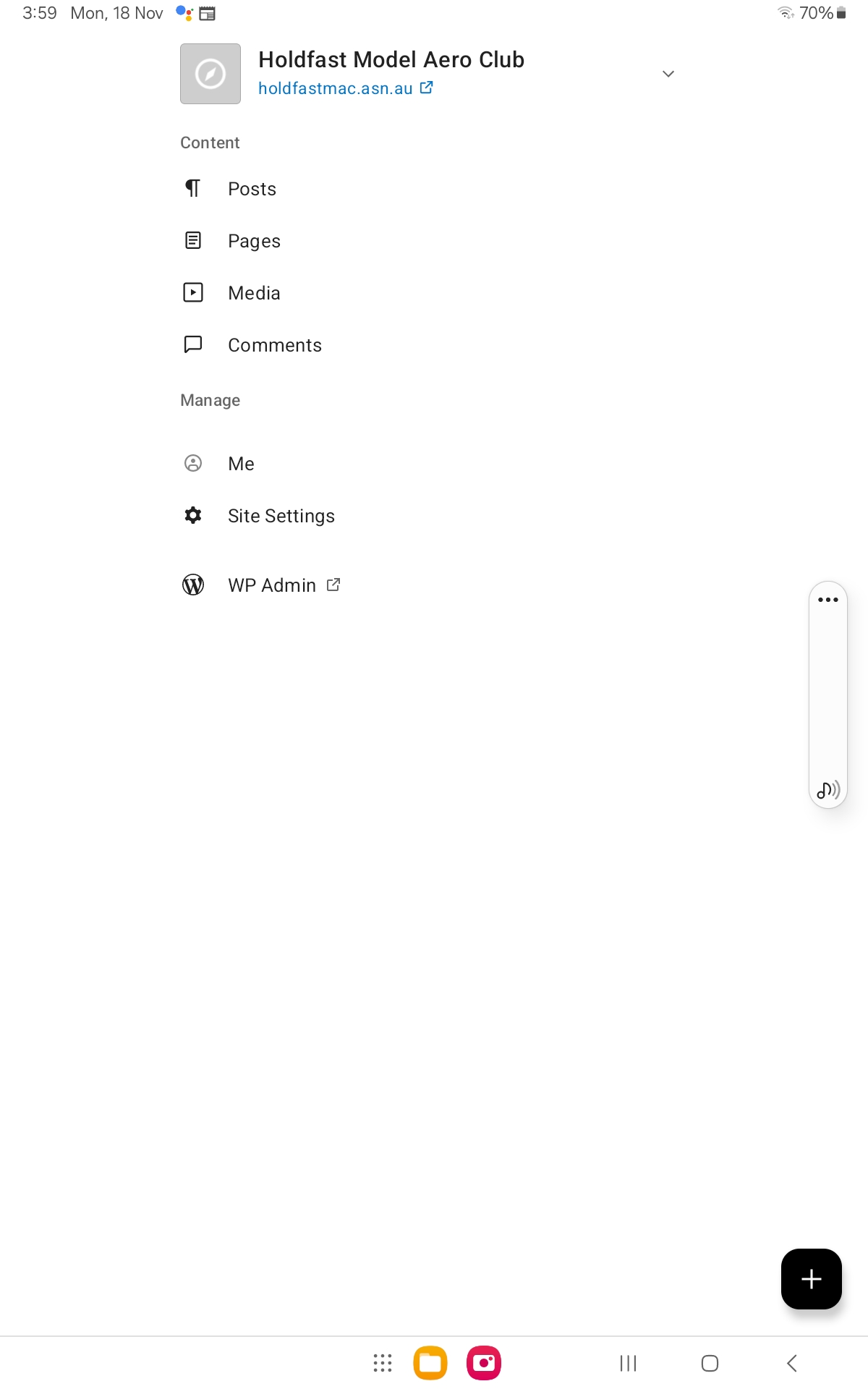
    All I see after login is:http://www.sdc.com.au/photos/pic.jpg

    Thread Starter Stephen Davies

    (@scldad)

    The certification issue turned out to be an android issue. Using a later version of android fixed that.

    However, I cannot get the app to edit menus either. It seems to be very limited in functionality.

    Until somebody fixes the browser(?) issue, I am falling back to manually editing the MySQL posts table with phpMyAdmin to change menu entries.

Viewing 4 replies - 16 through 19 (of 19 total)

The topic ‘Cannot edit menus from android tablet’ is closed to new replies.