Hello – Once you activate the plugin, you should see the HFCM option on the sidebar navigation (Please see the attached screenshot). Here you will find the options to add, edit and control the code.
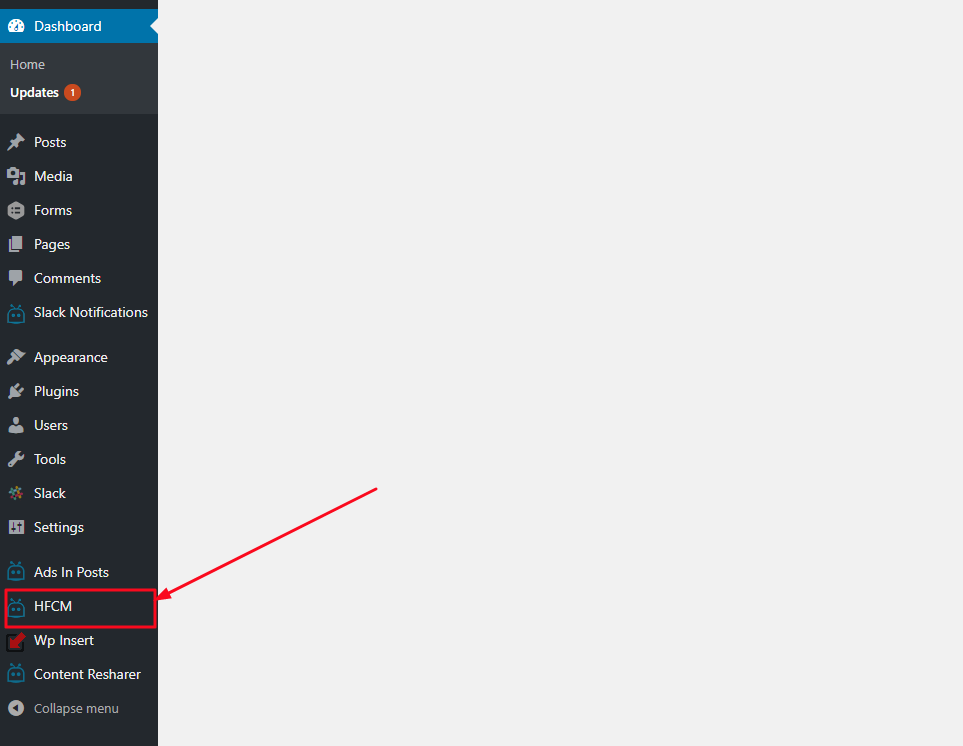
I just spent the last hour looking for the controls also. For some reason I scanned over this HFCM link maybe 50 times and I opened all links expect this one – I think it must be the ‘robot logo’ it just doesn’t seem obvious at all to be a control for header footer code. Strange but true!
Hi @jtbaxt – the problem with naming that tab “Header Footer Code Manager” is it will look weird from a UI perspective as it becomes 3 lines long in the left side navigation. Hence, that’s why we shortened it to just HFCM. Hope that make sense. Luckily you found it and are now using the plugin.
Please do leave us a review so we can continue to keep this plugin free and make enhancements.
Thank you and happy new year!
@jtbaxt – we are also adding the following to help future users:
1) Adding a screenshot to the plugin page that shows where the HFCM Settings are located.
2) Adding a link from Plugins screen to the Settings of HFCM.
3) Adding a FAQ item on where to find the Settings for the plugin.
4) I’ll be doing a video soon of how to use the plugin and will embed it to the plugin’s page so users can watch it and know how to do everything.
Thanks!


