Can’t Add New Subscribers
-
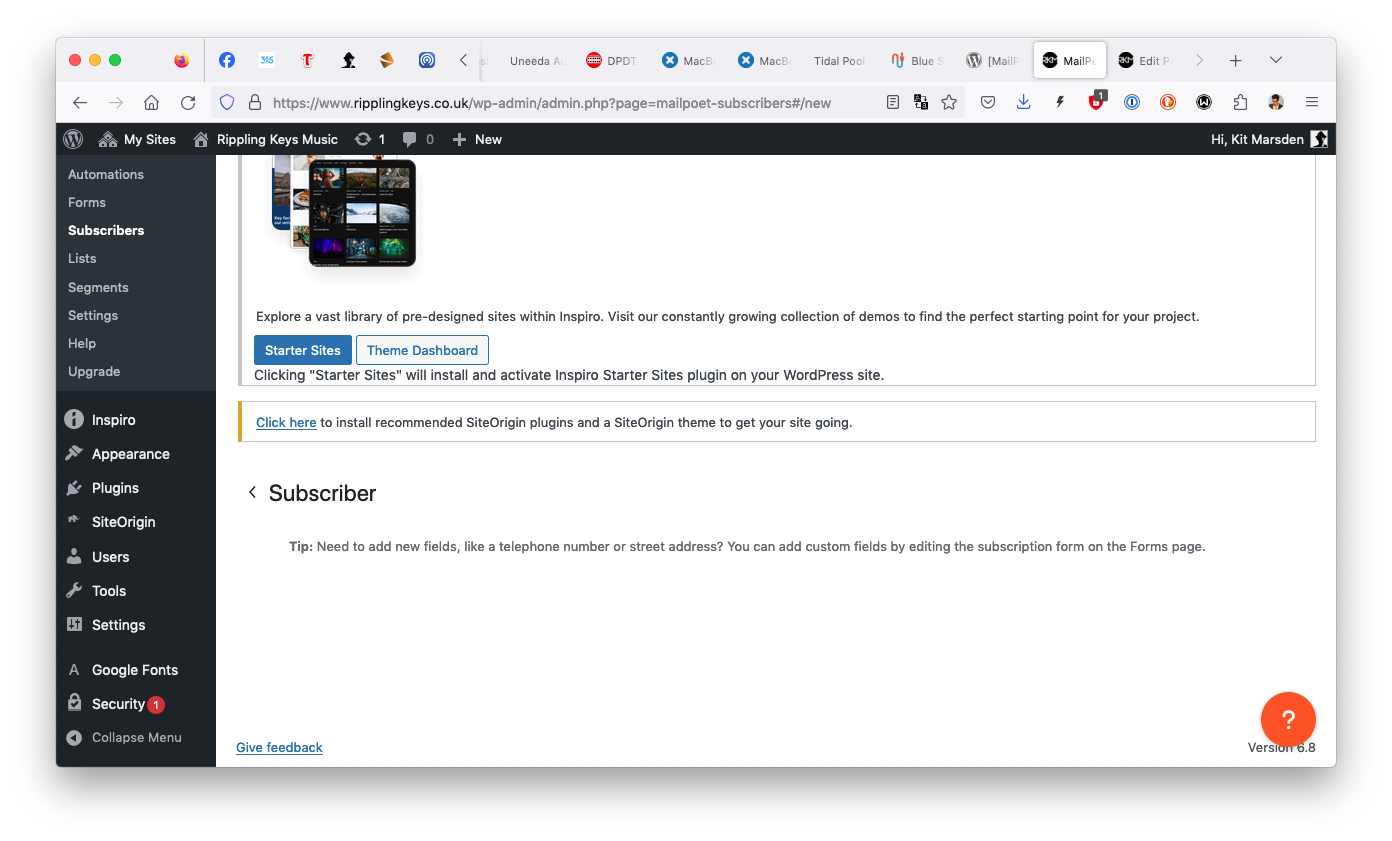
When you click ‘Add New’ at the top of the Subscribers page, you get this. No input fields, and no other options. Why?

-
Hello there @manek43509 ,
Thank you for reaching out and sharing what you are seeing. I completely understand how confusing it must be when the expected input fields are missing.
What you are experiencing can sometimes happen if a plugin file did not install or update correctly. To fix this, I recommend reinstalling the MailPoet plugin manually via FTP. This will make sure all the files are properly in place without affecting your existing data.
Here is a guide you can follow to do that step by step:
How to Reinstall or Update the Plugin via FTPOnce you have reinstalled the plugin, please check the Subscribers page again to see if the input fields appear.
Cheers!
Thank you, will that mean I lose any subscriber lists or post notifications which are already setup, if I reinstall via FTP?
You shouldn’t lose any data from the plugin since it’s saved in your database, not the plugin files. However, whenever making any changes like this, we recommend making sure you have a full backup of the site just in case.
Hi again, this appears to be a browser issue. I have Mailpoet installed on a few different websites, and no Mailpoet forms display correctly on my primary browser (Firefox). The forms look absolutely fine on Safari, or on Firefox Mobile.
However, there is still a bug with adding subscribers. Particular addresses are constantly ‘rejected’ by the plugin, or switched to ‘Bounced’ status. There doesn’t seem to be any pattern to which addresses/domains can be added and which can’t.
Hi there,
Thanks for getting back to us with more details.
this appears to be a browser issue. I have Mailpoet installed on a few different websites, and no Mailpoet forms display correctly on my primary browser (Firefox). The forms look absolutely fine on Safari, or on Firefox Mobile.
I happen to use Firefox too, but I couldn’t reproduce this issue on my site. I’d recommend giving the following a try:
- Clear your browser cache and cookies
- Try to reproduce the issue using a private window (to rule out conflicts with browser extension)
However, there is still a bug with adding subscribers. Particular addresses are constantly ‘rejected’ by the plugin, or switched to ‘Bounced’ status. There doesn’t seem to be any pattern to which addresses/domains can be added and which can’t.
Typically, if they are automatically switched to
Bouncedit means they have bounced before and were added to our suppression list to avoid more bounces. If you believe it’s a valid address and the bounce was caused by a temporary issue, though, we can remove it from our suppression list.To avoid sharing email addresses in this public forum, you can contact us via https://www.mailpoet.com/support/sales-pre-sales-questions/ and include a link to this thread.
We’ll be able to provide you with more information there.
Also, can you clarify what do you mean by
Rejected?When I say an address gets ‘rejected’, I just mean that doesn’t get added to the list. You can go through the whole process to add a subscriber, click the button to complete the process, and then you go and look at the list as a whole and… that person isn’t there. They’re not a subscriber. You go to add them again, and the exact same thing happens. The list simply will not accept their email address; it rejects them. There appears to be no pattern (ie. ‘always Gmail addresses’) to this behaviour, the plugin just picks certain email addresses at random which it doesn’t like, and refuses to add them to the list at all however many times you try.
I’m not sure that the
Bouncedaddress has bounced before, as that is my own email address…Good to meet another Firefox user, to be honest. Seems everyone’s on Chrome these days…
The forms seem to appear correctly in a Private Browsing window, so I’m guessing that particular issue is on my end. I’ll try the cache or deactivating browser extensions to see what I can unearth.
@manek43509 there is no process to approve or reject subscribers when adding them through form. It’s just a new row in a database table.
Can you please confirm, that the subscriber with the email address is not already in
Trash(they wouldn’t appear inAlltab)? Also can you please try to add any random email address just to verify that you are indeed adding someone new, that 100% wasn’t previously added?Thank you. Yes, the address I was referring to was in the Trash this time.
Please let me know how I can change the status of my own address from ‘Bounced’.
Regarding the forms not displaying, this was the result of AdBlock Ultimate browser extension in Firefox. Not sure why that’s picking up on any MailPoet input fields as ‘ads’ but that seems to be the case.
Thank you. Yes, the address I was referring to was in the Trash this time.
Great! In this case, you can simply restore it from trash.
Regarding the forms not displaying, this was the result of AdBlock Ultimate browser extension in Firefox. Not sure why that’s picking up on any MailPoet input fields as ‘ads’ but that seems to be the case.
Ad blockers extensions are known for causing issues like this. It’s usually due to JavaScript conflicts.
Please let me know how I can change the status of my own address from ‘Bounced’.
I was able to find your MailPoet account by searching for your website’s URL and I confirmed the email address associated with your account was on our suppression list. I’ve just delisted it.
You can switch its status from
BouncedtoSubscribedto start receiving emails again.I hope this helps!
Thanks for this. Unfortunately my email address has switched back to
Bouncedagain! Why has this happened?!Hey there! I’ve just checked and your account email is not set as
Bouncedon our end.However, upon checking our logs, I see that the last email sent to this email address through MSS was on May 5th.
Are you still sending emails with the MailPoet Sending Service (you can check that in MailPoet > Settings > Send with…)?
Also, when was the last time you sent a newsletter to a list that this email address is subscribed to?
Finally, when I removed this address from our suppression list, have you switched it from
BouncedtoSubscribedon your website’s dashboard? If you haven’t, that would explain why the address still appears asBouncedon your end.I’m looking forward to hearing from you!
I have just checked. My email was set to Bounced, but as you can see I have now set that back to Subscribed.
The last email sent which should have come to this address – but didn’t – was this morning at eleven o’clock!
Right. Maybe you forgot to switch it to
Subscribedbefore?Please, let us know if you notice any issues when you send your next newsletter.


The topic ‘Can’t Add New Subscribers’ is closed to new replies.