Hi @rfischmann,
You can make Modern Footnotes work with a custom shortcode. Under Settings > Modern Footnotes, you’ll modify the Modern Footnotes Custom Shortcode option and provide a value of note
Best,
Sean
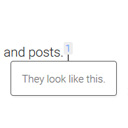
One more unrelated question, @prismtechstudios: can’t the mobile version work the same way as on the desktop, floating when touched?
Sorry, it’s me again. 😅 Although I changed the default shortcode to “note”, when using the button in Gutenberg’s toolbar of the Block Editor, it still uses “mfn”. Is that how is it supposed to be? Thanks.
Hi @rfischmann,
There’s actually not currently the ability to customize the mobile version of footnotes, only options to change how it works on desktop.
And, the button in the Block Editor toolbar will still use “mfn” as the footnote shortcode, but if you’ve provided note as a custom shortcode, either will work for displaying footnotes on the site.
Best,
Sean