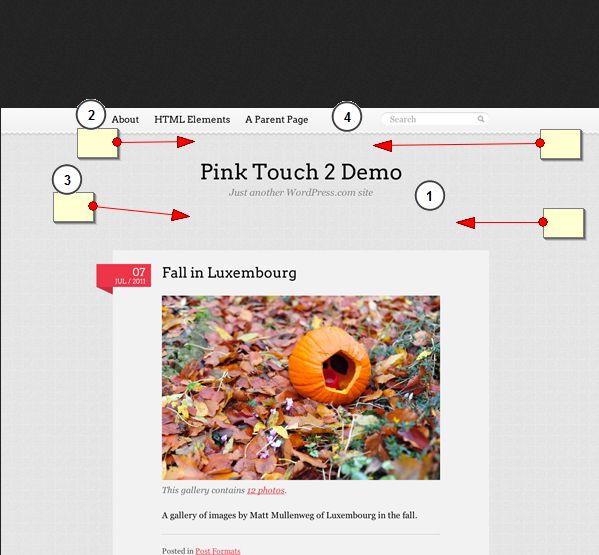
You’d need to post a link to the page where the problem exists. Or try using Firebug to identify the CSS code that controls the spacing in that area of the page.
Thank you for the tool firefbug. I try to edit on css, but i got no effects. It’s not a problem, i just wanna reduce the space “empty”. My site is http://www.100Saberes.com
There’s nothing visible on your page…
I wanna make post’s right after the Slogan. I wanna reduce the space betwen Title Blog and Post’s.
I don’t see anything on your site except the background and search bar – nothing else from the theme is visible.
So its not possible remove that space?
My users have to scroll down to read the news.
Try removing from the theme’s style.css file:
#header {
    margin: 910px auto 915px;
    min-height: 973px;
    padding: 935px 0 977px;
    position: relative;
    text-align: center;
    width: 9690px;
}
Who on earth added that?
I remove that, but nothing change.
 Andrew Nevins
(@anevins)
WCLDN 2018 Contributor | Volunteer support
Clear your browser’s cache.
*Sorry, bad refresh.
Now my title is on left side
Andrew Nevins
(@anevins)
WCLDN 2018 Contributor | Volunteer support
Then put back in the styles that didn’t have massive positioning values;
#header {
    position: relative;
    text-align: center;
}
I will replace for a image. Thank you all for the help!