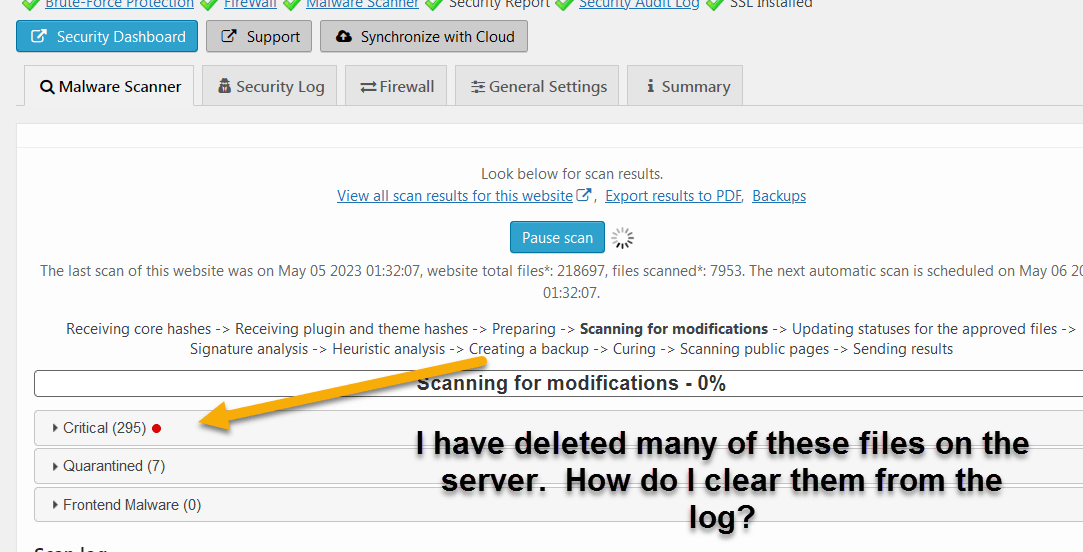
How do I clear the log of “Critical” files? I have gone on the server and deleted an old file folder full of bad files but I can not get the app to drop all of the files from the Critical List.
This topic was modified 3 years, 1 month ago by thompsonaire.
The page I need help with: [log in to see the link]
There is a delete button below each file from the list. You can also use bulk actions. If you run the malware scan again, then there should be no non-existing files.
I have tried this several times. I just ran a full scan and it is still coming up with a bunch of files that I know have been deleted from the server. Here is a screen video of what is happening.
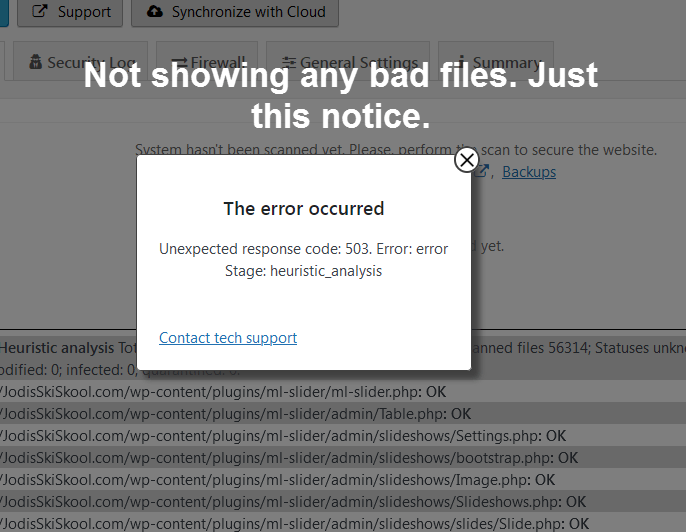
Yes, This is what I am getting each time I run the scan. I have results that are files that I have deleted. I have run the scan over and over several times and even tried deleting the plug in and reinstalling it. Same result. I get a list of critical errors that seem not to exist.
I found it. Had to look real carefull but I did find the check box. Deleted the plugin. Reinstalled and re-entered the app code. Now it is running a new scan. Will let you know what I get.