Evening Barefoot Bookworm;
I’m Autoptimize’s developer. I Don’t know “calculated fields form” all that well, but looking at the source code I see it depends on jQuery, so ‘force JS in head’ and/or excluding jquery from being optimized might help. Next to that, there seems to also be JS in “plugins/calculated-fields-form/js” so that might have to be excluded as well, but I’ll leave that to the developers 😉
Hope this helps,
frank
Well hi Frank! Thanks for helping out! 🙂
I tried what you suggested (once with try-catch wrapping enabled and once without) but it didn’t work so I guess I’ll have to wait for the developers to tell me which other files need to be excluded.
Hi,
The Calculated Fields Form concatenates all its javascript files in only one connection to the web server(to avoid multiple connections). The plugin calls to the website’s homepage passing an special parameter; if the parameter is present, the plugin stopping the WordPress execution, and generates the javascript file. Exclude jQuery from Autoptimize, should be sufficient.
Best regards.
Hi,
I excluded these files but it failed to correct the problem. cp_calculatedfieldsf_scripts.js,jquery.caret.js,jQuery.stringify.js,jquery.validate.js,jquery.js
Could you be a bit more specific as to which file I can exclude to exclude jQuery while still using Autoptimize’s Javascript option? (I’m kind of new to this.)
Hi,
Could you send me the link to your website to check the URLs to the javascript files, please? Maybe your website is trying to get the javascript files from a CDN.
Best regards.
Hi,
The site is REALLY incomplete right now, so do tell me when I can get the ‘coming soon’ page back up but here’s the link: http://www.mycareerbrand.ru/increase-your-salary/
Hi,
In the webpage http://www.mycareerbrand.ru/increase-your-salary/, that you sent me, the form is displaying fine. Have you activated the Autoptimize in the website?
Best regards.
Yes, but it’s not currently optimizing Javascript. I’ll change that right now.
Done, and as you’ll notice the form has now disappeared.
Hi,
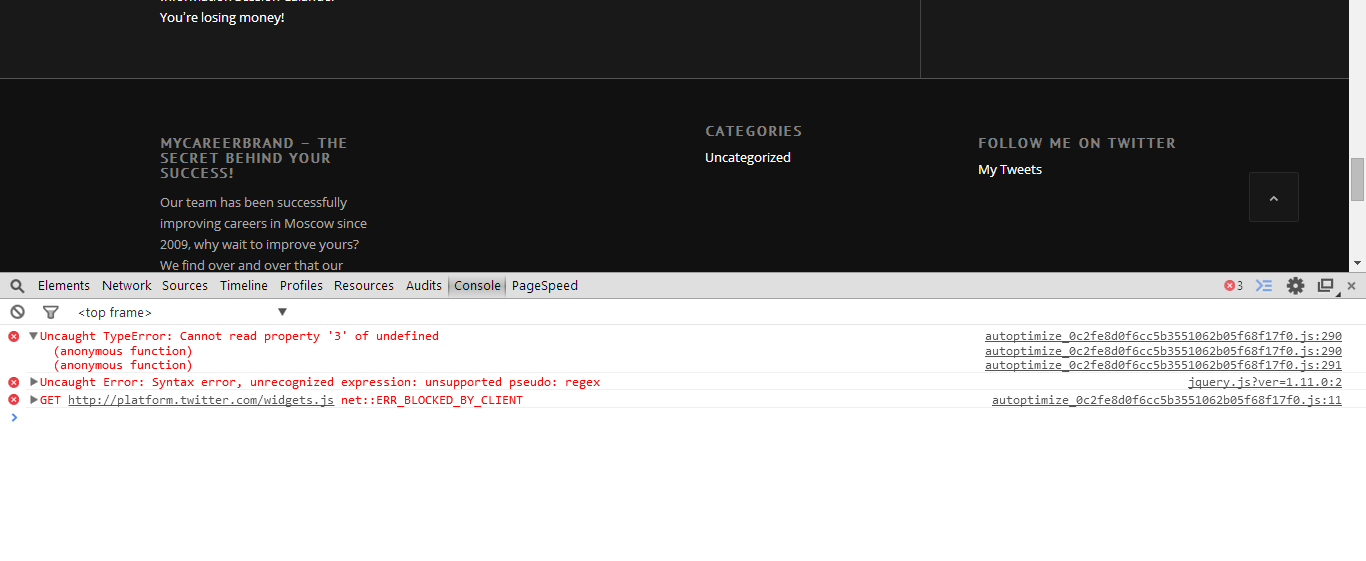
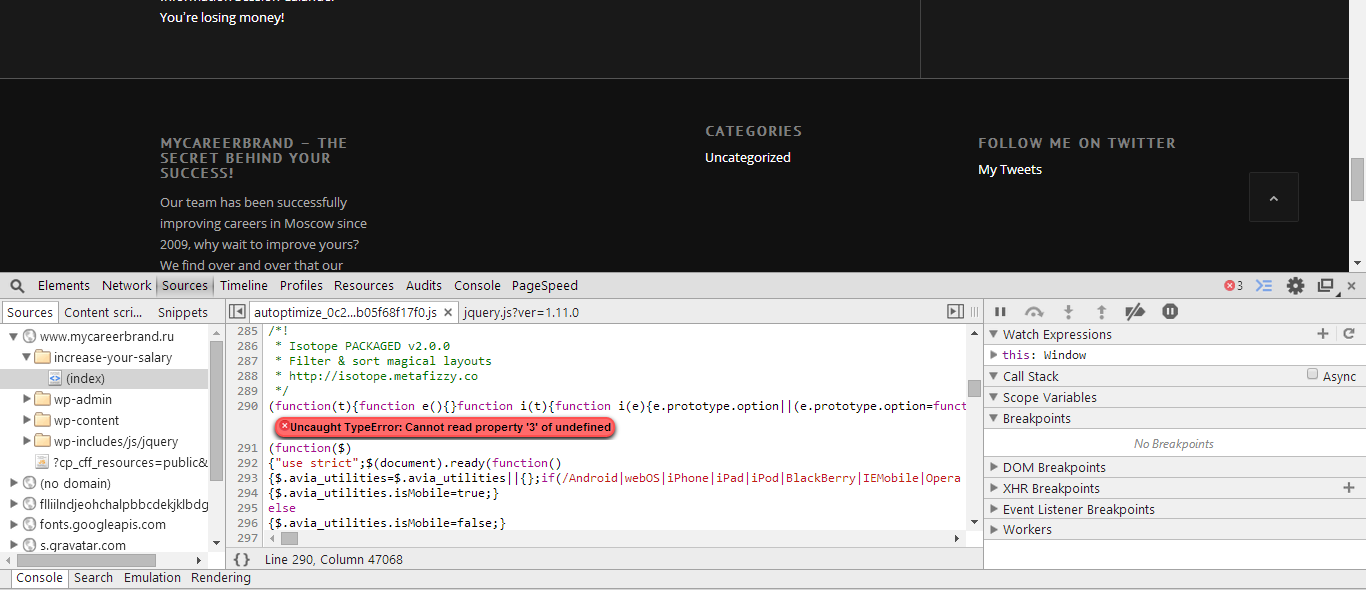
Perfect, please, check the following screenshots of your page:
http://wordpress.dwbooster.com/images/screenshot/screenshot_2014-08-26-01.png
http://wordpress.dwbooster.com/images/screenshot/screenshot_2014-08-26-02.png
The issue is not related with our plugin. There are some untreated javascript errors that are stopping the execution in your webpage. The errors are related with packaged version of the Isotope file that belongs to another plugin, or directly to the theme. I, think that the issues are provoked by the Autoptimize over packaged javascript files.
Best regards.
Thanks! I’ll talk to Frank about it. Which tool did you use to view these btw?
Hi,
I use the tools for developers included with the browsers. If you are using Chrome, you only should press the F12 key.
Best regards.