Hi @ksvgn2018,
Greetings from CookieYes!
To ensure successful website scanning, kindly ensure that there are no firewalls or IP-based blocking in place while scanning.
If the issue persists despite disabling firewalls and other blockers temporarily, it would be helpful to share a screenshot of the error page and site URL. This will allow us to gain a better understanding of the issue and provide an appropriate solution.
Thank you for your reply. The only relevant firewall plugin would be Wordfence Security that I also use in my other projects. I disabled it temporarily but still no success. There is no firewall activated for the domain from the hoster, it is a bonus option but it hasn’t been booked.
The domain is:
https://traeumchen-kassel.de
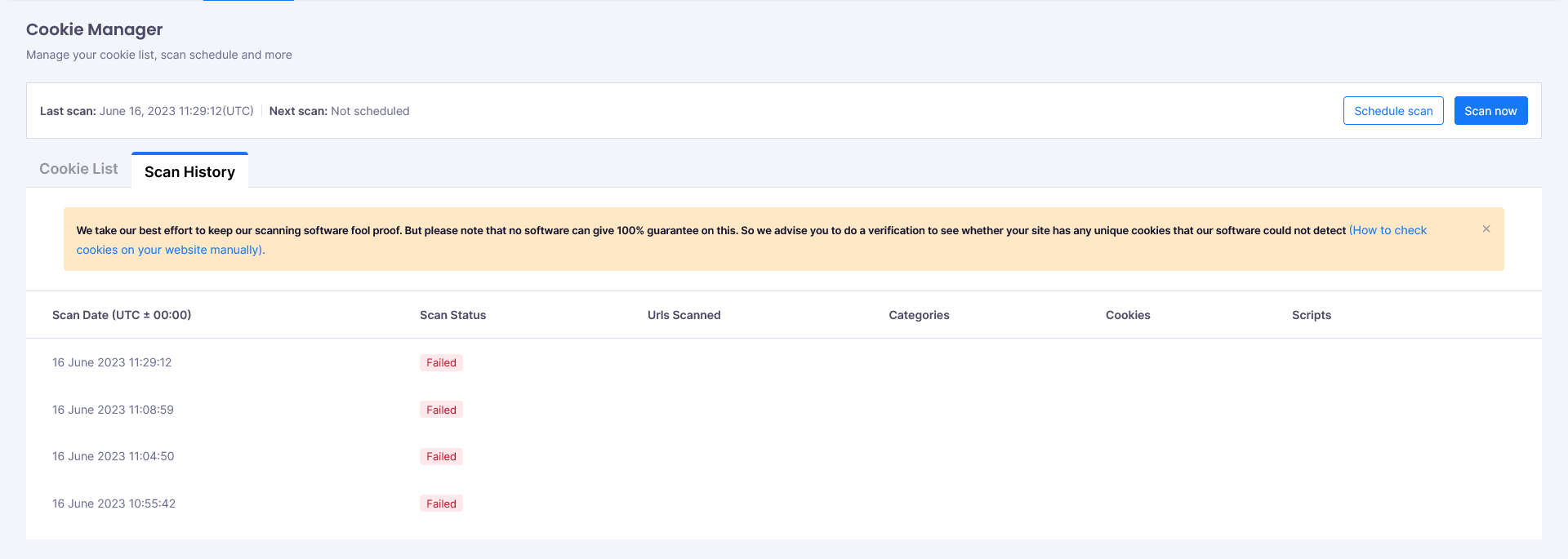
Here is a screenshot showing the issue:
https://traeumchen-kassel.de/screenshot.png
Unfortunately there is no error log that would give further details regarding the source of the error, the status just says “Failed”.
Hi @ksvgn2018,
To perform scanning, we utilize headless Chrome. Kindly ensure that no blockers are added to stop the headless browser from scanning.
In case you encounter further issues, kindly share the site health information privately through this link to provide a better understanding of your site configuration. You can obtain this information by accessing the WordPress Tools menu > Site Health > Info section.
Okay, I sent a report of site health using your support link. 🙂
I also tried it with Goole Chrome, no success. For other projects it was never a problem, no matter which browser I was using.
Hi @ksvgn2018,
It appears that your hosting provider has implemented some firewall or security measures. Please contact your provider and verify that our scanner is able to bypass these measures in order to successfully complete the scanning process.
Hi @ksvgn2018,
This thread has been inactive for a bit, so we are going to mark it as resolved now. Please feel free to open a new thread or follow-up if you have any further questions or still need help.