Cron not working as expected
-
(Image upload not working, pasting a link to a screenshot instead)
First time user of WordPress LiteSpeed Cache Plugin. Everything looks great, but the automatic image optimizing is not running with a cron job. I am sure that the cron runs:
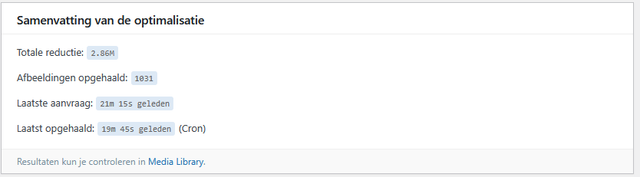
But when I look the LiteSpeed dashboard (or Image Optimalization page) I find that the cron does not run correctly for sending the images, and sometimes runs for downloading the images:
https://i.ibb.co/hFgN6CXf/image.png
I have created a report, the number is DEVVOIHE.
I can manually request to upload/download the images, but I suppose this should run automatically. As far as I can see I am not reaching my quota for today yet.Any help will be appreciated, thanks in advance!


The topic ‘Cron not working as expected’ is closed to new replies.