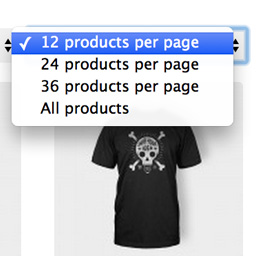
Hi Graham,
Last time I checked it was consistent with the core dropdown fields, but it could be a theme overrides this.
In any way, you can override where/how the dropdown is added via hooks, so I think thats also possible for you in this case.
(there’s a thread somewhere on this forum, too late for me to search for it now 😉 )
Cheers,
Jeroen
Hi Jeroen,
I second making it easier to tweak the CSS! Love the plugin … just wish I could make it look like the default WooComm dropdowns. I can’t seem to grab on to any of the classes.
Ali
Hi Ali and Graham,
I just checked how the default dropdown is formatted VS the WPPP one:
http://cl.ly/3O2Y1d2R3346
They appear to have the same markup, without extra divs (or other wrappers). There are multiple classes that are callable through CSS, is there anything else I’m missing to get them working / looking as close to core as possible?
@ali note that you may need to add a !important to your CSS element if you want to override one of the two existing inline styles 😉
Let me know 🙂
Jeroen
I would like to remove these inline styles.
style='float: right; margin-left: 5px;'
How can I do this?
Hi,
It is not possible to actually remove them, but you can override them with your own desired values.
This can be done by entering the CSS in your child-themes stylesheet or maybe through a plugin.
You should be able to do something like this:
.form-wppp-select.products-per-page {
    float: left;
}
Hope that helps 🙂
Jeroen