css and translation issues
-
I have a couple small issues
1) custom CSS is not applied in the single table
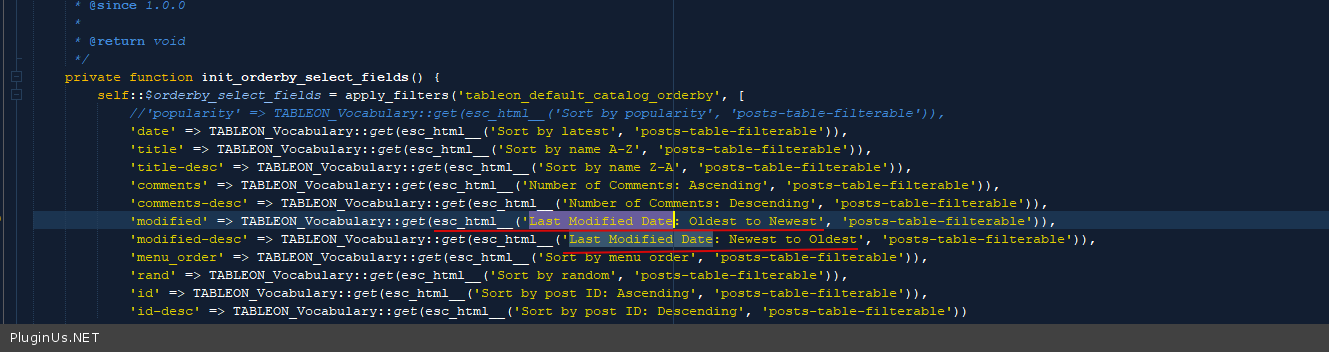
2) some translations are not applying (“last modified date”, “sort by name”, etc.)

-
Hello
Please drop me exact link to the issue
I did test on my site – https://c2n.me/4aZsgMa – It looks like everything is working correctly.
hello, you could see the problem on this page.
1) The CSS is not really consistent, I mean it reads some values but not others, or uses values that I have not set so.
2) I can see you are using the vocabulary but I’m using LocoHello
https://c2n.me/4b17nBh.jpg – give us way please to access the site
yes sorry but I had to take the site off… please try again
Hello
1) Sorry, I didn’t understand you. Describe it in more detail
2) all strings in the plugin are prepared for translation – https://c2n.me/4b1l9fJ.png – so it might be a problem of Loco Translate
@arsenalemusica
Hello
If you mean dynamic words – only inbuilt Vocabulary will help because Loco Translate works with strings placed directly in the code
ok, I shall use the vocabulary.
About the CSS, I have tried using both custom-skin and direct CSS tab, but there are some simple properties (like a background color) that simply don’t apply.I’m just adding this simple CSS and it doesn’t apply
.tableon-data-table table thead th {color:#000;background:#d9edf7;} .data-table-23 table tbody td {border:none;} .data-table-23 table tfoot {display:none;} .tableon-more-less-container {border-bottom:none;}Hello @arsenalemusica
Try to use this code:table.tableon-table tr th{ color:#000; background:#d9edf7 !important; } table.tableon-table tbody td {border:none;} table.tableon-table tfoot {display:none;} .tableon-more-less-container {border-bottom:none;}I did try with the !important before, and it wasn’t working. Now it is working and I really can’t understand how :S
oh, I can see also the class has changed… yet the last line doesn’t catch the CSS.tableon-more-less-container {border-bottom:none;}by the way, any table doesnt look like they are responsive
-
This reply was modified 5 years, 3 months ago by
anonymized-14293447.
Hello @arsenalemusica
This can be: cache plugin on the site, server file cache (reset on the hosting panel), browser cache. Reset browser cache: https://pluginus.net/how-to-reset-page-cache-in-the-browser/
Responsive – should be, just look please: https://demo.posts-table.com/ – set in tab Settings option ‘Compact view width’ https://clip2net.com/s/4b3xcbm to 500 for example
All possible options: https://posts-table.com/shortcode/tableon/
I’m sorry but I have had all my server’s cache and still getting weird CSS behaviours. In responsive mode all tables simply disappears below 1000px. Also everything takes very long time to load, both backend and frontend.
Hello @arsenalemusica
your old link doesn’t work. Please drop me the link to your page with the table
Hello @arsenalemusica
ERR_CONNECTION_TIMED_OUT – unfortunately these links do not work either
-
This reply was modified 5 years, 3 months ago by
mediawebster.
-
This reply was modified 5 years, 3 months ago by


The topic ‘css and translation issues’ is closed to new replies.