• Resolved FleetAdmiralD

    (@fleetadmirald)


    Hi.

    I’ve been using this with Gravity Forms, obviously, and I’ve come to a point where I’m quite puzzled. Put simply, I don’t understand the CSS code necessary. At all.

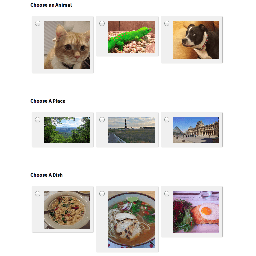
    I’ve created a multiple choice quiz, and I’ve set the values as “A, B, C, D” etc., and then attributed each value to a confirmation answer.

    I have a hidden field open for my result, but I have no idea how to begin writing the code necessary to basically say “See which value appears most often and direct to that answer”. I don’t know how to get the result in the hidden field. It’s really confusing me, unfortunately.

    If you could help at all I would be hugely appreciative – even pointing me in the right direction would help. (I also don’t know where to actually put the bloody CSS) I’ve been searching for a solution pretty much all day and I need it.

    Thanks in advance.

    https://ww.wp.xz.cn/plugins/gravity-forms-personality-quiz-add-on/

Viewing 6 replies - 1 through 6 (of 6 total)
  • Plugin Author dabernathy89

    (@dabernathy89)

    So, you shouldn’t have to write any code/logic yourself. This plugin will figure out which value (“A”,”B”,etc) was selected most often and assign it to the entry as a meta field (different from a hidden field; you don’t need to add it to the form yourself).

    You would then use that calculated answer in your conditional logic. Check out the last screenshot here:

    https://ww.wp.xz.cn/plugins/gravity-forms-personality-quiz-add-on/screenshots/

    In that screenshot, the text “First Choice” is one of the values that I had in my quiz. So you would replace that with “A” or “B” or whatever.

    Does that make sense?

    Thread Starter FleetAdmiralD

    (@fleetadmirald)

    Thanks so much dabernathy89, your help is invaluable.

    I was clearly doing something very wrong but thanks to your advice it works.

    Thanks again for a prompt response and fantastic assistance.

    Plugin Author dabernathy89

    (@dabernathy89)

    Great, glad you got it working!

    Thread Starter FleetAdmiralD

    (@fleetadmirald)

    I was hoping you could help me with one last issue…

    On the confirmation page, I would really like the results to appear as a pop-up overlay with Share prompts for Facebook, Twitter, etc.

    The overlay sounds like a bit of a longshot, but do you have advice in regards to the Share buttons? Can I just embed them in the Confirmation HTML?

    Thanks again dabernathy.

    Plugin Author dabernathy89

    (@dabernathy89)

    Yep, you should be able to drop pretty much any HTML into the confirmation box. You can also set redirects instead of a text confirmation, if you have pages on your site that already contain share buttons.

    Thread Starter FleetAdmiralD

    (@fleetadmirald)

    Thanks again, again, dabernathy. Your help has been invaluable and your add-on works brilliantly. Thank you.

Viewing 6 replies - 1 through 6 (of 6 total)

The topic ‘CSS Code & Conditional Logic’ is closed to new replies.