CSS in themes style.css
-
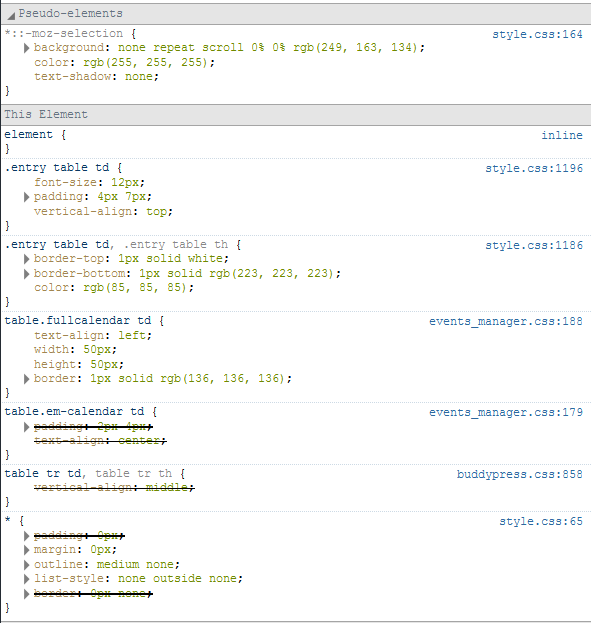
I am having issues getting events manager to recognize my css in my themese style.css. For example I add the below code at the end of the file effectively changing the background color of the calendar but it never takes. Is there anything else I need to add to style.css for this work?
/* Calendar Styles */
	table.em-calendar td { padding: 2px 4px; text-align: center; }
	table.em-calendar.table tr.days-names { font-weight: bold; }
	table.em-calendar td.eventless-pre, .em-calendar td.eventless-post { color: #ccc; }
	table.em-calendar td.eventful-pre a, table.em-calendar td.eventful-post a{ color: #aaa; text-decoration:underline; }
	table.em-calendar td.eventful a, table.em-calendar td.eventful-today a { color: #FD7E29; }
	table.em-calendar td.eventful-today a { font-weight: bold; }
	table.em-calendar td.eventless-today, table.em-calendar td.eventful-today { background-color: #CFCFCF; }
	table.em-calendar thead { font-size: 120%; font-weight: bold; }
	table.fullcalendar { border-collapse: collapse; }
	table.fullcalendar td { text-align: left; width: 50px; height: 50px; background-color:#373737; border: 1px solid #888; }
	div.em-calendar-wrapper { position:relative; }

Viewing 5 replies - 1 through 5 (of 5 total)


Viewing 5 replies - 1 through 5 (of 5 total)
The topic ‘CSS in themes style.css’ is closed to new replies.