Custom CSS Class Menu Not Working
-
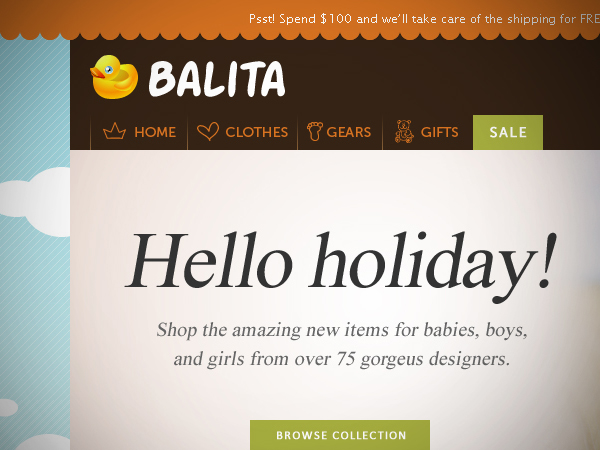
I am working with the Balita ecommerce template. The image of the template can be viewed here:
http://files.smashingmagazine.com/wallpapers/images/balita/full_preview.jpg
I am trying to get the little images of the heart, panda, and foot in my navigation menu. I am using the css class option in the custom menu section of WordPress.
As you can see here: http://www.losttoychest.com when I put in the css class the navigation does not line up correctly. I have spent about 5 hours trying different things and nothing is helping. I have tried changing the code to the display inline option but that doesn’t help either.
I am hoping someone can help me. Here is what I am entering into the css class field on the custom menu area: menu li panda a
I know that the periods and such are not recognized by WordPress. I think of myself as an intermediate css and WordPress person but I am stumped.
The code can be found here: http://www.losttoychest.com/style.txt
If someone could be so kind to help me figure this out I would be so grateful.
Thanks! 🙂


The topic ‘Custom CSS Class Menu Not Working’ is closed to new replies.