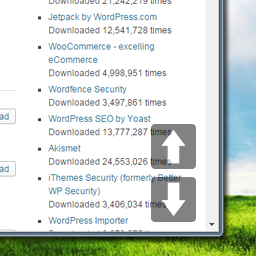
Hi, thanks for trying my plugin!
There’s two ways of fixing this. First, you could move the icons around. Second, it’s possible that your footer is overlapping any of the arrows, then it’s a case of making sure it’s on top of the footer.
Either way, I’d need to see your site to get a good sense of what’s going on (and give you proper instructions to fix it), are you able to share a link?
thanks for reply 🙂
my site is .. http://www.scottiescotsman.com and as you can see I’m a newbie lol
Thanks
Steven
p.s. would love to get it x-50px and same foy y axis.
Thanks for the link.
So I think you’ll have what you want if you add the following code to your CSS:
body .position-style-0 button.one-page-up {
    bottom: 110px;
    right: 60px;
}

body .position-style-0 button.one-page-down {
    bottom:60px;
    right: 60px;
}
If the positioning is not exactly right after this, I would suggest to play around a little with the values for “right” — for example, try 30 instead of 60.
Let me know if this works for you!
Having said that… I’m not sure if the buttons will work for you to begin with. Not entirely sure how/why, but it seems that setting the HTML and the BODY to 100% might throw a little wrench, since the plugin detects if the body is higher/taller than the screen. By setting that to 100%, that will never be the case.
Hi mark,
Buttons work great 🙂 just need for it to scroll to bottom + 50px [navbar height].
Also thanks for your replies and input much appreciated.
Steven
Is it possible to change the look of the arrows? I need to give them a special look for the site. Can I customize the arrows?
http://obsidianlit.org
-
This reply was modified 9 years, 8 months ago by
 floydwebb.
@floydwebb The plugin doesn’t include any options for changing the arrows, but you can customize it a little with CSS. It’s a little tricky so bear with me.
First, create the images, make then 45×45 pixels. Put them in a folder, for example:
/wp-content/themes/pagelines-child/images/arrow-top.png
/wp-content/themes/pagelines-child/images/arrow-up.png
/wp-content/themes/pagelines-child/images/arrow-down.png
Then in your style.css file (located in /wp-content/themes/pagelines-child/style.css ), you can add this:
.page-scroll-buttons button.all-the-way-to-top {
   background-image:url('../images/arrow-top.png');
   background-position: 0 0;
}

.page-scroll-buttons button.one-page-up {
   background-image:url('../images/arrow-up.png');
   background-position: 0 0;
}

.page-scroll-buttons button.one-page-down {
   background-image:url('../images/arrow-down.png');
   background-position: 0 0;
}
I don’t recommend putting images in the framework ( /wp-content/themes/pl-framework/ ).
Hope this helps!
-
This reply was modified 9 years, 8 months ago by
 Senff - a11n.