Hi @andrealves
thanks for your feedback, great to see that this plugin works for you so far.
Your screen (https://prnt.sc/veqn49) shows 3 status. Only the “Rever pelo cliente” status is set to public. When you set posts to this status, the post should stay published. The other two status (“Rever pelo INCM” and “Aprovado”) are not set to public, so posts with this status will not be visible as public. I’ll recheck the current behaviour, but public posts should stay public.
Some earlier version of the plugin only provides custom status for posts and pages. The current version should be available for all post types. I’m currently working on an option to select the post type, but this feature is not provided right now.
Greeting Felix
Hi.
Thanks for the feedback.
So, I’ve set the Rever pelo INCM to Public: http://prntscr.com/vg3uar
But when the post is Public and then I change to Rever pelo INCM, the post turns to draft: http://prntscr.com/vg3utv
Or am I making some confusion between Public and Published?
Hi @andrealves
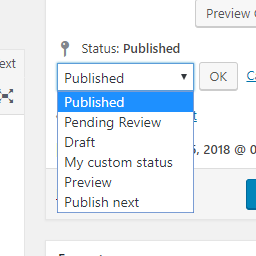
if you change the status to Rever pelo INCM only the UI should change, the post should still be “public” technically, is that right? So the backend provides the option to “publish” the post (this button only means that the status will be set to “published” afterwards) but the post is actually available in the frontend.
If that’s the case, I think I reproduced the error and have to see how to change the UI, cause technically the status option works right.
If your post really isn’t available in the frontend, I need to recheck this, because something else is causing this.
Greetings Felix
Hi @andrealves
Since I haven’t heard from you again, I assume the problem is solved, if not feel free to mark the problem as unsolved again.
Greetings Felix