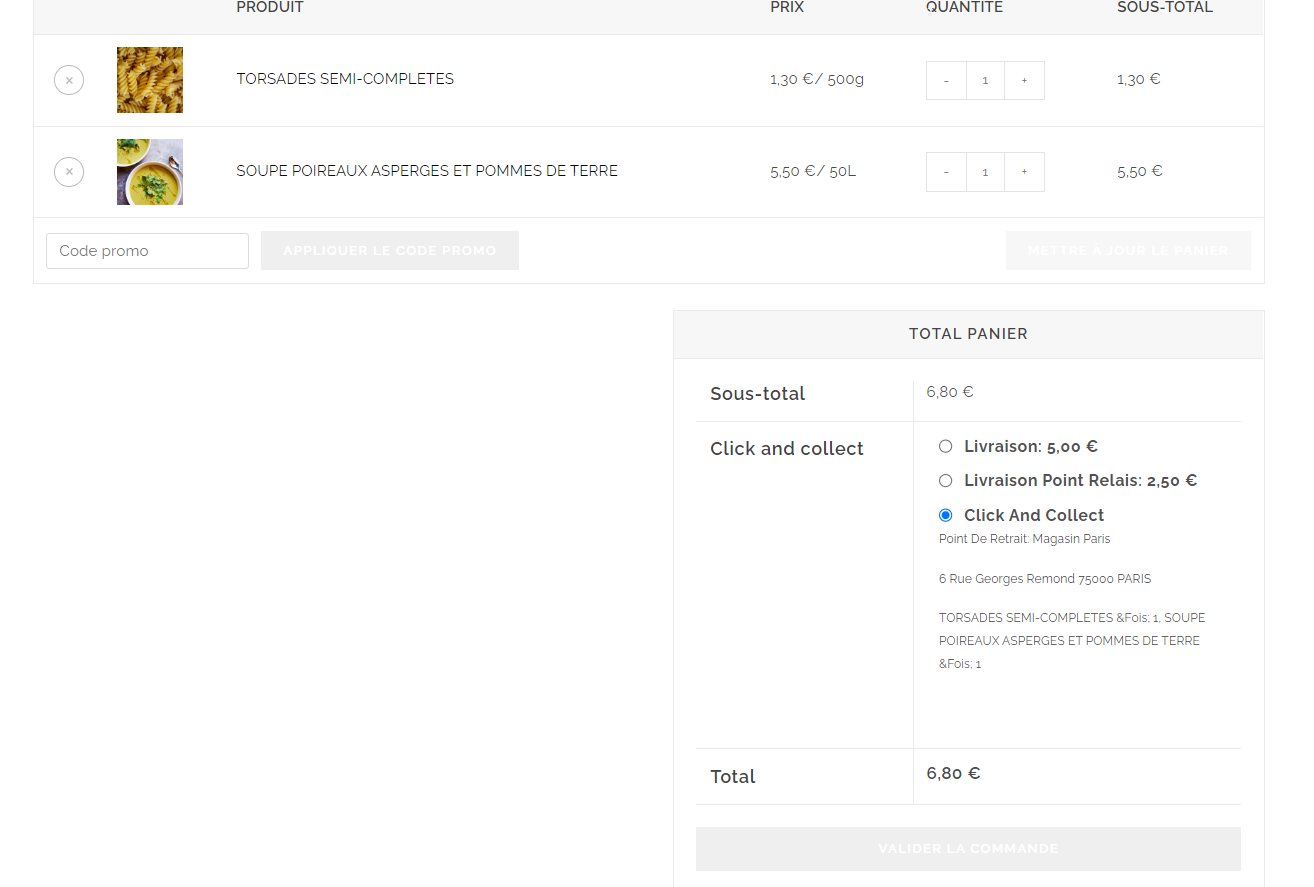
Hello,
Please share the page URL and snapshot section where you want to change the color.
For the text in french, try to use the loco translator plugin.
https://ww.wp.xz.cn/plugins/loco-translate/
Before starting the translation, make sure to sync (refresh) the strings.
If your translation is not visible on the frontend. Just “move” the translation into the SYSTEM folder. Loco Translate has this option, so there is nothing specific you need to do about it.
Hello,
Thank you for sharing the details.
Please try to add the below CSS code from the Appearance > Customize > Custom CSS, and check.
.woocommerce .cart-collaterals .cart_totals .wc-proceed-to-checkout a.wc-forward {
    background-color: #0499a9;
}
.woocommerce-cart .woocommerce button.button {
    background-color: #00a0ab;
}
PS- Change the color code according to need.
OHHHH thanks it works ! Can you explain to me how you found the solution please? with inspector ?
Thks a lot