Data error in Search Console
-
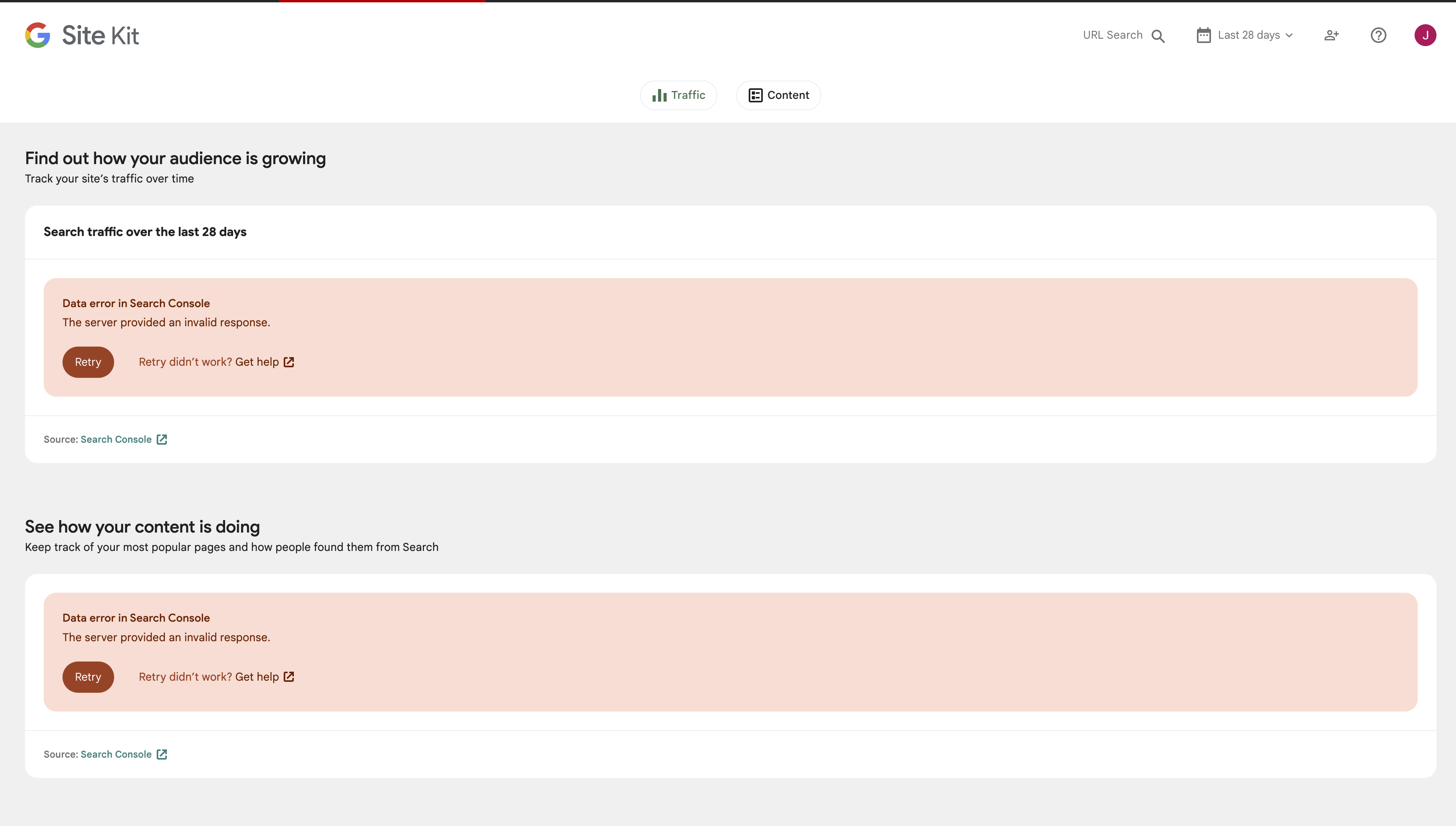
hi guys, I’m having an issue with Google Search Console on a client’s website. I’ve tried to do a full clean, reinstall the plug-in and reconnect back to the console page where it is displaying the results but the website plug-in will not display the data and I’m receiving this error.
Data error in Search Console
The server provided an invalid response.
screenshot
https://www.codexvs.com.au/wp-content/uploads/2023/05/Screenshot-2023-05-24-at-11.41.49-am.pngThe page I need help with: [log in to see the link]

-
Hello @codexvs thanks for getting in touch and sorry to hear that you are facing these data errors. Can I please confirm with you if you are still seeing this in Site Kit? If so then could you please share the following:
- Your Site Health information. You can use this form to share privately if preferred.
- When checking Site Kit from a Chrome browser incognito window does the same occur?
- Do you see any console errors when this happens?
Let me know if you have any questions in the meantime.
wp-core

version: 6.2.2
site_language: en_US
user_language: en_US
timezone: +00:00
permalink: /%postname%/
https_status: true
multisite: false
user_registration: 0
blog_public: 1
default_comment_status: open
environment_type: production
user_count: 3
dotorg_communication: true

wp-paths-sizes

wordpress_path: /var/www/vhosts/bizzybrahmans.com.au/httpdocs
wordpress_size: loading…
uploads_path: /var/www/vhosts/bizzybrahmans.com.au/httpdocs/wp-content/uploads
uploads_size: loading…
themes_path: /var/www/vhosts/bizzybrahmans.com.au/httpdocs/wp-content/themes
themes_size: loading…
plugins_path: /var/www/vhosts/bizzybrahmans.com.au/httpdocs/wp-content/plugins
plugins_size: loading…
database_size: loading…
total_size: loading…

wp-dropins (4)

advanced-cache.php: true
db.php: true
maintenance.php: true
object-cache.php: true

wp-active-theme

name: Astra (astra)
version: 4.1.5
author: Brainstorm Force
author_website: https://wpastra.com/about/?utm_source=theme_preview&utm_medium=author_link&utm_campaign=astra_theme
parent_theme: none
theme_features: core-block-patterns, post-thumbnails, astra_hooks, widgets-block-editor, align-wide, automatic-feed-links, title-tag, starter-content, html5, post-formats, custom-logo, customize-selective-refresh-widgets, editor-style, woocommerce, rank-math-breadcrumbs, amp, fl-theme-builder-headers, fl-theme-builder-footers, fl-theme-builder-parts, widgets, menus
theme_path: /var/www/vhosts/bizzybrahmans.com.au/httpdocs/wp-content/themes/astra
auto_update: Enabled

wp-themes-inactive (1)

Twenty Nineteen: version: 2.5, author: the WordPress team, Auto-updates enabled

wp-plugins-active (28)

Akismet Anti-Spam: version: 5.1, author: Automattic, Auto-updates enabled
Astra Pro: version: 4.1.5, author: Brainstorm Force, Auto-updates enabled
Beaver Builder Plugin (Agency Version): version: 2.6.3.3, author: The Beaver Builder Team, Auto-updates enabled
Beaver Themer: version: 1.4.6, author: The Beaver Builder Team, Auto-updates enabled
CatFolders - WP Media Folders: version: 1.7, author: CatFolders, Auto-updates enabled
Code Snippets: version: 3.4.0, author: Code Snippets Pro, Auto-updates enabled
Convert Pro: version: 1.7.5, author: Brainstorm Force, Auto-updates enabled
Convert Pro - Addon: version: 1.5.5, author: Brainstorm Force, Auto-updates enabled
Easy FancyBox: version: 1.9.5, author: RavanH, Auto-updates enabled
Easy FancyBox - Pro extension: version: 1.9, author: RavanH, Auto-updates enabled
Equal Height Columns: version: 1.1.4, author: MIGHTYminnow, Mickey Kay, Braad Martin, Auto-updates enabled
Force Regenerate Thumbnails: version: 2.1.2, author: Exactly WWW, Auto-updates enabled
Hide admin menu: version: 1.1.1, author: Bhavin Thummar & Maulik Patel (BM Studio), Auto-updates enabled
Mailster - Email Newsletter Plugin for WordPress (Premium): version: 3.3.3, author: EverPress, Auto-updates enabled
Mailster AmazonSES Integration: version: 2.12.0, author: EverPress, Auto-updates enabled
Performance Lab: version: 2.3.0, author: WordPress Performance Team, Auto-updates disabled
Pods - Custom Content Types and Fields: version: 2.9.13, author: Pods Framework Team, Auto-updates enabled
Pods Alternative Cache: version: 2.1.7, author: Pods Framework Team, Auto-updates enabled
Pods Beaver Themer Add-On: version: 1.3.7, author: Quasel, Pods Framework Team, Auto-updates enabled
Post Types Order: version: 2.0.5, author: Nsp Code, Auto-updates enabled
Premium Starter Templates: version: 3.2.3, author: Brainstorm Force, Auto-updates enabled
Query Monitor: version: 3.12.3, author: John Blackbourn, Auto-updates disabled
Rank Math SEO: version: 1.0.115, author: Rank Math, Auto-updates enabled
Rank Math SEO PRO: version: 3.0.36, author: Rank Math, Auto-updates enabled
Site Kit by Google: version: 1.101.0, author: Google, Auto-updates enabled
Ultimate Addons for Beaver Builder: version: 1.35.6, author: Brainstorm Force, Auto-updates enabled
WP-Optimize Premium - Clean, Compress, Cache: version: 3.2.15, author: David Anderson, Ruhani Rabin, Team Updraft, Auto-updates enabled
WPForms Lite: version: 1.8.1.2, author: WPForms, Auto-updates enabled

code-snippets (1)

snippet-7: name: Custom Image Size, scope: global, modified: 2022-11-24 04:39:52

wp-media

image_editor: WP_Image_Editor_Imagick
imagick_module_version: 1690
imagemagick_version: ImageMagick 6.9.10-23 Q16 x86_64 20190101 https://imagemagick.org
imagick_version: 3.7.0
file_uploads: File uploads is turned off
post_max_size: 16M
upload_max_filesize: 256M
max_effective_size: 16 MB
max_file_uploads: 20
imagick_limits:
imagick::RESOURCETYPE_AREA: 122 MB
imagick::RESOURCETYPE_DISK: 1073741824
imagick::RESOURCETYPE_FILE: 6144
imagick::RESOURCETYPE_MAP: 512 MB
imagick::RESOURCETYPE_MEMORY: 256 MB
imagick::RESOURCETYPE_THREAD: 1
imagick::RESOURCETYPE_TIME: 1.844674407371E+19
imagemagick_file_formats: 3FR, 3G2, 3GP, AAI, AI, ART, ARW, AVI, AVS, BGR, BGRA, BGRO, BIE, BMP, BMP2, BMP3, BRF, CAL, CALS, CANVAS, CAPTION, CIN, CIP, CLIP, CMYK, CMYKA, CR2, CRW, CUR, CUT, DATA, DCM, DCR, DCX, DDS, DFONT, DNG, DPX, DXT1, DXT5, EPDF, EPI, EPS, EPS2, EPS3, EPSF, EPSI, EPT, EPT2, EPT3, ERF, FAX, FILE, FITS, FRACTAL, FTP, FTS, G3, G4, GIF, GIF87, GRADIENT, GRAY, GRAYA, GROUP4, H, HALD, HDR, HEIC, HISTOGRAM, HRZ, HTM, HTML, HTTP, HTTPS, ICB, ICO, ICON, IIQ, INFO, INLINE, IPL, ISOBRL, ISOBRL6, J2C, J2K, JBG, JBIG, JNG, JNX, JP2, JPC, JPE, JPEG, JPG, JPM, JPS, JPT, JSON, K25, KDC, LABEL, M2V, M4V, MAC, MAGICK, MAP, MASK, MAT, MATTE, MEF, MIFF, MKV, MNG, MONO, MOV, MP4, MPC, MPEG, MPG, MRW, MSL, MTV, MVG, NEF, NRW, NULL, ORF, OTB, OTF, PAL, PALM, PAM, PATTERN, PBM, PCD, PCDS, PCL, PCT, PCX, PDB, PDF, PDFA, PEF, PES, PFA, PFB, PFM, PGM, PGX, PICON, PICT, PIX, PJPEG, PLASMA, PNG, PNG00, PNG24, PNG32, PNG48, PNG64, PNG8, PNM, PPM, PREVIEW, PS, PS2, PS3, PSB, PSD, PTIF, PWP, RADIAL-GRADIENT, RAF, RAS, RAW, RGB, RGBA, RGBO, RGF, RLA, RLE, RMF, RW2, SCR, SCT, SFW, SGI, SHTML, SIX, SIXEL, SPARSE-COLOR, SR2, SRF, STEGANO, SUN, TEXT, TGA, THUMBNAIL, TIFF, TIFF64, TILE, TIM, TTC, TTF, TXT, UBRL, UBRL6, UIL, UYVY, VDA, VICAR, VID, VIFF, VIPS, VST, WBMP, WEBP, WMV, WPG, X, X3F, XBM, XC, XCF, XPM, XPS, XV, XWD, YCbCr, YCbCrA, YUV
gd_version: bundled (2.1.0 compatible)
gd_formats: GIF, JPEG, PNG, WebP, BMP, XPM
ghostscript_version: 9.27

wp-server

server_architecture: Linux 4.19.0-21-amd64 x86_64
httpd_software: nginx/1.22.1
php_version: 8.0.28 64bit
php_sapi: fpm-fcgi
max_input_variables: 1000
time_limit: 30
memory_limit: 256M
max_input_time: 60
upload_max_filesize: 256M
php_post_max_size: 16M
curl_version: 7.64.0 OpenSSL/1.1.1n
suhosin: false
imagick_availability: true
pretty_permalinks: true
htaccess_extra_rules: true

wp-database

extension: mysqli
server_version: 10.3.38-MariaDB-0+deb10u1
client_version: mysqlnd 8.0.28
max_allowed_packet: 16777216
max_connections: 151

wp-constants

WP_HOME: undefined
WP_SITEURL: undefined
WP_CONTENT_DIR: /var/www/vhosts/bizzybrahmans.com.au/httpdocs/wp-content
WP_PLUGIN_DIR: /var/www/vhosts/bizzybrahmans.com.au/httpdocs/wp-content/plugins
WP_MEMORY_LIMIT: 40M
WP_MAX_MEMORY_LIMIT: 256M
WP_DEBUG: false
WP_DEBUG_DISPLAY: true
WP_DEBUG_LOG: false
SCRIPT_DEBUG: false
WP_CACHE: true
CONCATENATE_SCRIPTS: false
COMPRESS_SCRIPTS: undefined
COMPRESS_CSS: undefined
WP_ENVIRONMENT_TYPE: Undefined
DB_CHARSET: utf8
DB_COLLATE: undefined

wp-filesystem

wordpress: writable
wp-content: writable
uploads: writable
plugins: writable
themes: writable

google-site-kit

version: 1.101.0
php_version: 8.0.28
wp_version: 6.2.2
reference_url: https://bizzybrahmans.com.au
amp_mode: no
site_status: connected-site
user_status: authenticated
verification_status: verified-non-site-kit
connected_user_count: 1
active_modules: site-verification, search-console, analytics, analytics-4
recoverable_modules: none
required_scopes:
openid: ✅
https://www.googleapis.com/auth/userinfo.profile: ✅
https://www.googleapis.com/auth/userinfo.email: ✅
https://www.googleapis.com/auth/siteverification: ✅
https://www.googleapis.com/auth/webmasters: ✅
https://www.googleapis.com/auth/analytics.readonly: ✅
capabilities:
googlesitekit_authenticate: ✅
googlesitekit_setup: ✅
googlesitekit_view_posts_insights: ✅
googlesitekit_view_dashboard: ✅
googlesitekit_manage_options: ✅
googlesitekit_update_plugins: ✅
googlesitekit_view_splash: ✅
googlesitekit_view_authenticated_dashboard: ✅
googlesitekit_view_wp_dashboard_widget: ✅
googlesitekit_view_admin_bar_menu: ✅
googlesitekit_view_shared_dashboard: ⭕
googlesitekit_read_shared_module_data::["search-console"]: ⭕
googlesitekit_manage_module_sharing_options::["search-console"]: ✅
googlesitekit_delegate_module_sharing_management::["search-console"]: ✅
enabled_features:
adBlockerDetection: ⭕
adsenseSetupV2: ✅
dashboardSharing: ✅
ga4ActivationBanner: ⭕
ga4Reporting: ⭕
gm3Components: ⭕
gteSupport: ⭕
userInput: ⭕
search-console_shared_roles: none
search-console_management: owner
search_console_property: https://bizzybrahmans.com.au/
analytics_account_id: none
analytics_property_id: none
analytics_profile_id: none
analytics_use_snippet: yes
analytics_4_property_id: none
analytics_4_web_data_stream_id: none
analytics_4_measurement_id: none
analytics_4_use_snippet: yes

pods

pods-server-software: nginx/1.22.1
pods-user-agent: Mozilla/5.0 (Macintosh; Intel Mac OS X 10_15_7) AppleWebKit/537.36 (KHTML, like Gecko) Chrome/113.0.0.0 Safari/537.36
pods-session-save-path: /var/lib/php/sessions
pods-session-save-path-exists: No
pods-session-save-path-writable: No
pods-session-max-lifetime: 1440
pods-opcode-cache-apc: No
pods-opcode-cache-memcached: No
pods-opcode-cache-opcache: No
pods-opcode-cache-redis: No
pods-object-cache-apc: No
pods-object-cache-apcu: No
pods-object-cache-memcache: No
pods-object-cache-memcached: No
pods-object-cache-redis: Yes
pods-memory-current-usage: 47.147M
pods-memory-current-usage-real: 50.000M
pods-network-wide: No
pods-install-location: /wp-content/plugins/pods/
pods-developer: No
pods-tableless-mode: No
pods-relationship-table-enabled: Yes
pods-light-mode: No
pods-strict: No
pods-allow-deprecated: Yes
pods-api-cache: Yes
pods-shortcode-allow-evaluate-tags: No
pods-sessions: Disable sessions
pods-can-use-sessions: No
pods-relationship-table-status: 54

wpforms

version: 1.8.1.2
lite: Nov 24, 2021 @ 4:26am
upload_dir: Writable
total_forms: 1
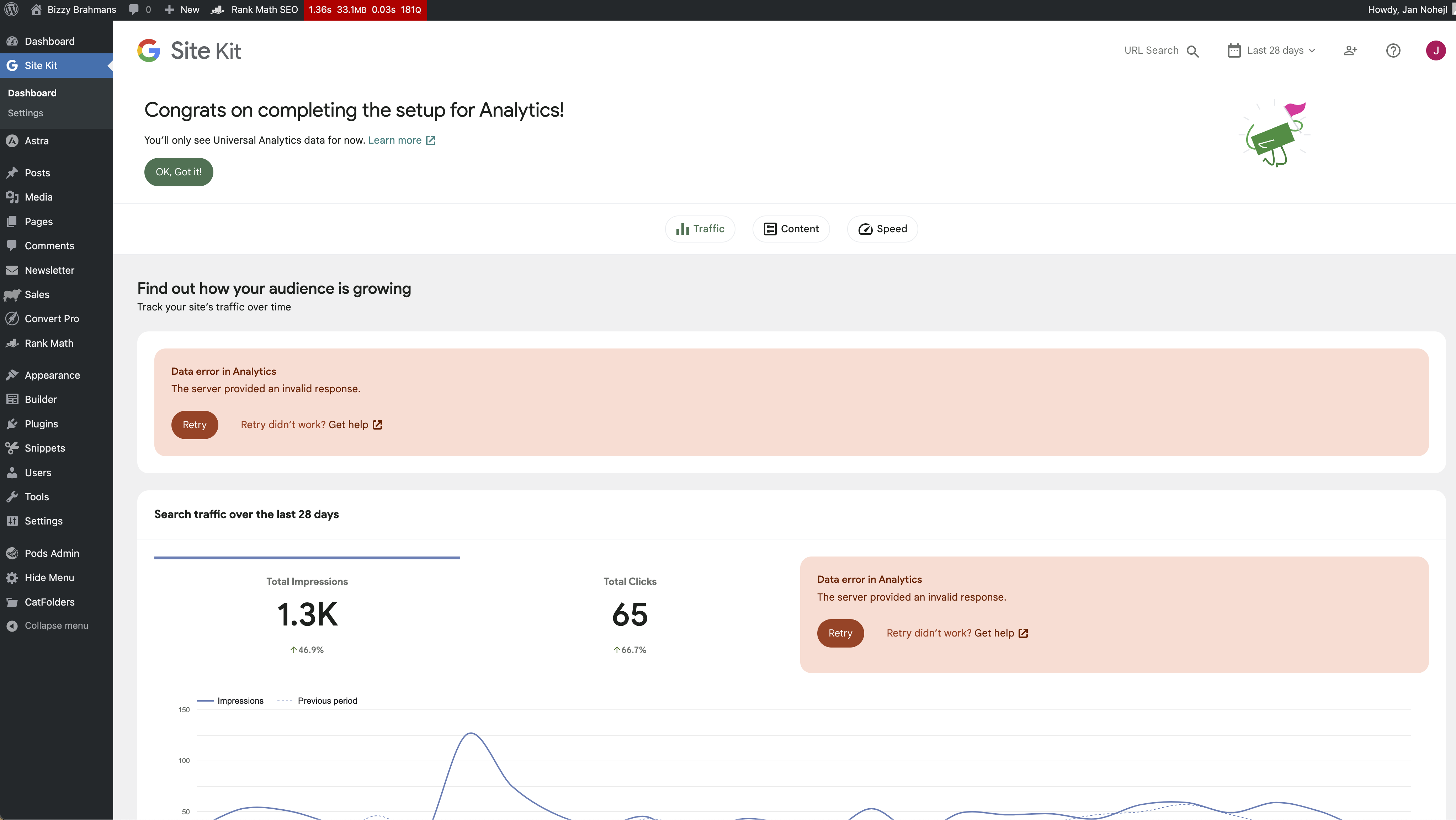
total_submissions: 498Hello, thank you for your reply. Went through the troubleshooting steps and turn all plug-ins off and then back on. It was all working until I asked rank math to fetch data from Google analytics. That’s when I received the same error. Have attached a video and Screenshots. Would it be better just to delete everything and start fresh with Google analytics?
Data error in Analytics The server provided an invalid response.Retry
https://drive.google.com/file/d/15s-2c9GsxJ-OWc_-CPp3yoEKtom_mjNw/view?usp=share_link
https://drive.google.com/file/d/1jmU3j8RRd5pRBJQKKRjvfRy_YXs6T5A9/view?usp=share_link
video.. https://drive.google.com/file/d/1NyLbI9-yKViO1EMRfslXW6GcsIqLOJuO/view?usp=share_link
@codexvs Thanks for following the troubleshooting steps and glad to hear you found the source of the conflict. We recommend using one plugin to manage and place your Analytics code as using more can result in these sorts of conflicts.
If you switch off the Analytics functionality from the Rank Math plugin does this clear the errors in Site Kit? Or does this only happen when disabling the Rank Math plugin?
I’d also recommend reaching out to the Rank Math support forum to see if there is anything they can do to help address this. Let me know if you have any further questions.
hello, it doesn’t make a difference switching rank math off. see the video below. also run the same plugins on other sites and don’t have this problem. any ideas?
https://drive.google.com/file/d/1qBuVh-wi4j8ecuIlgDKyi5osAadp1NK3/view?usp=sharing
https://drive.google.com/file/d/1efgsLKY3BixbGXzCrEHIx4tNyiOLF8yf/view?usp=share_link
@codexvs Thank you for clarifying. If you go to Rank Math > General Settings > Analytics and click on the ‘disconnect’ option do you still see the data errors in your Site Kit dashboard?
Can I also ask if you have tried performing a Site Kit reset? Please do be aware as stated in the guide that performing a reset will reset settings for all users that have Site Kit connected on the site as well as any user you have granted view only access to.
yes still see the error even if I’ve disconnected and redone the connection and I’ve tried the reset site kit option too. still the same result but did come up with the error…below
Your site may not be ready for Site Kit
Site Kit cannot access the WordPress REST API. Please ensure it is enabled on your site. Get help
@codexvs The error you’re now facing, could be coming from a host or firewall configuration, or the block could be from when you use a third party plugin previously to disable your REST API. The block may have been configured in one of your WordPress configuration files. So we can determine more on this, please share the following:
- Do you see any warnings or errors when checking your Site Health status (Tools > Site Health > Status), which differs from your Site Health information requested above? Such errors may include REST endpoint references.
- Do you recall the plugin you previously used to disable your REST API?
Let me know if you have any questions on the above.
see below.. I’ve never ever tried to turn off REST API don’t even know what it does…lol
Site Health Status The site health check shows information about your WordPress configuration and items that may need your attention. 1 critical issue Critical issues are items that may have a high impact on your sites performance or security, and resolving these issues should be prioritized. Autoloaded options could affect performancePerformance 4 recommended improvements Recommended items are considered beneficial to your site, although not as important to prioritize as a critical issue, they may include improvements to things such as; Performance, user experience, and more. A scheduled event is latePerformance The REST API encountered an unexpected resultPerformance The REST API is one way that WordPress and other applications communicate with the server. For example, the block editor screen relies on the REST API to display and save your posts and pages. When testing the REST API, an unexpected result was returned: REST API Endpoint: https://bizzybrahmans.com.au/wp-json/wp/v2/types/post?context=edit
REST API Response: (502) Bad Gateway The "post_max_size" value is smaller than "upload_max_filesize"Performance You should use a persistent object cachePerformance Passed tests@codexvs I can see from the Site Health Status you have shared that there does appear to be some issues relating to the REST API. This is likely why you are experiencing issues with connecting and viewing data within Site Kit.
It’s likely due to a host or firewall configuration so I’d suggest at this stage to reach out to your hosting provider and share the Site Health Status information you have shared here. They should be able to help you with this and once resolved you can try your Site Kit setup once more. If you still then face issues then please do let us know and we can have another look into this for you.
hello, what is the google analytics IP range to let through the firewall?
@codexvs There shouldn’t be any IPs that you need to whitelist so this shouldn’t be an issue. Could I please ask you to try flushing your permalinks to see if this helps. You can do this by visiting your Permalinks page (Settings > Permalinks) and press the “Save change” button. There is no need to make any configuration changes, but this can help with some REST related errors.
Okay thanks, I’ll give that a go. Looks like my service provider managed to fix the reset API problem as I’m not getting that error in site health any more. I’ll delete the old Google Analytics account and start with a fresh new one and I’ll let you know how I go.
https://www.codexvs.com.au/wp-content/uploads/2023/05/Screenshot-2023-05-31-at-11.14.24-am.png
https://www.codexvs.com.au/wp-content/uploads/2023/05/Screenshot-2023-05-31-at-11.13.23-am.png
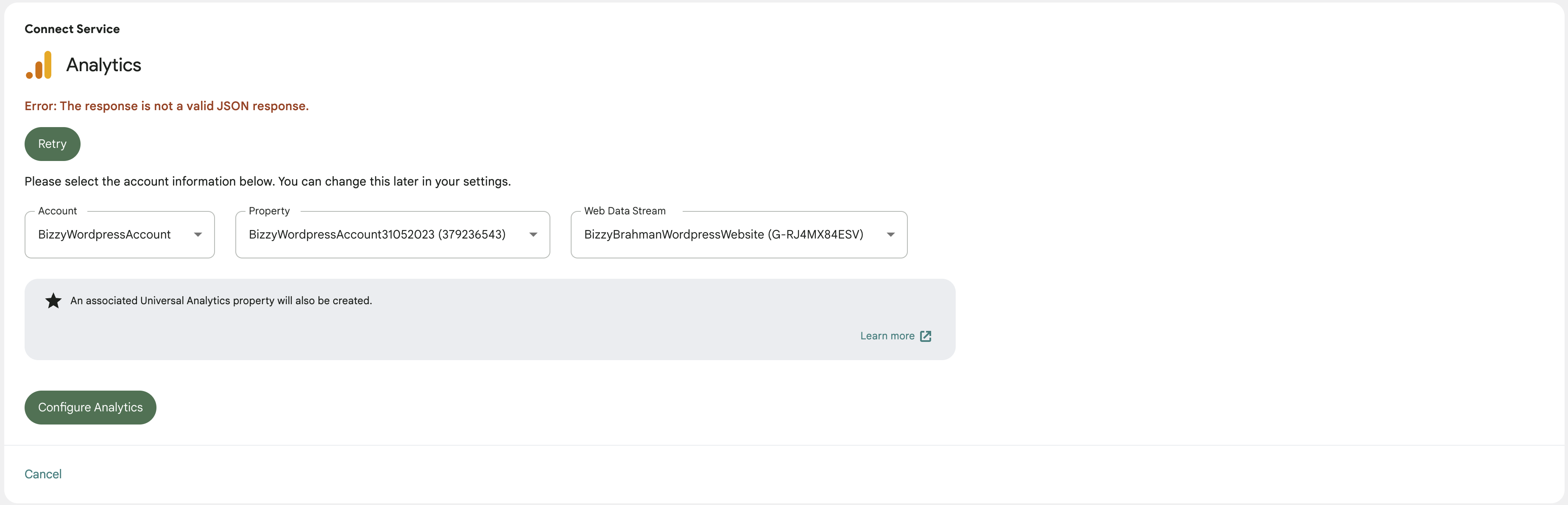
create a new account for this website and recreated the connection still getting “The server provided an invalid response” and “invalid JSON response” from the setup

The topic ‘Data error in Search Console’ is closed to new replies.