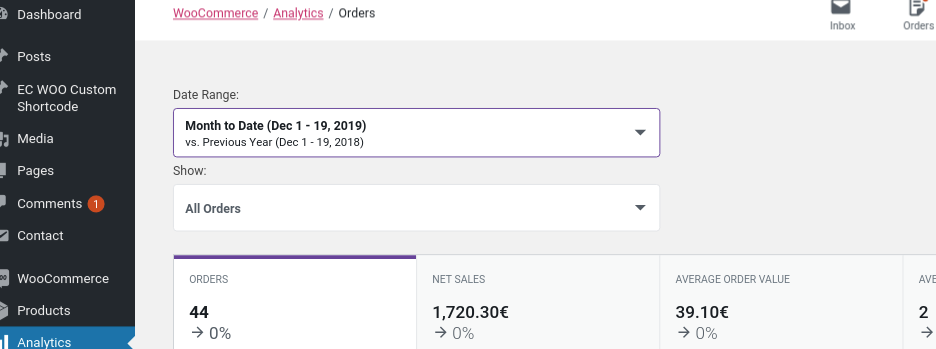
Hello @bogdanbegreen,
I’m sorry to hear you’re having trouble.
I just tested the latest release and the date range seems to be working as expected. Can you elaborate a bit more on what’s not working?
Thread Starter
 Bogdan
(@bogdanbegreen)
Hello,
Yes, I am trying to use the Date Range filter, and when I click it doesn’t show that select date window, it did before update.
https://snipboard.io/BXLQ4S.jpg
Hello @bogdanbegreen,
We just released an update – version 0.23.2. Can you update and try the date range filter again?
Thank you!
Thread Starter
Bogdan
(@bogdanbegreen)
Hello, thank you for your reply, but the problem is still there after the update.
-
This reply was modified 6 years, 5 months ago by
 Bogdan.
Hey there @bogdanbegreen – if the problem persists, then it’s time to do a conflict test.
Issues like this may be caused by either a conflict with your theme or with another plugin. You can read more about plugin and theme conflicts here:
https://docs.woocommerce.com/document/woocommerce-self-service-guide/
The best way to determine if the issue is being caused by a theme and/or plugin is to do the following:
1. Temporarily switch your theme back to the Storefront theme (it’s free)
2. Disable all plugins except for WooCommerce and WooCommerce Admin
3. Test to see if the issue has been resolved.
4. If that resolves the issue, then slowly re-enable features until you find the one that’s causing the conflict.
This is best done on a staging site. That’s a copy of your live site, so you can test things out without making changes to your actual site. Some hosting companies offer a staging site service within their hosting plans. If yours does not, there is a great free plugin that will allow you to build a complete staging site with a few button clicks: https://ww.wp.xz.cn/plugins/wp-staging.
Let us know how that goes!
Thread Starter
Bogdan
(@bogdanbegreen)
Hello,
You were right, it seems that deactivating Gutenberg plugin got it working, this may be something to have in mind for further plugin development.
Thank you.
Bogdan
You were right, it seems that deactivating Gutenberg plugin got it working, this may be something to have in mind for further plugin development.
Thank you for following up with the conflict @bogdanbegreen! This is extremely helpful for us in diagnosing the root cause.
What version of the Gutenberg plugin were you using?
Thanks again.
Thread Starter
Bogdan
(@bogdanbegreen)
Sure, no problem, I had all my plugins up to date, so Gutenberg was at version number 7.1.0.