Hello @glgrazi
Thank you so much for using our plugin.
Please, select the “number” option for the “Number Format” attribute in the field’s settings.
Best regards.
There are 3 options in the “Number Formats”: digits, number and percent.
In my field I already selected “number”.
But this choice allows to place only integer numbers from a mobile phone.
It is not possible from a MOBILE KEYBOARD to place decimals.
Hello @glgrazi
I tested your form, and I can enter decimals. Please, look at the screenshot image below:
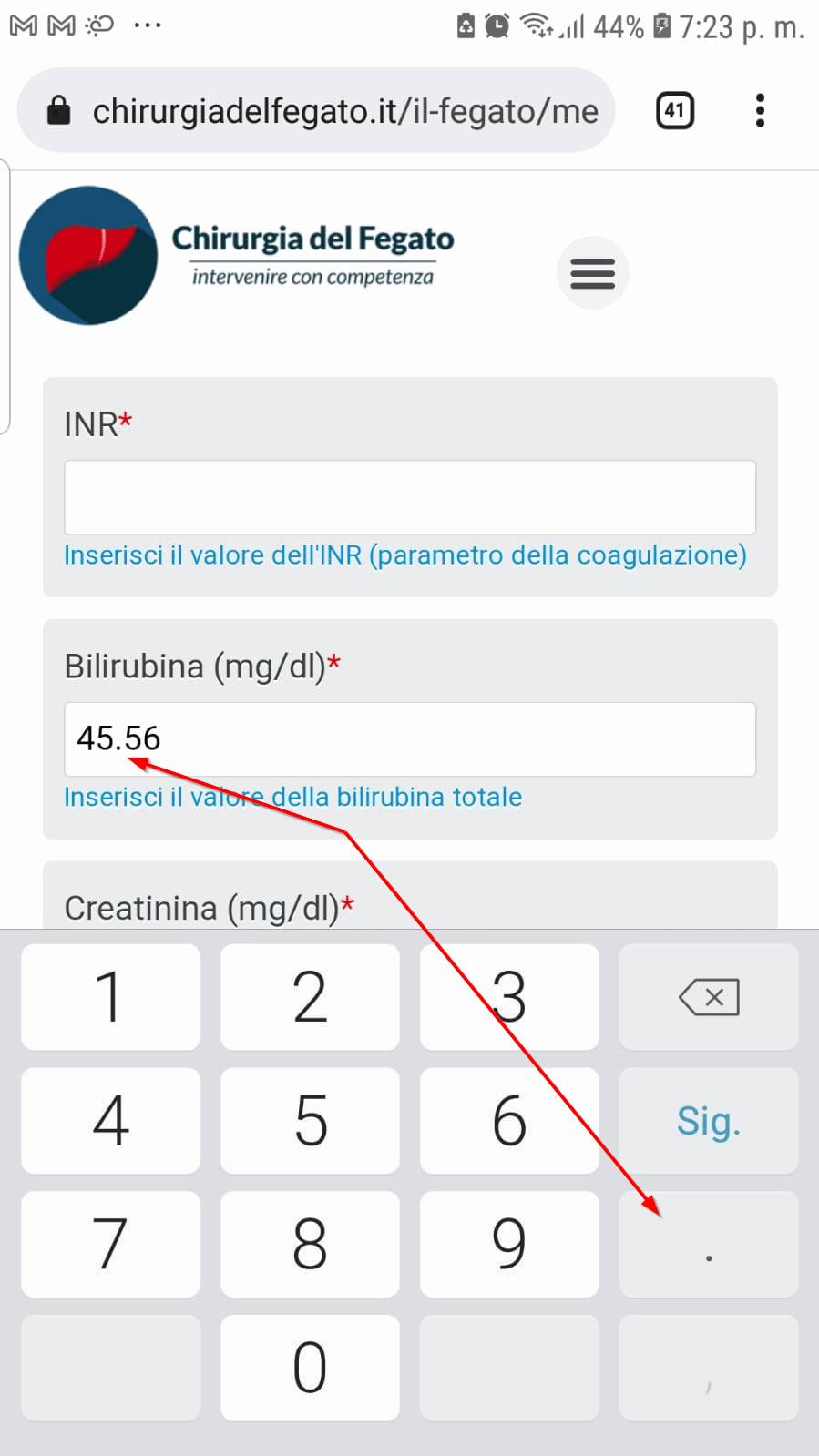
Best regards.
Do you have Android or IOS in your telephone?
Me and my wife have iPhone and we are not allowed to place decimals or commas in the field.
I have screenshot of what happen, but I cannot upload the image.
I can send the screen shit by mail, Telegram or what else you prefer.
This problem happens only with the mobile phone. Not with tablets or laptops.
Hello @glgrazi
Please, try the following modification:
1. Go to the field’s settings.
2. Untick the checkbox: “Forcing numberpad on mobiles.”
The modification will let the mobile decide the keyboard to display by itself.
Best regards.
I tried with several combinations, but I could not fix.
I suspect that since the field is a “number field”, IOS sets its keyboard directly on the number set. Independently from how we define this “number field”.
Since this is a “field number”, IOS shows the number pad.
Unfortunately without the possibility to set decimals by means of commas or points.
Hello @glgrazi
Please, contact me through the plugin website to check your settings in detail:
Click Here
Best regards.
This is the keyboard I see


