delivery slots
-
Hi,
On the invoice page, at the bottom of the invoice it shows:
Collection Date 20/09/2021
Time Slot 10:00 AM – 10:10 AM
Total Weight 2.195 kgwhich is perfect, it comes from the plugin WooCommerce Delivery Slots by Iconic
But it is even more ideal for this information to show on the packing slips, preferably at on the header rather than last page. Can you make this possible? or teach me how to do it?
Thank you,

-
Hello @supportvdes,
To be able to control where this is appearing, you first need to know the name of the meta-keys under which this information is saved:
https://docs.wpovernight.com/general/finding-woocommerce-custom-fields/#hidden-custom-fields
If my memory serves me well, for this plugin it should bejckwds_timeslot,jckwds_date, etc.Then, you’d need to use a code snippet to display that information, mostly likely using the
wpo_wcpdf_before_order_datafilter — usage example:
https://docs.wpovernight.com/woocommerce-pdf-invoices-packing-slips/pdf-template-action-hooks/#using-the-template-action-hooks…then another filter to hide the info where it is originally appearing. You can find the CSS class by adding ‘&output=html’ when viewing your PDF & validating. This will return an HTML output, allowing you to right-click & “Inspect the document”:
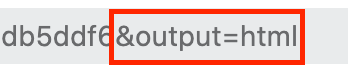
And the CSS snippet you’d need would look like this:
add_action( 'wpo_wcpdf_custom_styles', 'wpo_wcpdf_hide_info', 10, 2 ); function wpo_wcpdf_hide_info ( $document_type, $document ) { ?> .some-class { display: none; } <?php }-
This reply was modified 4 years, 8 months ago by
Darren Peyou.
-
This reply was modified 4 years, 8 months ago by
Apologies, what I mean is we want the same info here to show on the packing slip. – https://www.dropbox.com/s/h795g1gqkbmzsb2/Product.png?dl=0
Does the code already exist so i can just adapt the template page (packing slip)
if you could provide us the code to put on then functions that would be great
worked it out, thanks very much for your help:
add_action( ‘wpo_wcpdf_before_order_data’, ‘jckwds_timeslot’, 10, 2 );
function jckwds_timeslot ($invoice, $order) {
$document = wcpdf_get_document( $invoice, $order );
if ($invoice == ‘packing-slip’) {
?>
<tr class=”time-slot”>
<th>Time slot:</th>
<td><?php $document->custom_field(‘jckwds_timeslot’); ?></td>
</tr>
<?php
}
}`On the invoice page i can see:
Shipping
£2.13 via FREE DPD Before 12pm Next Day (order before 12pm, excl fees)how do i make the price and shipping method show on the packing slip? as it’s only showing without the price:
Shipping Method: FREE DPD Before 12pm Next Day(order before 12pm, excl fees)
_order_shipping + order_item_name: is what i found from the order data plugin
-
This reply was modified 4 years, 8 months ago by
supportvdes.
Hey @supportvdes,
Making the totals section appear (the section you showed in your latest screenshot) in the Packing Slips is actually a feature of the Premium Templates extension:
https://docs.wpovernight.com/woocommerce-pdf-invoices-packing-slips/using-the-customizer
The customizer works with every document type:

For the free version, it is a little more work as it requires you create a custom template. This section displays the totals in the invoice:
https://github.com/wpovernight/woocommerce-pdf-invoices-packing-slips/blob/60516f1c081404cf95d9dc5e03754941cfbf4e65/templates/Simple/invoice.php#L137-L148
So you could use theinvoice.phpfile as a starting point for creating your custom Packing Slip.Please note that if you end up purchasing a license for a paid extension, you’d have to email us a [email protected] for priority support as WordPress doesn’t allow us to provide support for paid software here.
-
This reply was modified 4 years, 8 months ago by
Would you be able to provide instructions for “So you could use the invoice.php file as a starting point for creating your custom Packing Slip” happy to try it out myself
By that I meant when creating a custom template, you could copy the contents of
invoice.php(invoice file which shows the total & your custom meta data) into thepacking-slip.phpfile. This will make the packing slip look exactly like the invoice. From there, you can modify this newly created custom template for the packing-slip.I have done what you have said. Copied the invoice.php content into the packing slip, but can’t find the total + shipping method in the file – https://www.dropbox.com/t/aCB6yfYyNlPLCb4X
I just want this “shipping: price + dpd delivery..” – on the header of the packing slip https://www.dropbox.com/t/fWtEajqR9fmVIxiI
-
This reply was modified 4 years, 8 months ago by
Hi @supportvdes,
I think the best course of action is to create a custom template but not copy the whole invoice template to the packing slip template. As this might trigger invoice number creation when you do not want it.
Simply copy the
<tfoot>in theorder-detailstable from the invoice template and add it below the<tbody>in theorder-detailstable of the packing slip template. It will need some slight changes for styling and will look like this:<tfoot> <tr class="no-borders"> <td class="no-borders"></td> <td class="no-borders" style="width:40%;"> <table class="totals"> <tfoot> <?php foreach( $this->get_woocommerce_totals() as $key => $total ) : ?> <tr class="<?php echo $key; ?>"> <th class="description"><?php echo $total['label']; ?></th> <td class="price"><span class="totals-price"><?php echo $total['value']; ?></span></td> </tr> <?php endforeach; ?> </tfoot> </table> </td> </tr> </tfoot>Now the totals will also display on your packing slip with the same delivery information as on the invoice.
If you want this data in the order data table instead of in the totals section you will have to check in the delivery plugin how they are adding this to the totals section in this specific format. And use the same logic within the
wpo_wcpdf_before_order_datafilter.This works, but only in the core plugin files not the child theme.
I have followed the instructions.
Copying all the templates from /simple into
public_html/wp-content/themes/boxshop-child/woocommerce/pdf/customisedtemplate
I have edited the packing slip file, (just like how i mentioned it worked for the core plugin file), but it’s not showing the result.
-
This reply was modified 4 years, 8 months ago by


The topic ‘delivery slots’ is closed to new replies.

