Hi @vejapixel,
Sure, all inline comments are displayed as a regular comments with the article quoted text. Also, there is a filter on the top of the comments to filter inline comments (feedbacks):
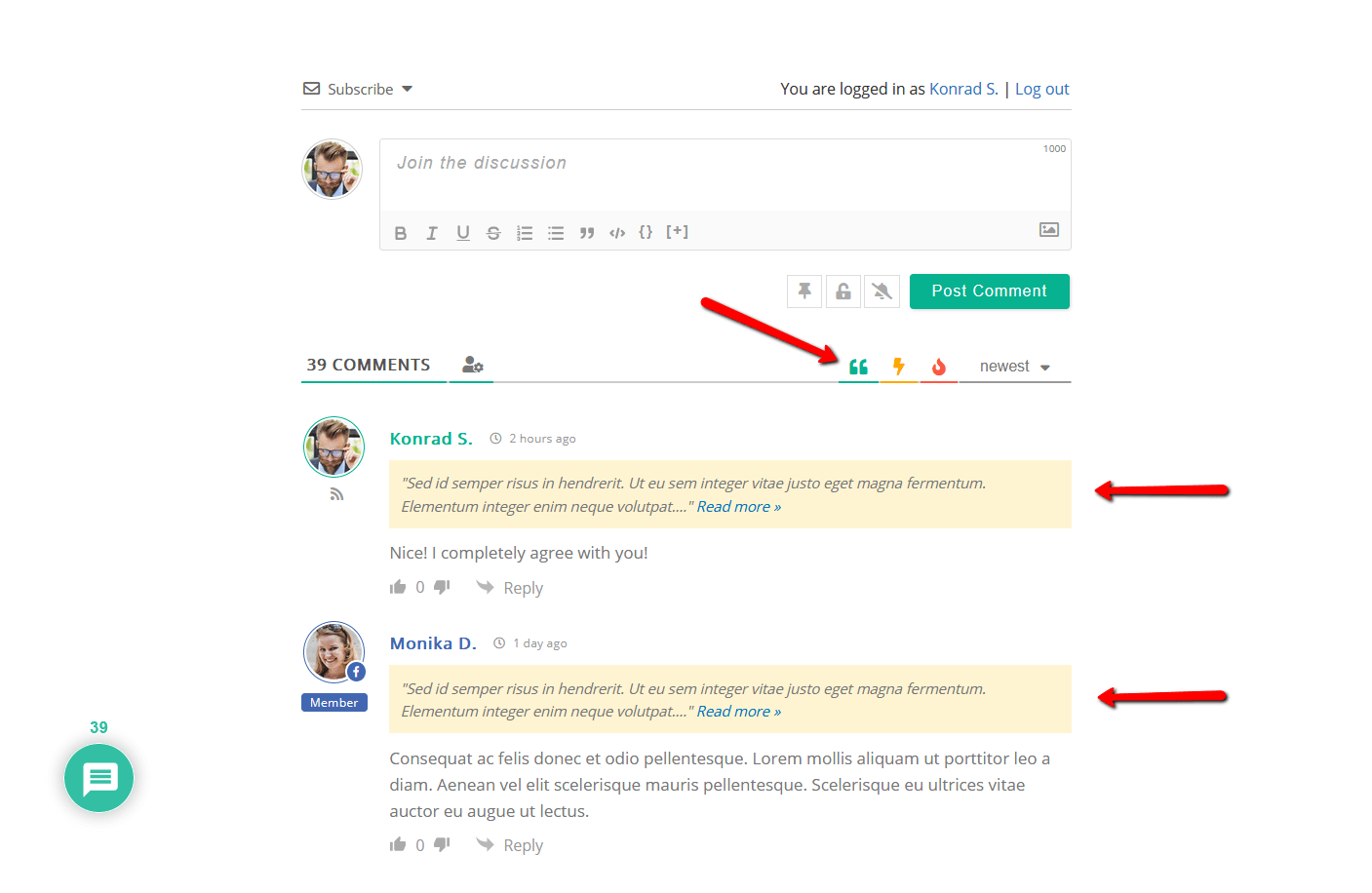
Here is the full documentation: https://wpdiscuz.com/docs/wpdiscuz-7/plugin-settings/inline-commenting/
Thread Starter
 Rodrigo
(@vejapixel)
Is the comments section loaded along with the page?
I ask this because the comment section is at the end of the post, and when the page loads, only the top appears, and not all users go to the end of the post. With this, there is no need to load the comments section with all the features that the plugin offers at first, as this can contribute to a slower loading of the page without need.
When the user drags the page to the comment section, from there they can load the comments section.
Does the plugin offer this feature of only loading the comment section when it appears on the screen?
Hi @vejapixel,
By default, comments are loaded with the page. The option is set “Load with page”.
You can change the option to “Initiate AJAX loading after page” to keep your page loading speed high by disabling comments loading with the page option. More info here: https://wpdiscuz.com/docs/wpdiscuz-7/plugin-settings/comment-thread-displaying/#comment-list-loading-type
Thread Starter
Rodrigo
(@vejapixel)
Which of the 2 options below has the least impact on page loading?
“Initiate AJAX loading after page”
“Display [View Comments] button”
And another question … The plugin offers login or registration buttons. And if the user uses one of these buttons (Facebook, Twitter, Discuz, …) to register, will a normal account be created on the site?
Hi @vejapixel,
Which of the 2 options below has the least impact on page loading?
“Initiate AJAX loading after page”
“Display [View Comments] button”
Please see how it work.
1. InitiatAJAX loading after page:
This option makes a request and displays the comment once the page is reloded.
2. Display [View Comments] button:
This one displays the button, and once you click on that button the comment will be displayed.
In your case we may suggest to use the second one.
The plugin offers login or registration buttons. And if the user uses one of these buttons (Facebook, Twitter, Discuz, …) to register, will a normal account be created on the site?
Sure, it will create a normal account on your website.


