In looking at your manifest:
https://www.bclover.net/en/wp-json/wp/v2/web-app-manifest
I can see that the start_url is set to be https://www.bclover.net/en/
This is not correct for you.
I can also see that on the English site, the service worker is getting installed from https://www.bclover.net/en/?wp_service_worker=1 when it should be getting installed from https://www.bclover.net/?wp_service_worker=1
This actually has come up before: https://github.com/GoogleChromeLabs/pwa-wp/issues/231
Could you please follow up on that GitHub issue so we can find a solution?
Thread Starter
 Bryx
Bryx
(@bryx)
Thank you for your answer, but I didn’t understand a word of it, should I?
If there is code to put in the function file of my theme, can I get the code directly, because your github I didn’t understand either, you talk to yourself, it’s scary.
Thanks
Basically it’s a known compatibility problem with translation plugins. We’ll have to release a plugin update to fix the problem.
Thread Starter
Bryx
(@bryx)
Thank you very much,
Best regards 😉
Thread Starter
Bryx
(@bryx)
Doesn’t it work in multi-site? See always the same sites at the top. Thank you. Thank you.
It should be compatible with multisite, yes. However, when using multisite for translation purposes this is where it is having problems per above.
I’m trying to carve out some time to address the issue with the translation plugins.
Thread Starter
Bryx
(@bryx)
Do you have the ability to solve it? I hope my help will be useful for those who want to multisite according to language or not. Thanks again for your answer, if you do an update, is it possible to be aware and provide you with feedback?
It should be fixed in an update to the PWA plugin, yes. That update could come as early as next week, but I can’t say for sure. I’ll let you know when there is an update available to test.
@bryx I have a build for you to test: https://github.com/GoogleChromeLabs/pwa-wp/pull/266#issuecomment-605681121
Please uninstall the existing PWA plugin and then install pwa.zip via your WordPress admin under Plugins > Add New and upload the file and activate. Then check to see that the error no longer occurs.
If you can do this as soon as possible this will help ensure it is part of the release tomorrow.
Thread Starter
Bryx
(@bryx)
Thank you, unfortunately it still doesn’t work. Finally, I don’t see the PWA on my mobile or the browser.
Thread Starter
Bryx
(@bryx)
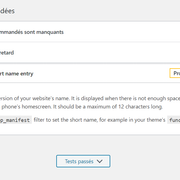
I found this error in my wordpress administration for the health of this one.
– https://i.ibb.co/V2VBkk7/Capture.png
Thread Starter
Bryx
(@bryx)
I found this error in my wordpress administration for the health of this one.
https://ibb.co/V2VBkk7
Thread Starter
Bryx
(@bryx)
Thanks, I’m sorry to be boring, but PWA also works technically from my Windows 10 on Google Chrome? IF yes, I should see a little more / add in the address bar? Or this one is only mobile compatible?
So why isn’t it compatible from the start with the multisite, which wasn’t originally planned?