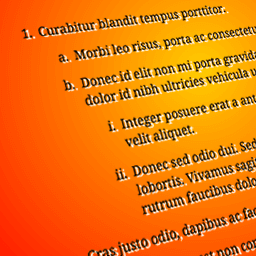
This is likely due to CSS rules in your theme overriding the rules added by the plugin.
Please provide a link to the page on your site where the issue can be seen as it is not possible to troubleshoot from a screenshot.
It looks like your CSS files are being concatenated and minified by the autoptimize plugin. That’s a good plugin and one I use often, however I will need to be able to see the original CSS files on the site to be able to troubleshoot this issue for you.
pro-tip; you can disable Autoptimize on a per-request basis by adding ?ao_noptimize=1 to the URL.
if the problem is not there at that point, some autoptimize (re-)configuration might be needed to fix this. there are troubleshooting tips and info on how to exclude in the AO FAQ.
hope this helps debugging,
frank (ao dev)
Thank you for the tip Frank, this is very useful to know.
@monther, can you copy & paste the page content including the shortcodes from the text editor into a reply. I will then try to reproduce the issue on a test site.
Moderator
 Jan Dembowski
(@jdembowski)
Forum Moderator and Brute Squad
@monther That much HTML has no chance of working in these forums. Please do not post that again.
If you want to share that then use a service like https://pastebin.com/ and share the link to that paste instead.
Thread Starter
 Michal
(@monther)
Ok, sorry for the inconvenience.
https://pastebin.com/q471rR8j
Does the theme use the body_class() function to assign classnames to the body element?
https://developer.ww.wp.xz.cn/reference/functions/body_class/
If not, can you add this?
It looks like the function in the plugin to add an additional class to the body via a filter is not having any effect.
Thread Starter
Michal
(@monther)
Yes, the theme use the body_class() function. It still does not work properly 🙁
I believe I have found the cause of the issue. Your theme does not use the standard .entry-content class for the page content.
I would not normally suggest to edit a plugin, the quickest workaround for this would be to replace the content of the plugin’s stylesheet – css/nested-ol-editor.min.css
delete the existing content of that file and replace it with the following:
.nested-list .article__body ol{counter-reset:level1;margin:.8em 0 .8em 1.4em}.nested-list .article__body ol ol{counter-reset:level2}.nested-list .article__body ol ol ol{counter-reset:level3}.nested-list .article__body ol>li{list-style-type:none;line-height:1.4;margin:.8em 0 0 1em;text-indent:-1.5em}.nested-list .article__body ol>li:before{content:counter(level1,decimal) '. ';counter-increment:level1;display:inline-block;text-align:right;text-transform:none;margin-right:.5em;width:1em}.nested-list .article__body ol ol>li:before{content:counter(level2,lower-alpha) '. ';counter-increment:level2}.nested-list .article__body ol ol ol>li:before{content:counter(level3,lower-roman) '. ';counter-increment:level3}.nested-list .article__body ul{margin:.8em 0 .8em 1.4em}.nested-list .article__body ul>li{list-style-type:disc;text-indent:0}.nested-list .article__body ul ul>li{list-style-type:circle}.nested-list .article__body ul ul ul>li{list-style-type:square}
To prevent this change in the plugin being overwitten in case of a future update, also change the version number of the plugin in nested-ordered-lists.php from
Version: 1.2.0 to Version: 91.2.0