• Resolved richards1052

    (@richards1052)


    I have the AIOSEO plugin installed. It displays a msg saying that the Rest API may be blocked by a security plugin. Is there any way to tell whether WF may be blocking it? I use a VPN, so it’s possible my IP address isn’t static. If I need to unblock Rest API access, can I do that? If so, how?

    @wfpeter I saw your post:

    “some REST API related issues can be solved by disabling “Prevent discovery of usernames through ‘/?author=N’ scans, the oEmbed API, the WordPress REST API, and WordPress XML Sitemaps” in Wordfence > All Options > Brute Force Protection > Additional Options and saving.”

    When I followed those instructions an error msg displayed saying that saving the changed setting failed.

    • This topic was modified 3 weeks, 6 days ago by richards1052.

    The page I need help with: [log in to see the link]

Viewing 1 replies (of 1 total)
  • Plugin Support wfmargaret

    (@wfmargaret)

    Hi @richards1052,

    Thanks for reaching out! Wordfence doesn’t block the REST API itself, but something about the particular request may be blocked. As a quick test, deactivate Wordfence and re-run AIOSEO’s REST API check. If the warning still shows with Wordfence off, Wordfence isn’t involved. Either way, let us know what you see.

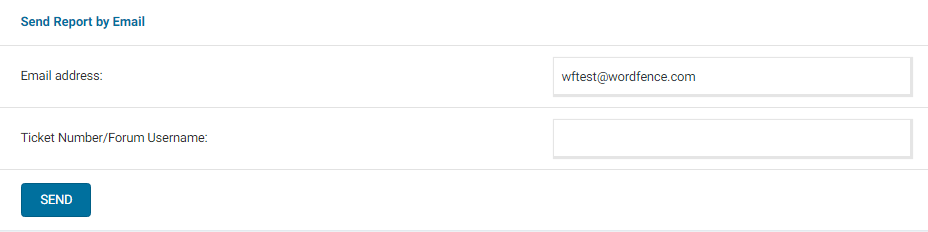
    Then reactivate Wordfence and try saving the “Prevent discovery…” setting again. If it still won’t save, please send a diagnostic report to wftest @ wordfence . com. You can find the link to do so at the top of the Wordfence > Tools > Diagnostics page. Then click on “Send Report by Email”. Please add your forum username where indicated and respond here after you have sent it.

    NOTE: It should look as follows – Screenshot of Tools > Diagnostic > Send by Email

    Thanks,
    Margaret

Viewing 1 replies (of 1 total)

You must be logged in to reply to this topic.