Dropdown menu css and template files
-
Hi guys, I have tweaked and edited my theme since 2009 and it didn’t natively support dropdown menus. Therefore, I added this to my functions file and now it supports two menus in Appewarance> Menus:
// Registering Menus For Theme

add_action( 'init', 'register_my_menus' );

function register_my_menus() {
	register_nav_menus(
		array(
			'main-nav-menu' => __( 'Main Navigation Menu' ),
			'footer-menu' => __( 'Footer Menu' )
		)
	);
}
I then went to Appearance> Menus> and I added the ‘Services’ Parent page to my nav menu, along with it’s child pages (indented to the right under the parent page).
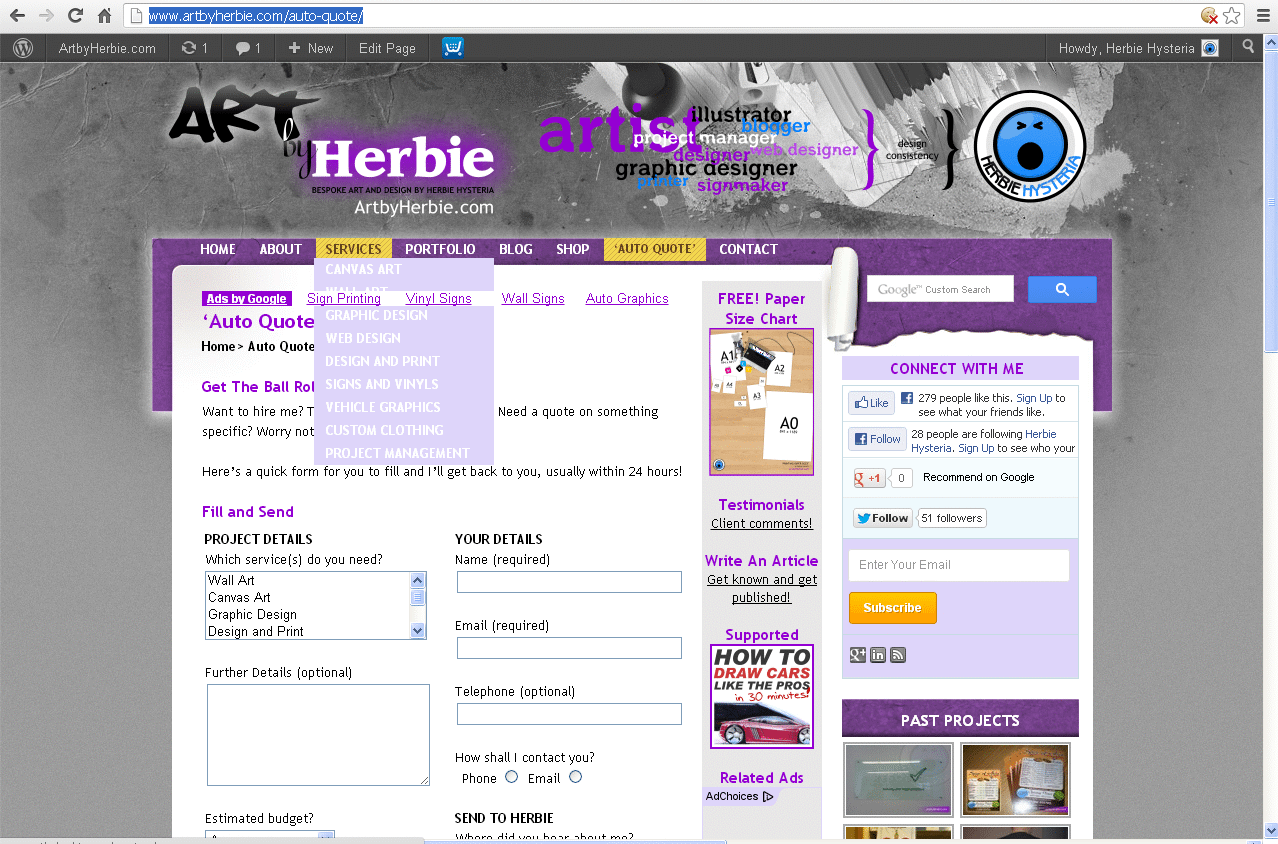
It ‘kind of’ works but the css is all over the place, all the child pages show permenantly underneath the parent page in a horizontal position which has moved all the content on my site about one line-break down, i can see I’m not far from implementing it but i’m thinking it may be my header.php and also the css that i haven’t done yet.
I have NOT yet changed the template tag in header.php and to render the menu it still reads:
<?php
		function do_the_menu (){
			wp_page_menu('show_home=1&exclude=6,8, 10, 12, 14, 16, 32, 73, 75, 385, 389, 392, 398, 400, 404, 407, 509, 620, 651, 747, 765, 1037, 1038, 1039, 1040, 1112, 1644, 1826, 2544&menu_class=menu');
		}
		//first check if wp_nav_menu has been declared
		if (function_exists('wp_nav_menu')){
			//if it has been declared then use it
			wp_nav_menu( array( 'sort_column' => 'menu_order',
								'theme_location' => 'primary',
								'menu' => 'main',
								'menu_class' => 'sf-menu',
								'fallback_cb' => 'do_the_menu',
								'container_class' => 'menu'
							  )
						);
		}else{
			//if wp_nav_menu doesnt exist we use wp_page_menu
			do_the_menu();
		}
		?>
Do i need to replace this code with something more updated? Also, can I use the css from an existing theme that supports dropdowns like twenty ten?
My site looks very amateur with the menus misaligned, all help appreciated:
See here: http://artbyherbie.com
Thanks!


The topic ‘Dropdown menu css and template files’ is closed to new replies.