Hello @liang1216
I’ve visited your form, and the width of the dropdown fields are correct. However, I recommend you to increase their height.
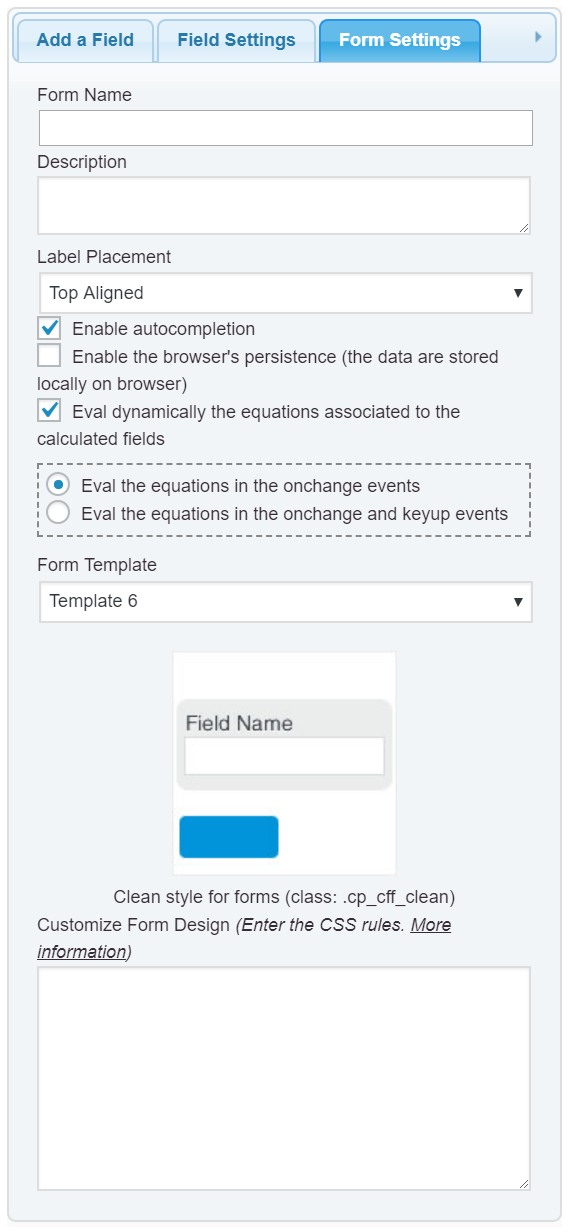
Please, enter the style definitions below through the “Customize Form Design” attribute in the “Form Settings” tab (https://cff.dwbooster.com/images/documentation/form-settings-tab.png):
#fbuilder .select2-container .select2-selection--single .select2-selection__arrow{top:46% !important;}
#fbuilder .select2-selection{height: auto !important;}
#fbuilder .select2-container{width:100% !important;}
Thread Starter
 Liang
Liang
(@liang1216)
Hi , thank you for replying me. It works well but after i added it, The text not showing in the center of height in container.
I tried added css below but it is not showing the text at center height in container. Any suggestion?
.select2-selection {
text-align: center;
text-align-last: conter;
-moz-text-align-last: center;
text-height:center
}
https://ibb.co/tZHJcJc
-
This reply was modified 5 years, 4 months ago by
 Liang.
Hello @liang1216
Use the style definition:
#fbuilder .select2-selection__rendered{line-height:40px !important;}
Best regards.
Thread Starter
Liang
(@liang1216)
I’m sorry to bother you, How can i resize the all dropdown to show more selection in my form, i have tried with css code but it just change the layout size in one of the dropdown.
.select2-dropdown--below{height:500px !important;}
https://ibb.co/qxQtgkS
Hello @liang1216
You should tick the “Allows to select multiple choices” checkbox in the settings of the dropdown field.
Best regards.
Thread Starter
Liang
(@liang1216)
Hi @codepeople ,
What i meant was how can i let my dropbox show more items.
Picture for reference
Hello @liang1216
We are not the developers of the “Select2” library. We teach you to use Select2 through your form, but if you need to take advantage of all the possibilities “Select2” gives, I recommend you to read the library documentation:
https://select2.org/
By the way, you are forcing the max-height to 500px with the style definition:
.select2-dropdown--below {
    height: 500px !important;
}
You should do the same with the ul tag into .select2-dropdown--below
.select2-dropdown--below ul {
    max-height: 450px !important;
}
Best regards.