Hi Ron,
Sorry for the inconvenience. There seems to be a problem with saving custom fields. You can revert versions in the meantime. We will find a fix to it and release an update as soon as possible!
Best regards,
EWD
Thanks for getting back to me, EWD.
Do you think the fix will be a case of weeks or months? Just planning ahead so I can decide whether to ‘park’ this for the moment and hope it will work with the fix, or should I look for a different route to perform the same kind of task.
Also, I’m not sure what you mean by reverting versions in the meantime….is there a workaround?
Many thanks, Ron
Hi Ranasaur,
It’s something that should be fixed quickly, within days at most. Just to get a bit more information, we’ve found a problem where text, number, etc. fields won’t save if they come after certain other types of fields such as select, radio, checkbox, and potentially other. Does that seem like it might be the case for you?
We’ve released a new version (2.3.7) that corrects that problem, so if you want to give it a try and let us know if your issue is solved, that would be great.
Hello Rustaurius,
That’s great news, thank you. I will probably be buying the pro version of this plugin next week anyway to use as the core functionality behind a microsite that I’m building.
I’m travelling at the moment and unable to verify the fix in 2.3.7, but i will be sure to try it in the coming days and report back right away.
I appreciate your fast reaction to solving the issue. Very impressed 🙂
Have a good weekend sir.
Hi Rustaurius,
Found the same problem – I have a Custom Select Box field and it’s not saving it to the db.
Just installed the 2.3.7 version and the issue remains the same.
More info
Input values: yes,no
And the field is the last of the list to enter for the user.
Even when entering the user on the admin area for the first time it fails to save the data.
Thanks for your plugin, btw!
Hi dianalbert,
Would you mind moving the field further up the list, and seeing if it stops values after it from being saved? Is the select box displaying correctly when the page loads? Would you be able to post a link?
Hi Rustarius,
I’ve had a play with v2.3.7 and performed a test whereby I’ve laid out all of the fields that can be added to the front-end. It appears that the select boxes and free-form input fields are ok to update both on the front and back end, but the radio buttons and checkboxes don’t.
Feel free to have a play on this site that I’m building…
http://champsummit.com/
Please use ‘test’ as the username and ‘test123’ for the password.
Do you have an approximate ETA on the fix for this? I’d like to purchase the plugin for use on this site, but I’d have trouble claiming back the expense if it didn’t work 🙂
Many help for your support.
Hi Rustarius,
I’m only using the admin area to create the Users. So even if I put the Select field at the top of the list, in the Users Tab, the field is the last one – not sure if that affects or not.
The dropdown is ok, I can select the 2 values that I set for the field, but when saving the User nothing is stored in that field – the rest (default ones) work ok.
Tried to add another select box field, and the behavior is the same.
I’m sorry the project is not public so I can’t share a link. Please, let me know if I can provide some more information to solve this.
Thank you!
Hi Rana,
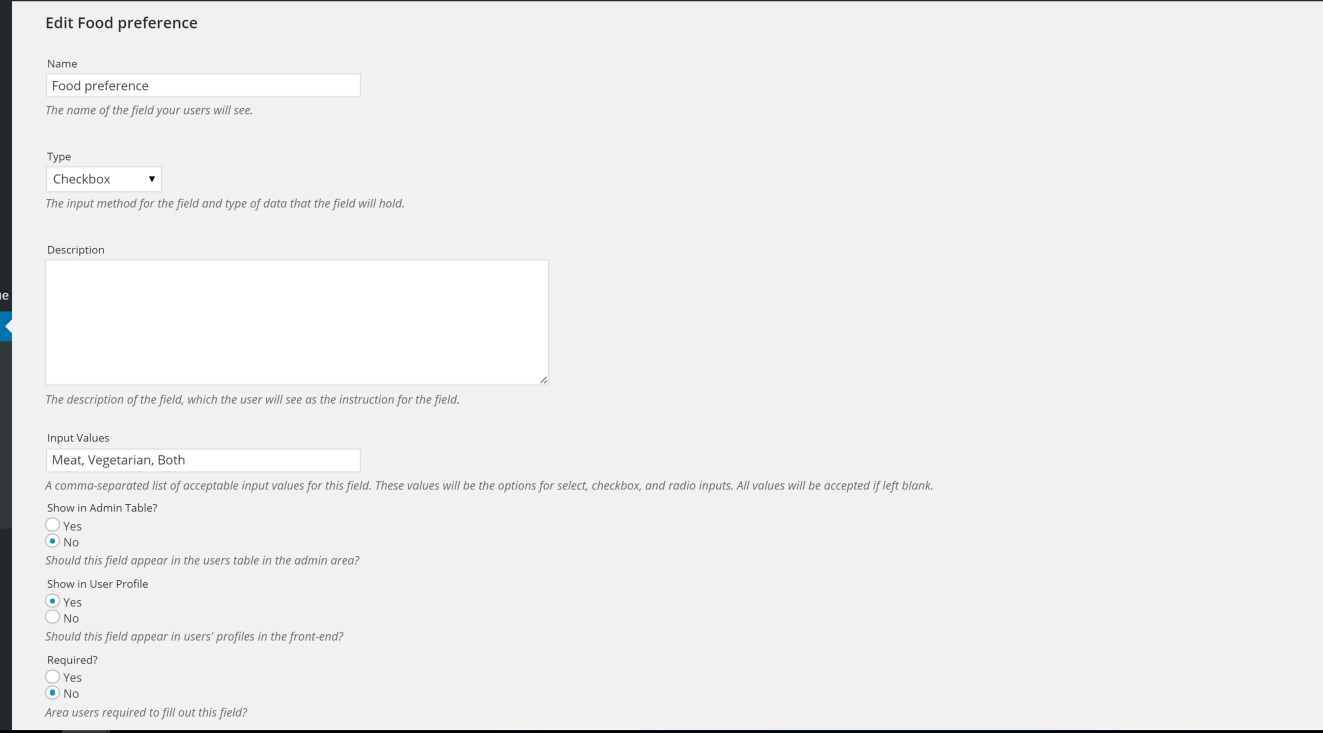
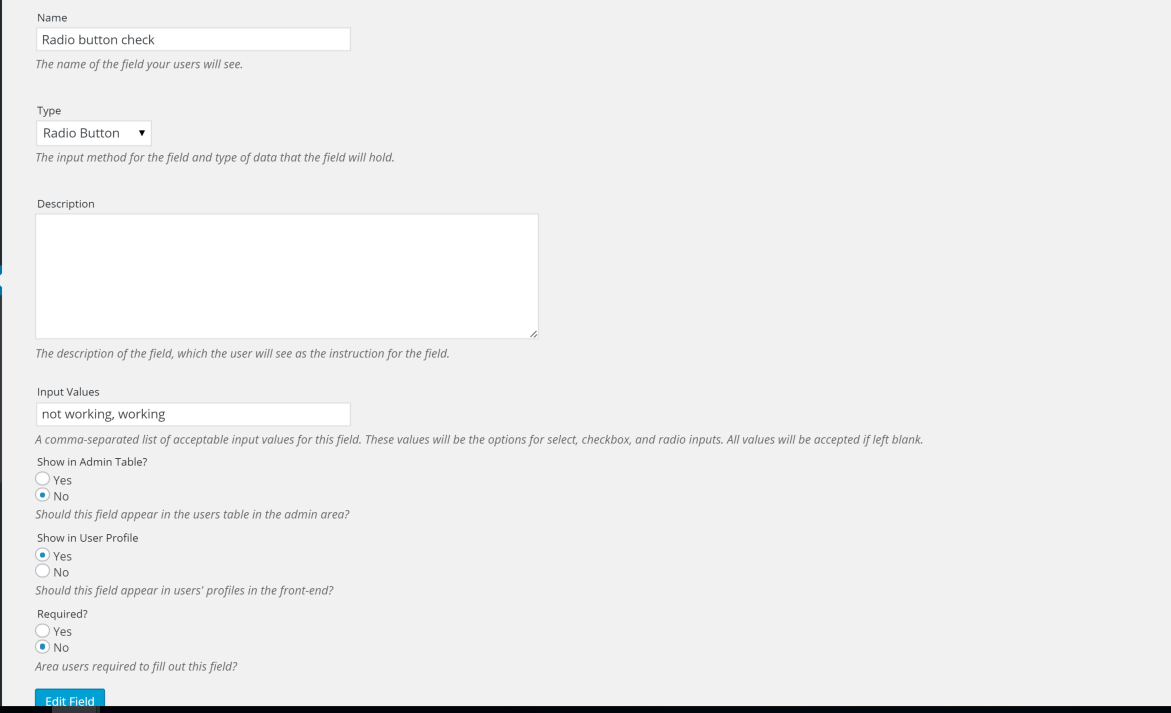
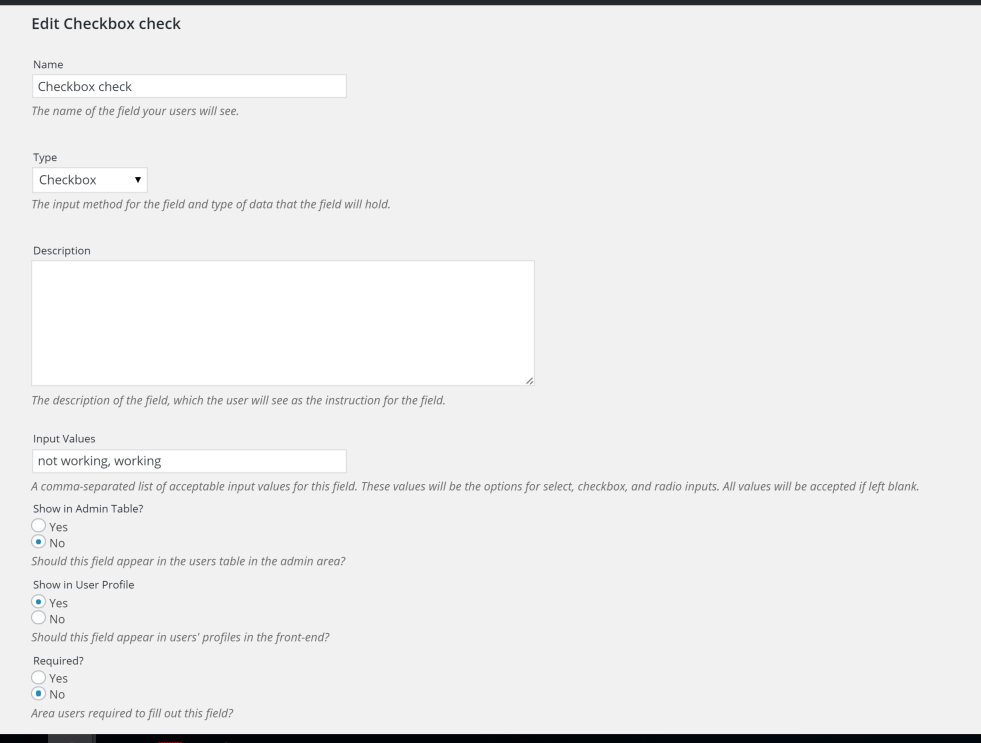
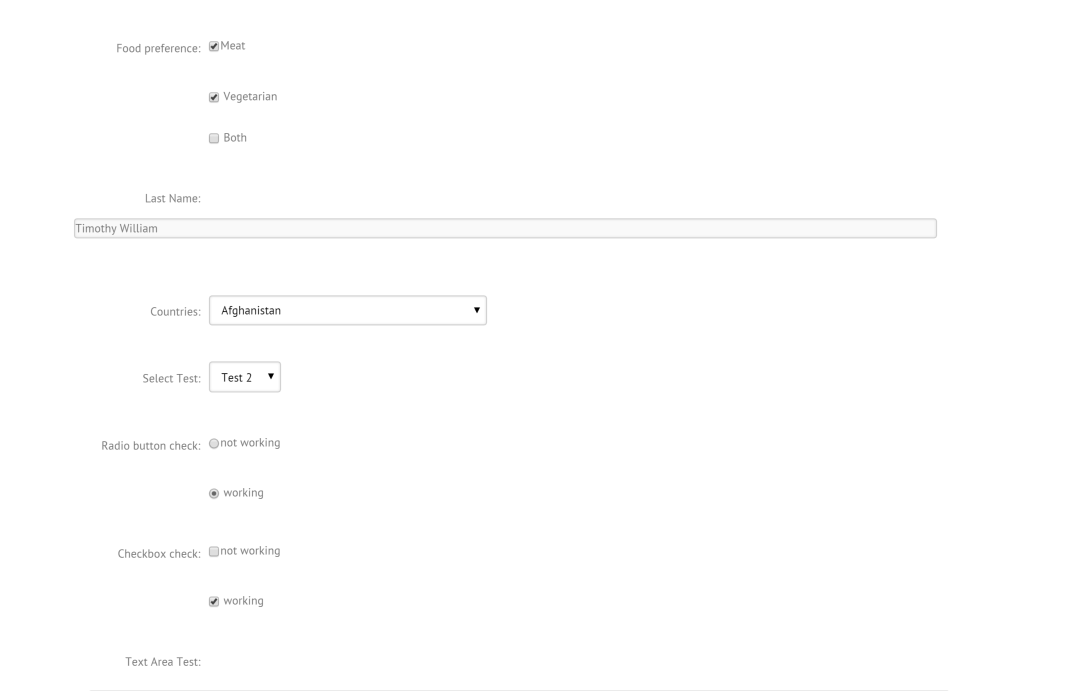
Can you try deleting the plugin and reinstalling? We’ve created the same fields as you and don’t seem to have the same issue:
Screenshot 1
Screenshot 2
Screenshot 3
Screenshot 4
We want to make sure that all the old plugin files are purged, hence the delete and reinstall. If that doesn’t work, is there any difference between the fields we created and yours that you can see?
If we can figure out what the issue might be, then we’d be able to push out an update to correct almost immediately.
Hi Rustaurius,
Just reinsalled the plugin and on my project it is working ok!
Thanks for your help!!
Superb – all sorted now. Many thanks for your help.
I’m going to buy the full version now also 🙂
All the best, Rana
Great to hear!
If you guys have a minute to leave a review (https://ww.wp.xz.cn/support/view/plugin-reviews/front-end-only-users) that would be super appreciated!